Blog
All Blog Posts | Next Post | Previous Post

 Unlock PDF Interactivity in Delphi with TTMSFNCPDFLib Form Fields
Monday, March 9, 2026
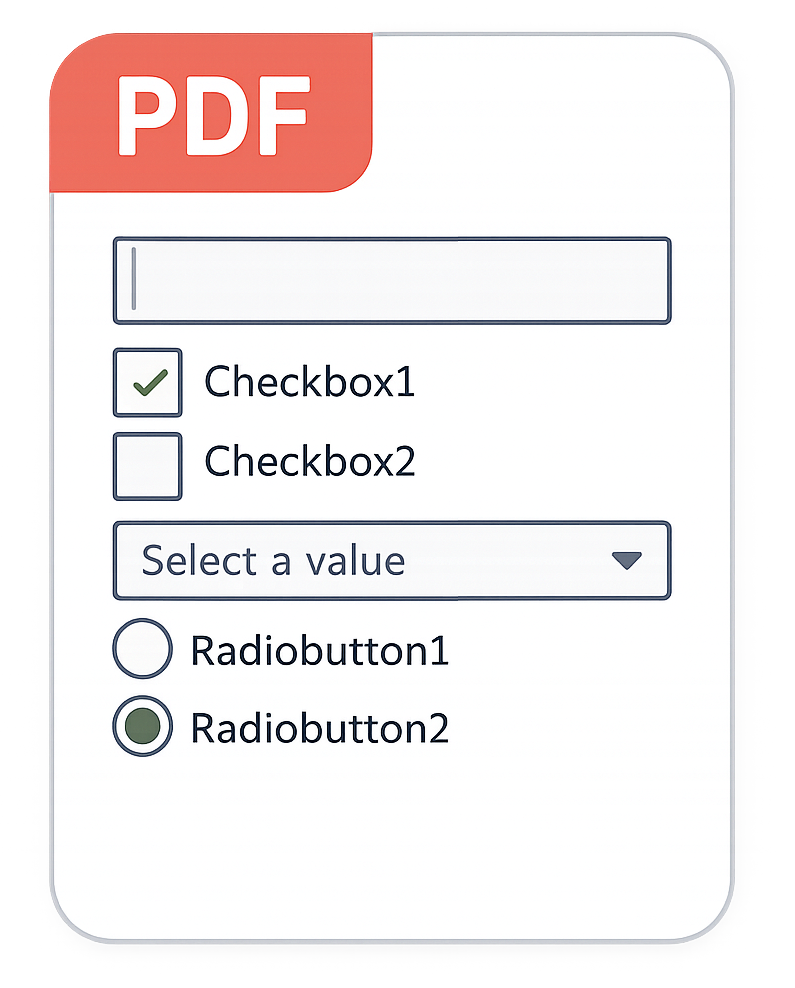 Ever needed to generate a PDF that wasn't just a static picture of data, but something users could actually interact with?
As part of a recent TMS FNC Core release, TTMSFNCPDFLib now supports PDF form fields on Windows and Linux, enabling truly interactive PDF generation from your Delphi applications!
The Need for Interactive PDFs
While web interfaces have come a long way, PDFs remain a popular choice for digital documents. They’re used for everything from contracts and government forms to technical documentation and invoices, thanks to their reliability and consistent layout across devices.
However, a standard PDF is often just "digital paper." It displays information perfectly, but it’s a one-way street.
By adding support for PDF form fields, you transform a flat document into an interactive experience. Instead of requiring users to print, fill out by hand, and scan a document back, they can now provide structured data directly within the digital file you generated for them. This streamlines workflows and professionalizes your document output.
What’s New in TTMSFNCPDFLib
If you are already familiar with drawing on the PDF surface using the Graphics property, you will feel right at home. We’ve introduced a new property: FormFields.
Using the FormField property, you can access a variety of form fields to elevate your documents to the next level. These are:
- Text
- Memo (Multiline text)
- Password
- ComboBox
- ListBox
- CheckBox
- Grouped Radio Buttons
Here is a quick look at how easy it is to add text, combobox and memo fields to your PDFs:
procedure TForm1.Button1Click(Sender: TObject);
var
  p: TTMSFNCPDFLib;
begin
  p := TTMSFNCPDFLib.Create;
  try
    p.Header := '';
    p.BeginDocument('form_field_sample.pdf');
    p.NewPage;

    p.Graphics.DrawText('Name', PointF(30, 30));
    p.FormFields.AddEdit('name_field', RectF(80, 30, 250, 45));

    p.Graphics.DrawText('Rating', PointF(30, 50));
    p.FormFields.AddComboBox('rating_field', RectF(80, 50, 150, 65), ['5', '4', '3', '2', '1']);

    p.Graphics.DrawText('Note', PointF(30, 70));
    p.FormFields.AddMemo('note_field', RectF(80, 70, 250, 170));

    p.EndDocument(True);
  finally
    p.Free;
  end;
end;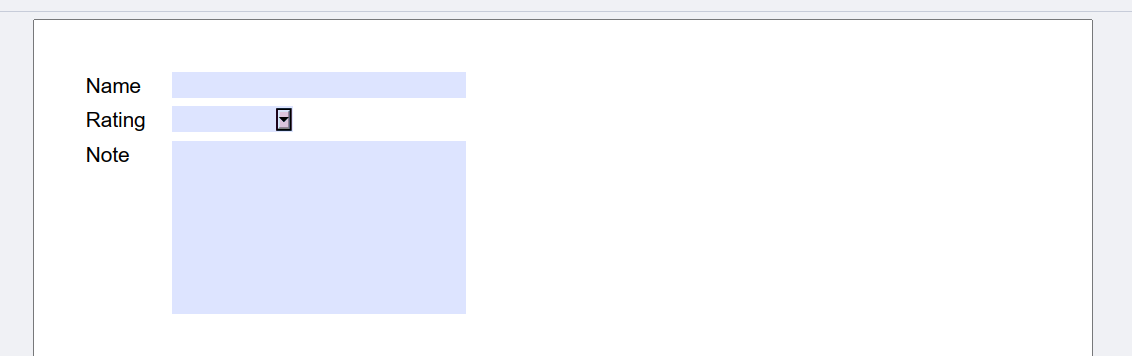
A Complete End-to-End Use-Case
In a real business setup, you also need to know what to do with the data once a user fills it out and sends it back. To truly showcase this new feature, we created a complete end-to-end use-case scenario that you can explore!
Download this comprehensive sample from here which demonstrates the full lifecycle of a digital form. You'll find the following parts included:
1. Generation
The first part of this demo shows how to build a PDF containing various types of form fields using the new TTMSFNCPDFLib.FormFields property. It's just as easy as the code snippet above!
2. Extraction & Storage
The second part focuses on programmatically extracting input data from a filled-in PDF returned by a user, using the open-source PDFium library. But what if you need to store this extracted data? We got that covered by using Stellar DataStore, our own cloud-based backend!
3. Reporting
Finally, the collected data also needs processing. The third part is repsonsible for querying that data to generate a summary.
Conclusion
With the introduction of PDF form fields in TTMSFNCPDFLib, generating PDFs from your Delphi applications takes an important step forward. Combined with the ability to extract and process that data programmatically, this opens up a wide range of new possibilities for document-driven applications!
Go ahead and download the latest version of TMS FNC Core, setup a free Stellar DataStore account and explore the demo. We’re excited to see how you’ll put these new capabilities to use!
Tunde Keller
Related Blog Posts
-
GeoTIFF Support in TMS FNC Maps for Delphi
-
Unlock PDF Interactivity in Delphi with TTMSFNCPDFLib Form Fields
-
TMS Custom Consultancy Projects

This blog post has not received any comments yet.
All Blog Posts | Next Post | Previous Post