Blog Options
Archive
<< September 2026 >>-
Tuesday 8
- Data Report with Filtering and Conditional Formatting -
Monday 7
- Filtering in Delphi: Building a Highlighting Property-Based Search -
Thursday 3
- Translate Your Delphi Application with Ease - Introducing TMS FNC Localization BETA -
Wednesday 2
- Make Your Data Speak: Conditional Formatting in TMS FNC Data Grid 2.0
Authors
- Bernard Roussely (3)
- Wagner Landgraf (104)
- Dennis Röhner (1)
- Roman Yankovsky (2)
- Bart Holvoet (45)
- Aaron Decramer (86)
- Pieter Scheldeman (143)
- Nancy Lescouhier (32)
- Adrian Gallero (35)
- Bruno Fierens (463)
- Marcos Douglas B. Santos (5)
- Bernard (4)
- Bradley Velghe (39)
- Andrew Simard (86)
- Holger Flick (15)
- Gjalt Vanhouwaert (53)
- Tunde Keller (39)
- Masiha Zemarai (117)
Blog
All Blog Posts | Next Post | Previous Post

 Cross platform grid with native .XLS/.XLSX/.PDF IO: TMS Grid for FireMonkey filters
Friday, January 11, 2013
Last summer we have released our powerful, feature-rich cross platform grid for FireMonkey. Shortly after we have also released a major update for TMS Flexcel. With TMS Flexcel v5.5 there is full native support for manipulating, creating, reading .XLS, .XLSX files as well as for generating .PDF files from cross platform FireMonkey applications.Today we have released free bridge components between our grid for FireMonkey and TMS Flexcel to offer seamless export and import of .XLS, .XLSX files in our grid for FireMonkey and to generate .PDF files on Windows and Mac OS-X and soon also iOS from data in our grid. With these components, just dropping a few components on the form, interconnecting and 1 line of code allows you to load or create Excel files from our grid for FireMonkey or generate a PDF from the grid data.
Some of the features:
- Fully native solution to import/export to .XLS, .XLSX without the need for Excel to be installed on Windows & Mac OS-X!
- Fully native solution to export grids to .PDF, no extra tools or libraries required
- Import/export wide range of cell properties: background color, alignment, font, wordwrap, ..
- Import/export of cell images, multi cell images, checkboxes, hyperlinks
- Import/export merged cells
- Export of HTML formatted text in grid cells
- Support for virtually unlimited nr. of columns & rows for import/export with new .XLSX file format
Note that the same solution is also available for our VCL grids, allowing you to generate .XLS/.XLSX/.PDF file seamlessly from TAdvStringGrid, TDBAdvGrid, TAdvColumnGrid or TAdvSpreadGrid with TMS Grid Filters.
Pictures say much more than words. Here are some screenshots from a sample app running on Windows and running on Mac OS-X and the .XLS file read and exported to .XLSX and .PDF
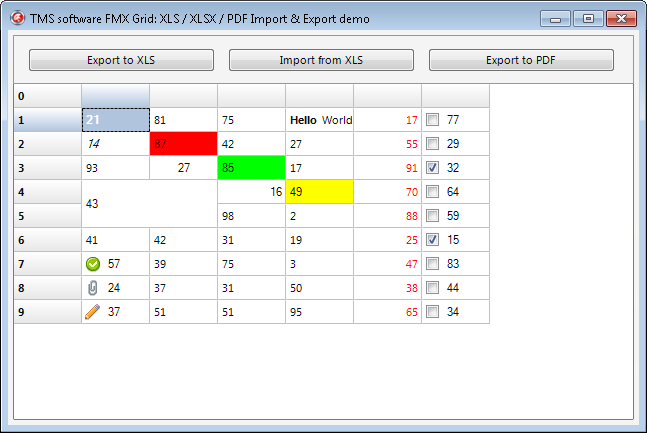 TMS Grid for FireMonkey running on Windows
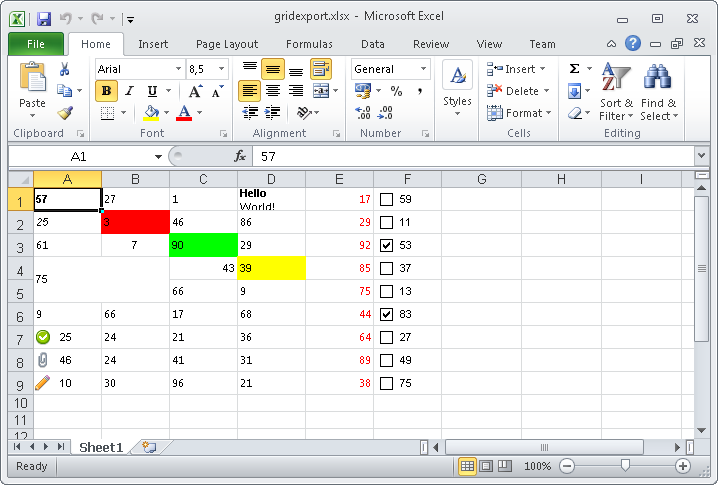 XLSX file generated on Windows
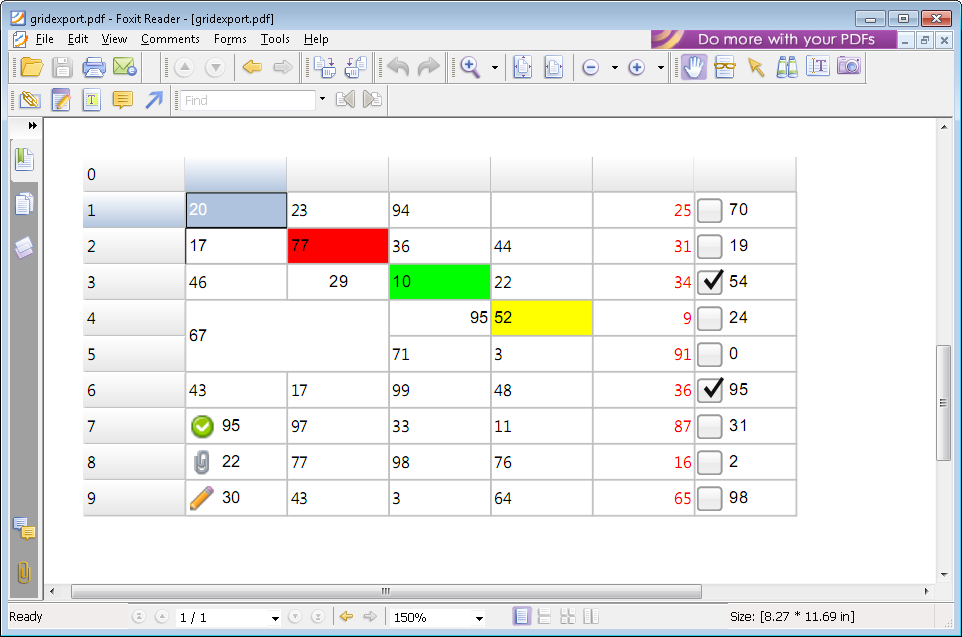 PDF file generated on Windows
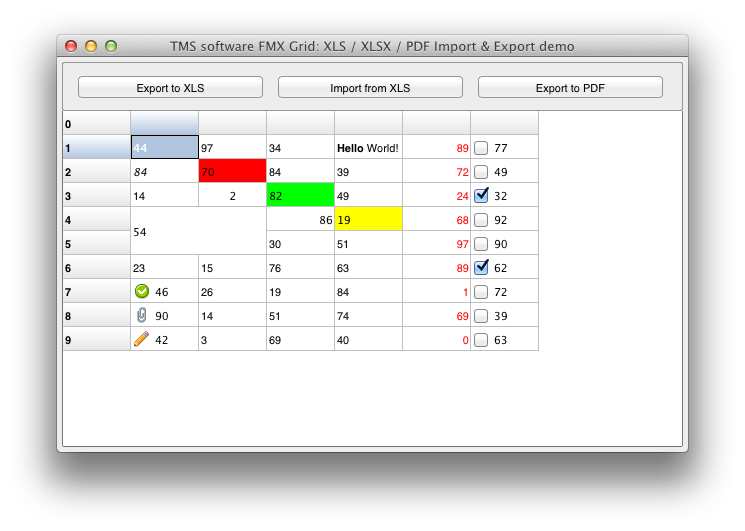 TMS Grid for FireMonkey running on Mac OS-X
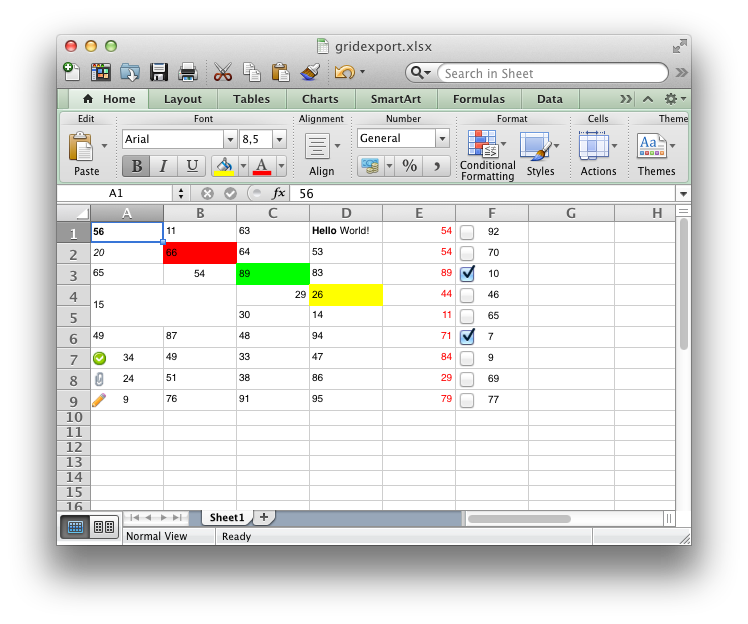 XLSX file generated on Mac OS-X
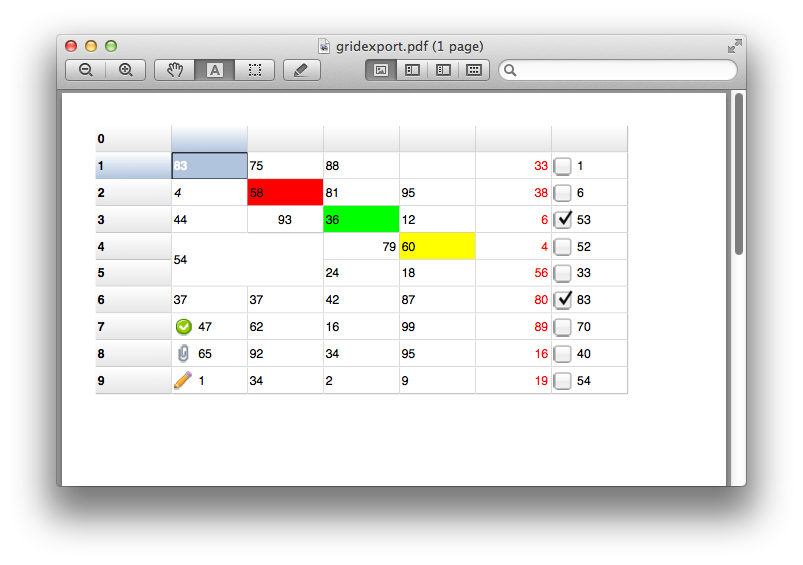 PDF file generated on Mac OS-X
Bruno Fierens

This blog post has received 3 comments.
 2. Wednesday, May 25, 2016 at 8:28:33 AM
You can find the online documentation here:
2. Wednesday, May 25, 2016 at 8:28:33 AM
You can find the online documentation here:http://www.tmssoftware.com/fmxfilters/doc/index.html
Basically, you use the TTMSFMXGridExcelExport class, connect the grid via TMSFMXGridExcelExport.Grid and call TMSFMXGridExcelExport.Export()
Bruno Fierens
3. Thursday, September 8, 2016 at 9:33:18 AM
this work for android and IOS?Jana
All Blog Posts | Next Post | Previous Post
Simon