Blog
All Blog Posts | Next Post | Previous Post

 From Triage to Action: Drafts, Forwards, Calendars and Alerts with TMS FNC Cloud Pack
Thursday, November 5, 2026
After part 1 and part 2, every mail in AI Mail Desk has a department, a handler, a priority and a reply written by the AI. This post is about what happens next. Almost all of it runs through TMS FNC Cloud Pack, and none of it sends anything to a customer without a person.
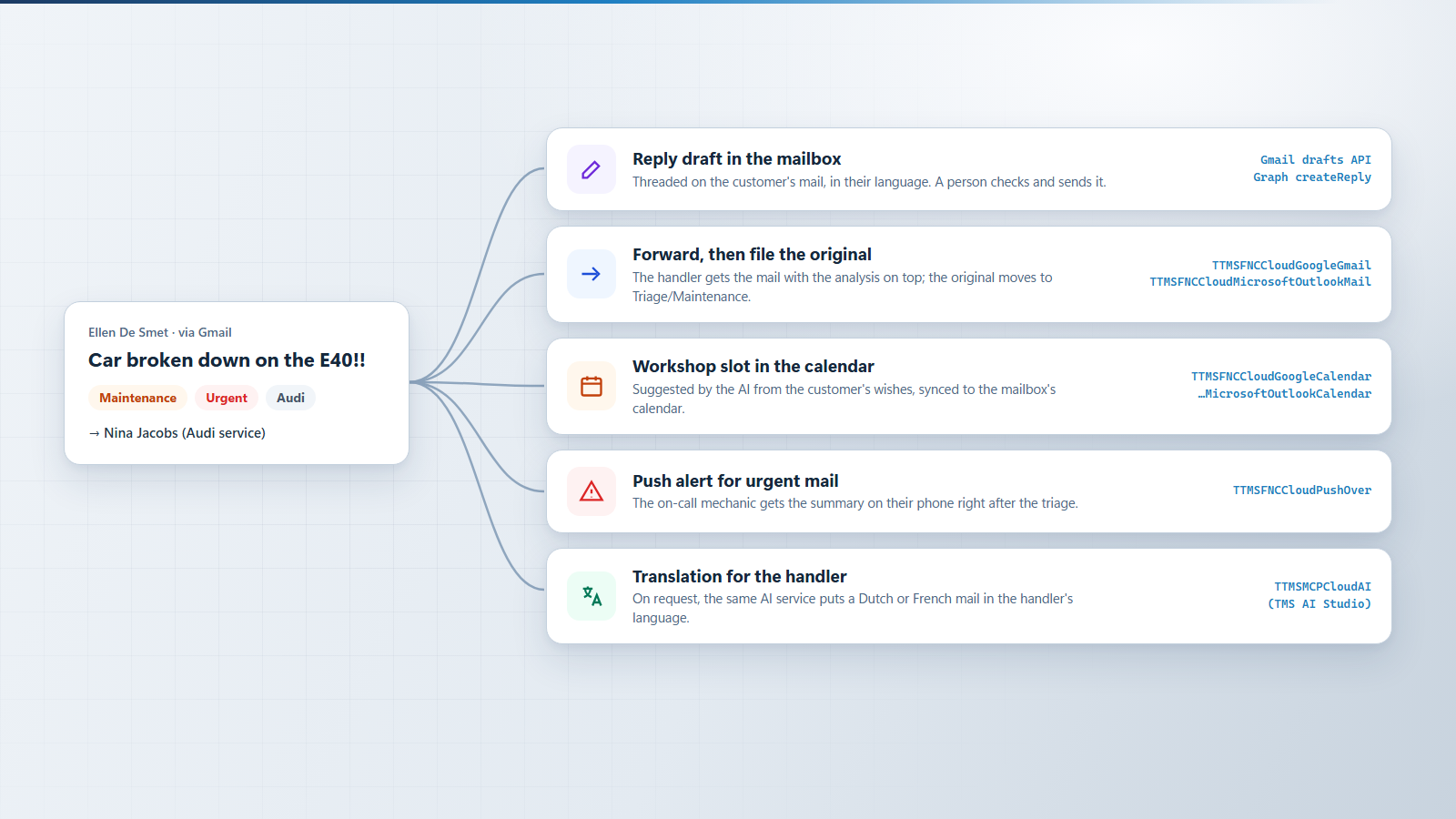
One triaged mail, five follow-ups: four through TMS FNC Cloud Pack, the translation through TMS AI Studio.
Reply Drafts a Person Can Send
The AI writes the reply in the customer's language and ends it with [SIGNATURE]. When the mail is routed, that placeholder becomes the handler's name and department, so the customer gets an answer from a person, not from "the system".
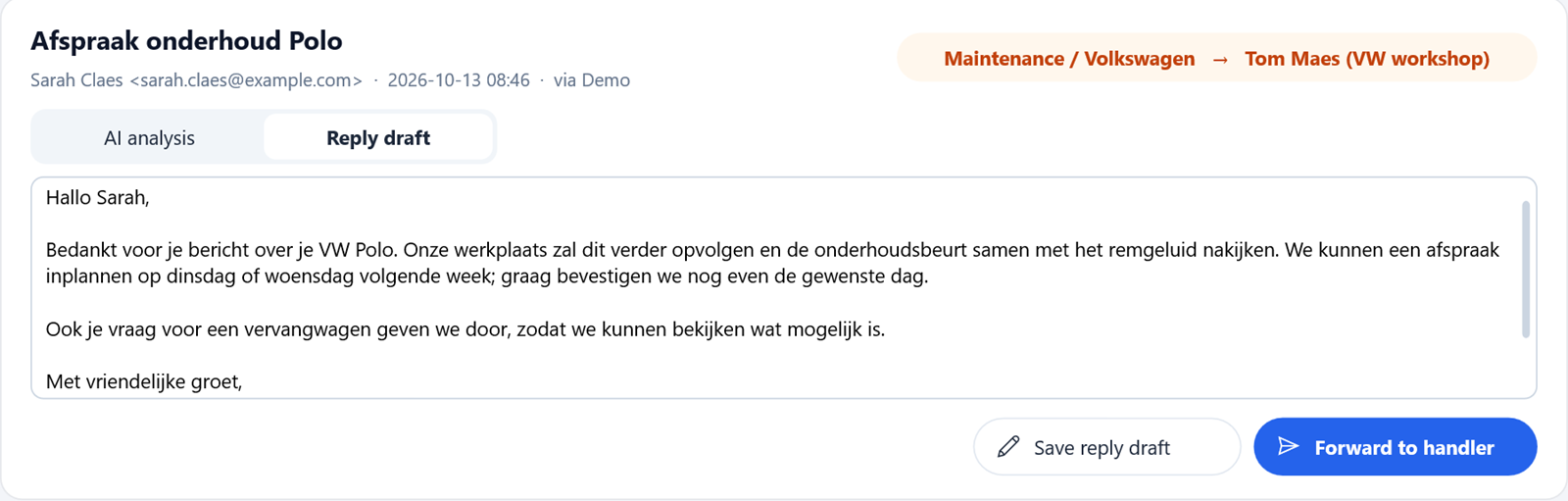
The reply is editable in the dashboard and saved as a draft in the mailbox the mail came from.
The draft lands in the Drafts folder of the original mailbox, threaded as a reply: in Gmail through the drafts endpoint with the thread ID and In-Reply-To header, in Outlook through Microsoft Graph's createReply. The demo sends these requests through the Cloud Pack component's own request pipeline and OAuth token, so no second login or HTTP library is needed. A person opens the draft in Gmail or Outlook, checks it and presses Send.
Forward, Then File the Original
Forwarding sends the mail to the handler with the analysis on top: department, brand, priority, summary, the reason for the routing, what the attachments show and the customer's earlier contacts. With Gmail this is a TTMSFNCCloudGoogleGmailMessage, with Outlook a single SendMailMessage call:
Recipients := TStringList.Create;
try
  Recipients.Add(M.HandlerEmail);
  FOutlook.SendMailMessage(BuildForwardSubject(M), BuildForwardHtml(M),
    Recipients, nil, nil, mtHTML);
finally
  Recipients.Free;
end;
Once the forward is sent, the original leaves the shared inbox. In Gmail it gets the label Triage/Maintenance and loses the INBOX label; in Outlook it moves to the folder Triage > Maintenance. Labels and folders are created the first time they are needed. The shared inbox now only holds what still needs attention.
Workshop Slots in the Calendar
For maintenance requests the AI suggests an appointment that matches the customer's wishes, for example "Tuesday or Wednesday next week" becomes a slot on the next Tuesday morning. Clashing slots move to the next free hour, and the workshop page shows them in a TTMSFNCPlanner where you can drag them to another time.
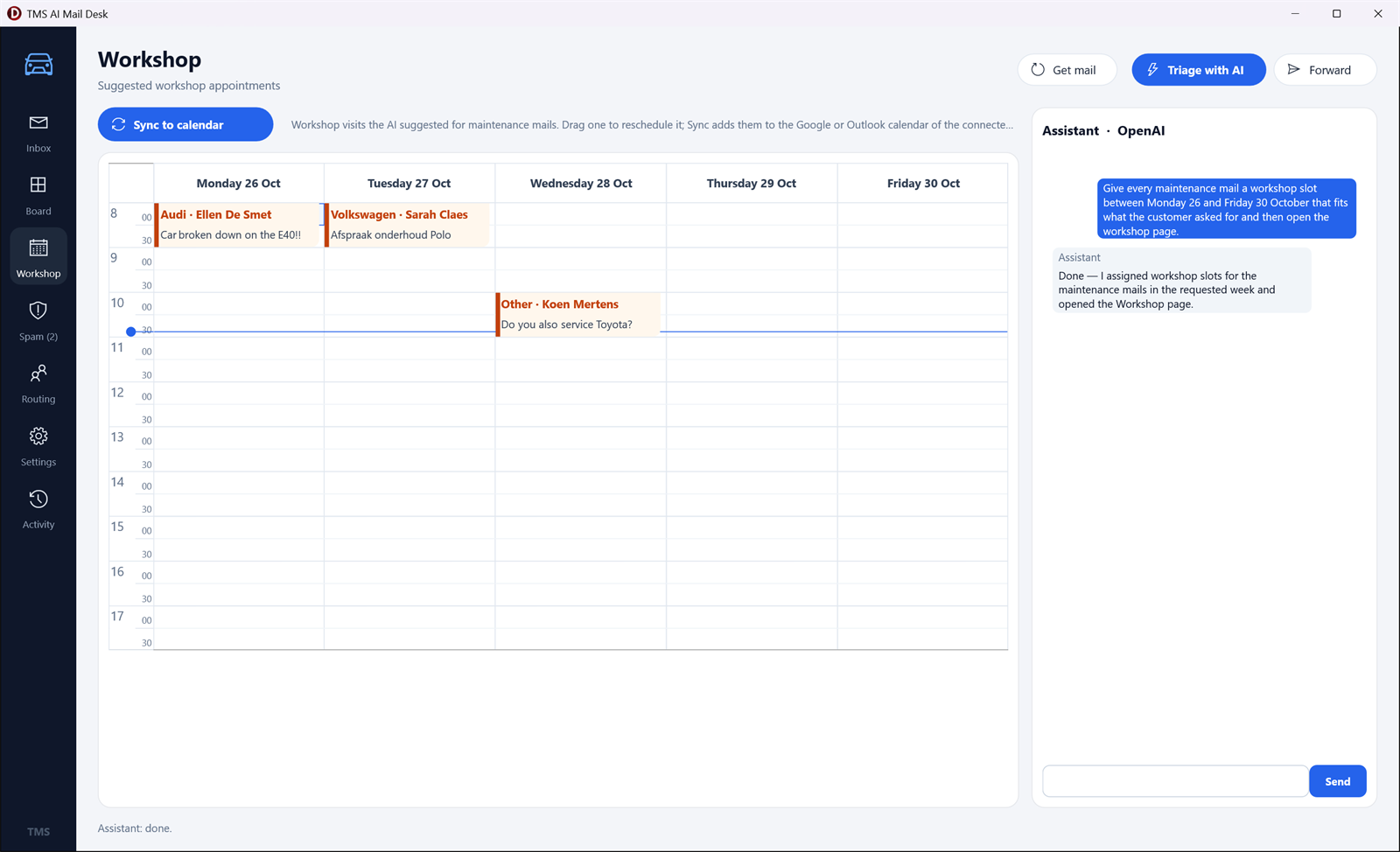
Workshop visits the assistant scheduled for the maintenance mails, ready to move and to sync to the calendar.
Sync to calendar adds the appointments to the calendar of the connected mailbox with TTMSFNCCloudGoogleCalendar or TTMSFNCCloudMicrosoftOutlookCalendar. They use the same app registration as the mailbox; the first sync asks for calendar consent once.
A Push Alert for Breakdowns
A customer stranded on the hard shoulder should not wait for someone to open the inbox. Every mail classified as urgent sends a push message to the on-call mechanic through TTMSFNCCloudPushOver:
FPushOver.PushMessage(FSettings.PushoverUser, 'URGENT: ' + AMail.Subject, Text);
A Translation for the Handler
The reply goes out in the customer's language, but the handler may not read Dutch or German. A translation is a job for the AI service the triage already uses, so there is no second service or API key to set up. It only runs when someone asks for it through the translate_mail tool, for example by asking the dashboard's assistant to translate a mail, never as part of the triage.
The server keeps a second TTMSMCPCloudAI for this, with the service, key and model of the triage, so a translation neither waits for nor disturbs a triage that is running:
FTranslator.Service := Svc;
SetServiceKey(FTranslator.APIKeys, Svc, GetServiceKey(FAI.APIKeys, Svc));
FTranslator.SystemRole.Text := BuildTranslateSystemPrompt(FSettings.TargetLanguage);
FTranslator.Context.Text := BuildTranslatePrompt(AMail);
FTranslator.Execute(AMail.ID.ToString);
The prompt asks for a JSON object with the translation and the language the mail was written in, and tells the model to keep names, numbers, licence plates and dates as they are. The handler's language is a setting (target_language), a name such as English or a code such as EN-GB. The result appears in the mail's AI analysis, below the original message, and the forward includes it above the original.
Let the Server Do It on Its Own
Everything above can also run without anyone clicking. With automation switched on, the server fetches new mail on a schedule, triages it and saves the reply drafts by itself. Urgent mails still trigger the alert. Forwarding is never automatic: that stays a decision for a person.
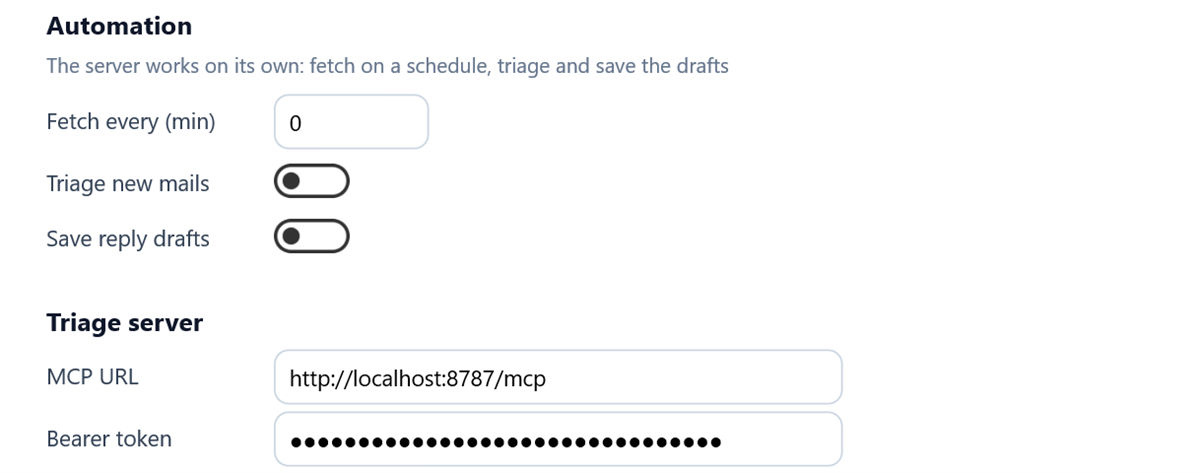
Automation settings. They live on the server, so an LLM can change them too.
"The AI prepares, the components deliver, and the people decide what is sent."
Conclusion
With TMS FNC Cloud Pack the triage reaches every place the dealership already works: the mailbox, the calendar and the mechanic's phone. The AI prepares, the components deliver, and the people decide what is sent. In the next post we open the whole system up as an MCP server, so Claude, n8n or any other LLM client can work the inbox through the same actions.
uReplyDrafts.pas, uMailboxFiling.pas and MCPServer\uTriageEngine.pas.TMS FNC Cloud Pack connects your Delphi applications to cloud services such as Gmail, Outlook, Google Calendar, Outlook Calendar, Pushover and many more, with the OAuth sign-in handled for you. Discover TMS FNC Cloud Pack.
TMS AI Studio is the complete toolkit for bringing AI and the Model Context Protocol to your Delphi applications. Build MCP servers and clients, connect Claude and other assistants to your own tools and data, and add cloud AI to your VCL and FMX apps, all in native Delphi. Discover TMS AI Studio.
Bradley Velghe

This blog post has not received any comments yet.
All Blog Posts | Next Post | Previous Post