Blog
All Blog Posts | Next Post | Previous Post

 Building an AI Mail Desk for a Car Dealership with Delphi
Tuesday, October 27, 2026
AI Mail Desk is a Delphi showcase that hands that first pass to an AI. It fetches mail from Gmail and Outlook, lets an LLM classify every message and write a reply in the customer's language, routes it to the right person and saves the reply as a draft for a human to check. The dealership in the demo, Brightline Motors, is fictional; the components are not.
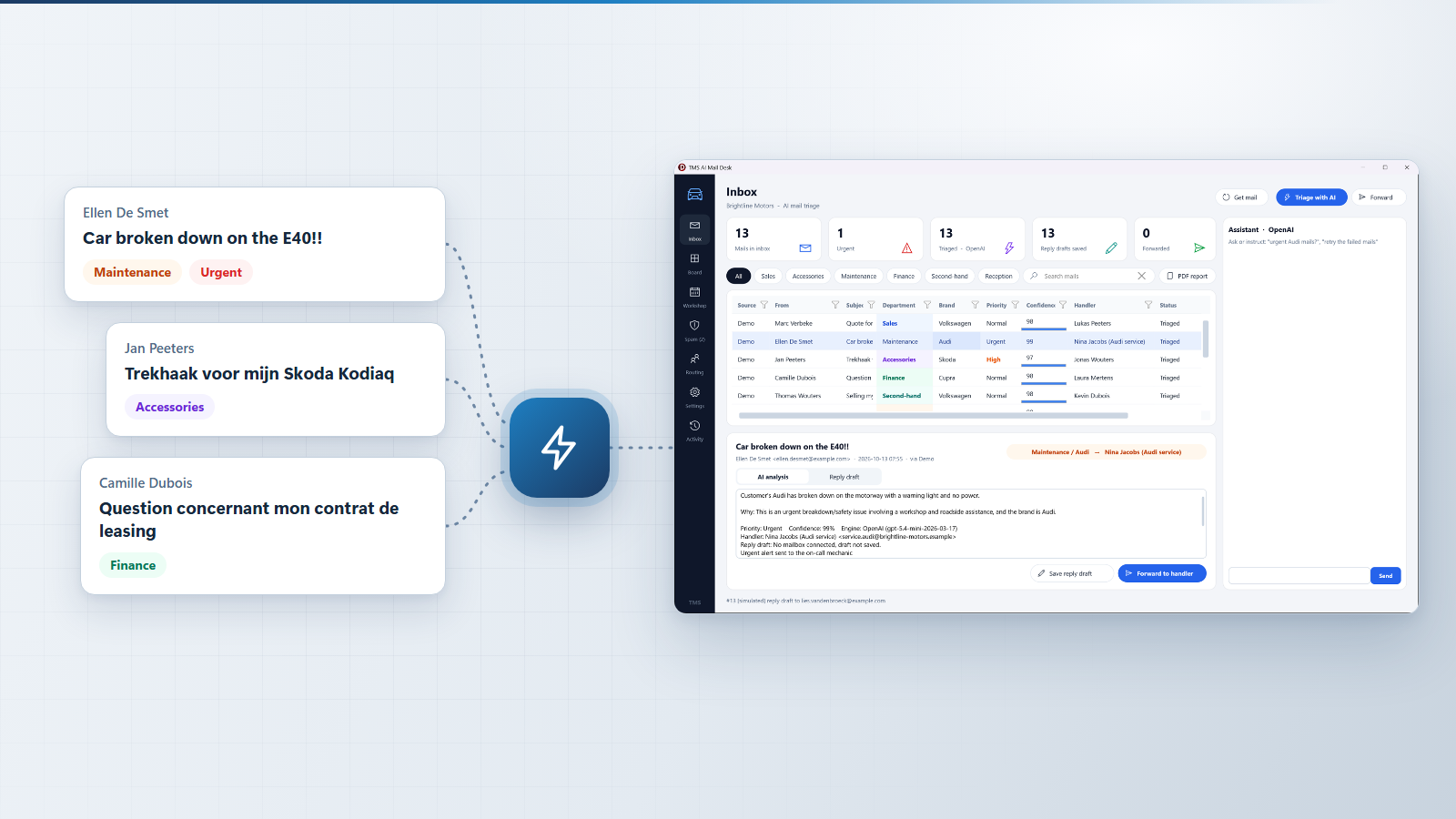
Incoming mail is classified, routed and answered before anyone opens it.
What the Demo Does
One Server, Many Clients
The heart of the system is GarageMailMCP.exe, a console application built with TMS AI Studio. It owns the inbox, the routing table, the settings, the work queues and the customer history, and every part of it is available as an MCP tool. The FireMonkey dashboard is one client of that server; an LLM is another. What Claude changes in the routing table shows up in the dashboard within a second, and the other way round.
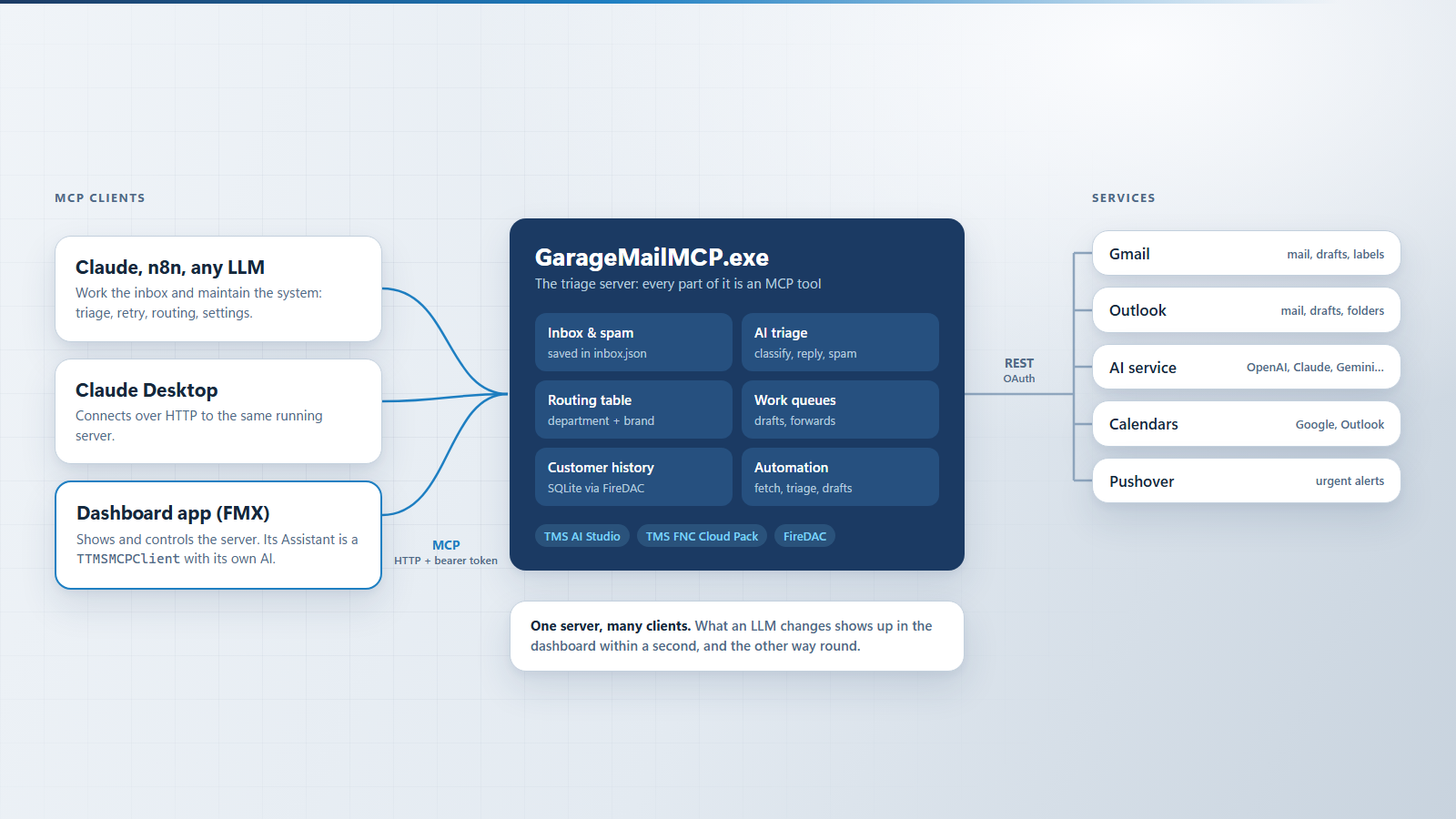
The triage server owns the state; the dashboard and any LLM work through the same MCP tools.
That split is more than an architecture diagram. Because every action is a tool, the same server can be operated by a person clicking buttons, by an assistant inside the dashboard, or by an automation that triages new mail every few minutes and only leaves the decisions to people.
Three Product Families, One Application
Each part of the demo leans on a different TMS product:
TTMSMCPCloudAI (OpenAI, Claude, Gemini, Mistral, Ollama and more), the attribute-based MCP server, and TTMSMCPClient for the in-app assistant.TTMSFNCDataGrid with conditional formatting, TTMSFNCKanbanBoard, TTMSFNCPlanner and TTMSFNCChat.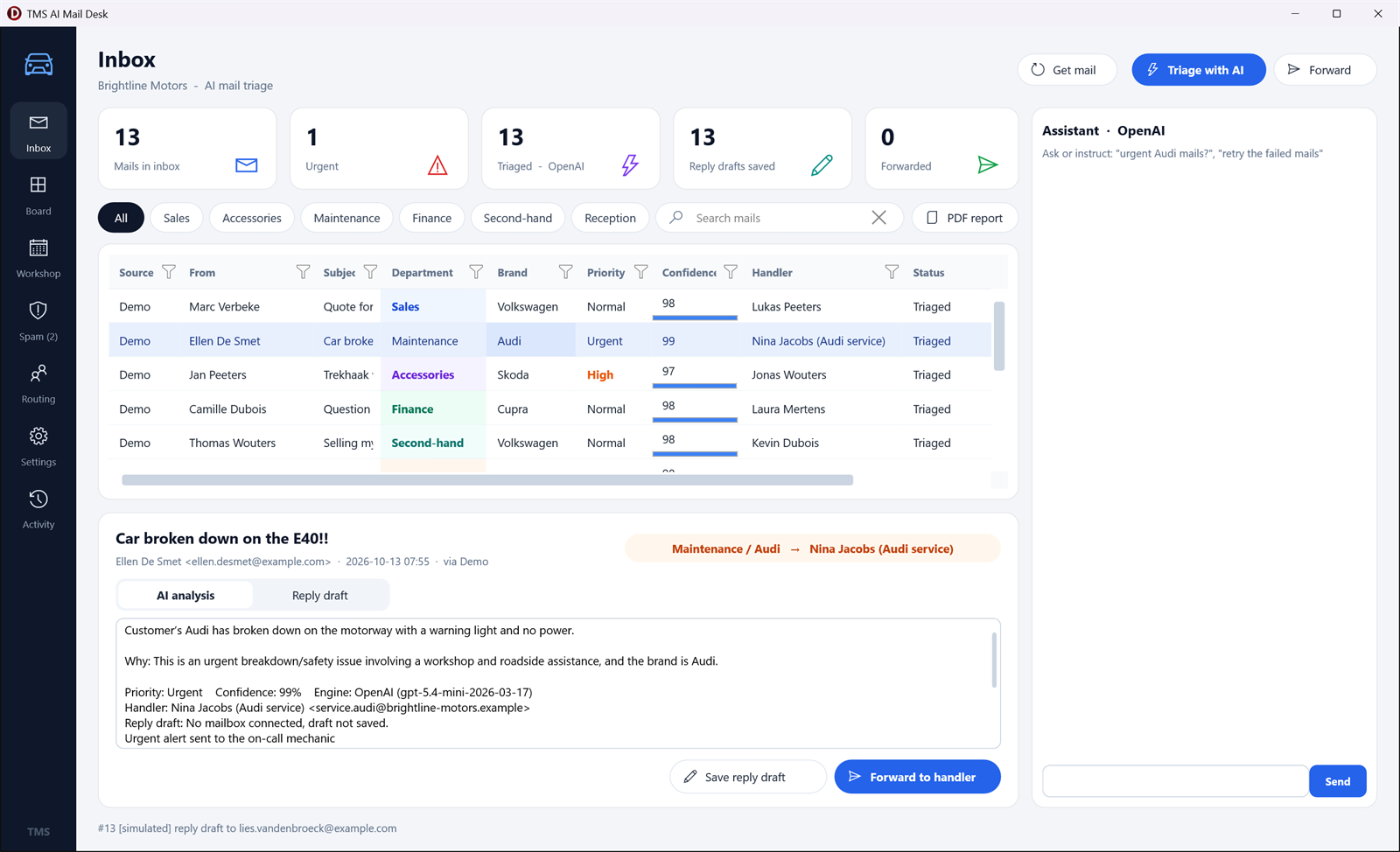
The dashboard inbox: department badges, priority, AI confidence and the analysis of the selected mail.
Try It Without a Mailbox
You do not need a Google or Microsoft account to explore the demo. Start the server, start the dashboard and click Get mail: with no mailbox connected, thirteen realistic customer mails in English, Dutch, French and German arrive, plus two spam mails. Pick an AI service and API key on the Settings page, or choose the offline keyword rules to see the flow without an AI.
"The LLM does the reading and sorting; your Delphi code does the connecting."
Download AI Mail Desk
The complete demo is on GitHub. Run the prebuilt binaries to try it in a few minutes, or clone the repository and build it yourself to follow along with the code in this series.
The release has two zips, one per edition:
- AIMailDesk-Garage-Win32.zip: the Brightline Motors showcase that this series is about.
- AIMailDesk-Configurable-Win32.zip: the configurable edition. It contains no car dealership: you pick a business template on its Setup page and define your own categories, routing and replies.
- Open the Releases page and download one of the zips.
- Unzip it to a folder of your own and keep its folder structure: the demo looks for its sample attachments there.
- Garage edition: start
MCPServer\GarageMailMCP.exefirst, thenGarageMailDesk.exe. Configurable edition: startMailDesk.exe, which startsMailDeskServer.exeby itself. - Click Get mail and then Triage with AI.
Clone the repository:
git clone https://github.com/tmssoftware/tms.demos.aimaildesk.git
You need Delphi (the projects are made with Delphi 13) with TMS AI Studio, TMS FNC Core, TMS FNC Cloud Pack and TMS FNC UI Pack installed. Trial versions are available on each product page.
Build the server MCPServer\GarageMailMCP.dproj and the dashboard GarageMailDesk.dproj for Win32, or MailDesk\Server\MailDeskServer.dproj and MailDesk\MailDesk.dproj for the configurable edit
Bradley Velghe
Related Blog Posts
-
Building an AI Mail Desk for a Car Dealership with Delphi
-
Classify and Route Customer Mail with AI in Delphi
-
AI That Reads Attachments, Remembers Customers and Catches Spam

This blog post has not received any comments yet.
All Blog Posts | Next Post | Previous Post