Blog
All Blog Posts | Next Post | Previous Post

 TMS FNC Localization is now in open beta
Monday, September 21, 2026
On September 3, we announced the closed beta of TMS FNC Localization. Today we're opening it up: TMS FNC Localization is now available as an open beta, and anyone can try it.
You can download the trial version from the TMS FNC Localization product page. If you have a TMS ALL-ACCESS license, you can get the beta through TMS Smart Setup instead.
From a real-world need to TMS FNC Localization
Readers who follow our blog may already recognize the name Erwin Denissen.
Erwin is the developer behind FontCreator from High-Logic, which we featured earlier in one of our customer showcase blog posts. While working on his own software, he ran into the same problems that come with adding and maintaining localization in an application.
He couldn't find a tool that matched the workflow he had in mind, so he built his own.
That personal project eventually brought Erwin and TMS Software together. We saw potential in what he'd built, and out of that collaboration came the product we're presenting here: TMS FNC Localization.
Thanks again to Erwin for the work, ideas and experience he's put into making this possible.
Collect, Translate, Apply!
TMS FNC Localization is built around three steps: collect the texts, translate them, and apply the selected language. Rather than building your own localization infrastructure, you get dedicated components for each step.
Collect
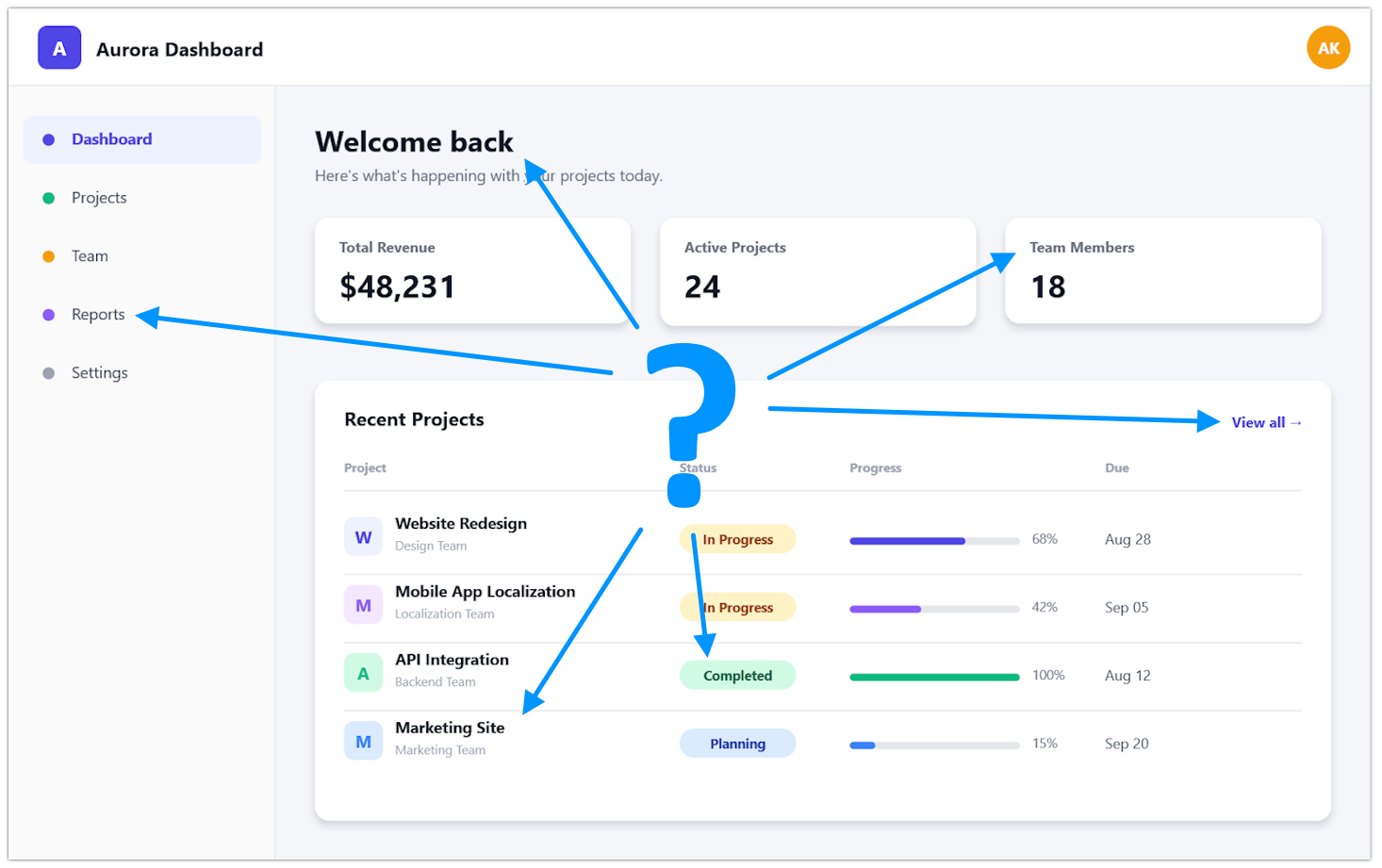
Finding everything that needs translating is often the hardest part, especially in an existing application. TTMSFNCLocalizationCollector gathers localizable content from your application so you don't have to track down every caption and text property by hand.
//Analyze and collect the application - only applies to live forms
TMSFNCLocalizationCollector.AnalyzeApplication;
//Analyze and collect a given form
TMSFNCLocalizationCollector.AnalyzeForm(Self);
Translate
Once the strings are collected, they need to be managed and translated.
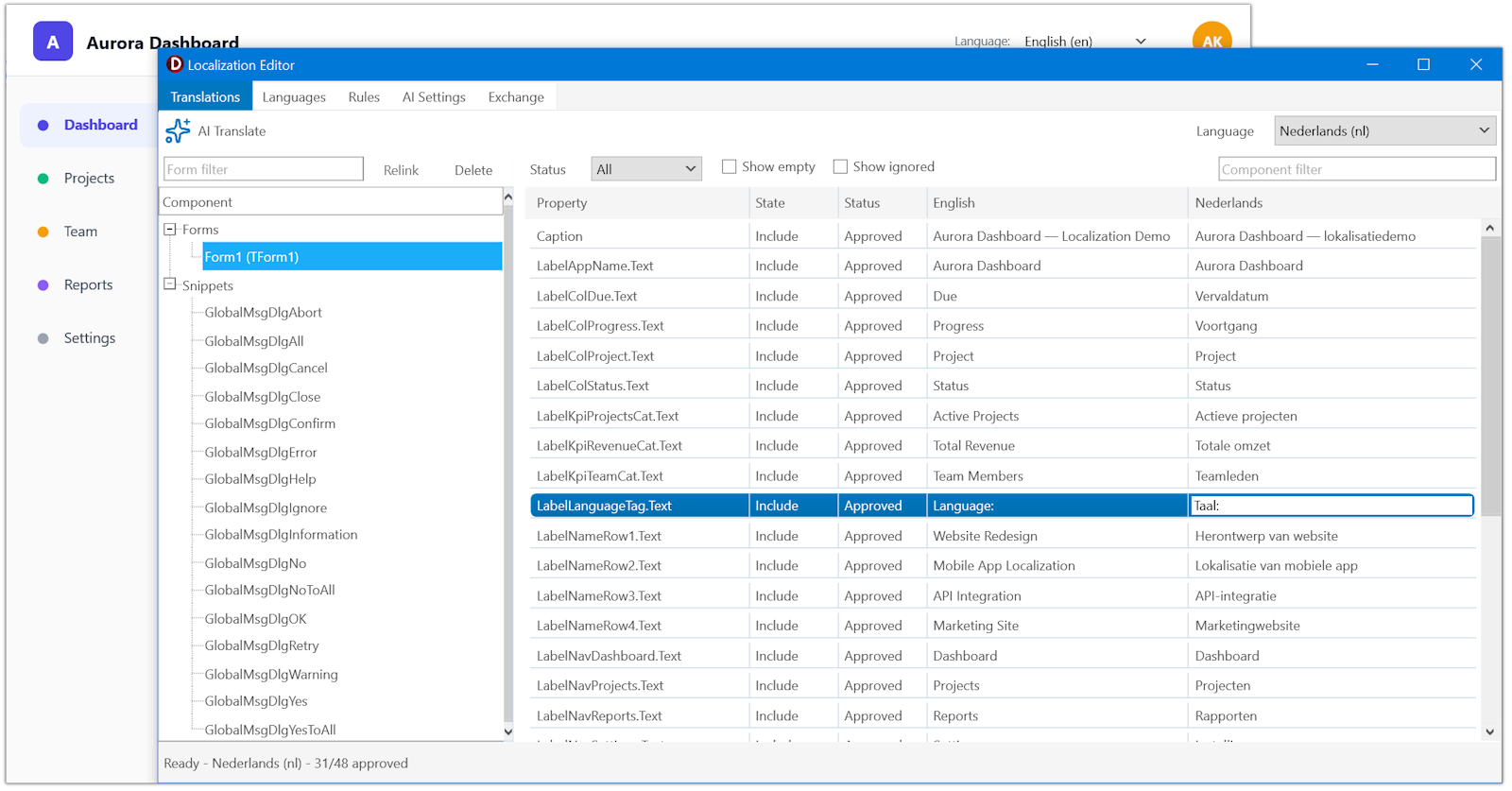
TTMSFNCLocalizationEditor gives you a way to work with the collected texts and their translations. Open the editor at runtime and you can see translation changes reflected immediately in your running application.
TMSFNCLocalizationEditor.Execute;
You can also open it at design time, from the context menu of TTMSFNCLocalizationCollector or any TForm. When you trigger the editor at design time, it will also show you which forms haven't been discovered yet.
Don't want to translate every item by hand? You can use optional AI assistance to generate translations and just verify the results. We've added support for several AI services through your own API key, including OpenAI, Claude, Gemini, Grok, Mistral and DeepSeek. If you prefer to run things locally, Ollama and llama.cpp are supported too.
Prefer to hand the work to a professional translator? XLIFF export and import let you send the work out and bring it back in using their own tools.
To keep translations reliable, TMS FNC Localization includes automatic validation for format specifiers, placeholders, accelerator keys, line breaks and whitespace, whether a translation was typed by hand, imported, or generated by AI. It also supports plural-aware translations, so the correct wording is used depending on the quantity being displayed. That matters especially for languages where pluralization rules go well beyond a simple singular/plural split.
Beyond editing and verifying translations, TTMSFNCLocalizationEditor also lets you manage the list of supported languages and set exclusion rules for what shouldn't be collected. Using the editor also means collection happens automatically, without extra code.
The editor keeps the translation process separate from the application itself. Adding a language or updating an existing translation becomes a matter of maintaining localization data, not changing forms or source code.
Apply
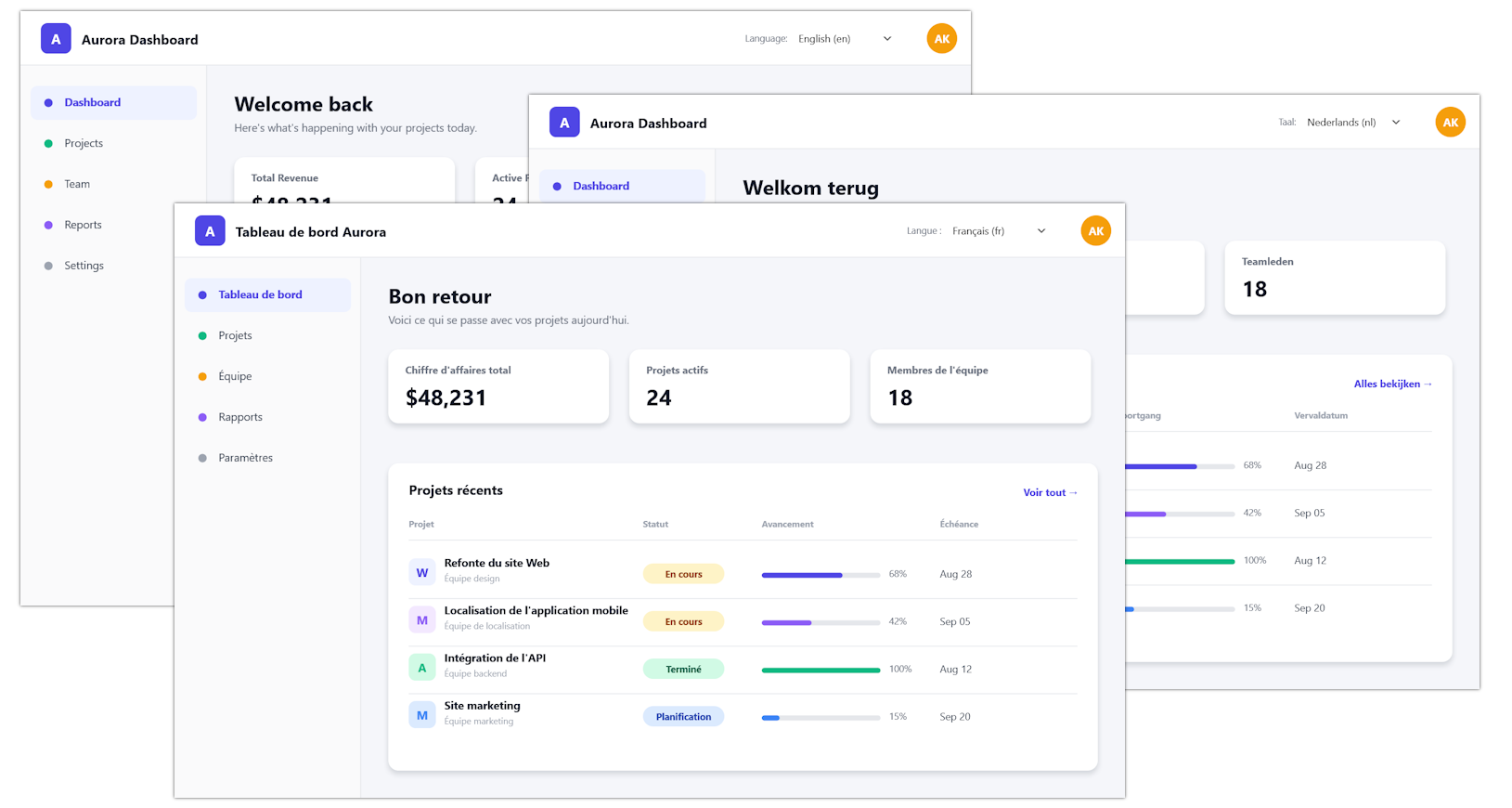
Finally, TTMSFNCLocalizationLocalizer applies the selected language to the application. Point it to the folder holding your localization files, call TrySetLocale, and it switches to the target language right away. That gives you control over exactly when and how a language gets set. If you'd rather let users choose, TMS FNC Localization also ships with a ready-made language picker, TTMSFNCLocalizationCombobox, that you can drop straight into your forms.
Together, these components turn localization into a workflow you can repeat, rather than a one-off job. Adding another language later just means going through the same steps again.
New or Existing, Localization Fits
The easiest time to think about localization is before you write the first line of an application. From the start, you can keep your strings in one place with TTMSFNCLocalizationStringCatalog, so everything stays organized, central and easy to collect.
That said, one of the goals behind TMS FNC Localization is to make localization approachable not only for new projects, but also for applications that already exist. Localization no longer has to be an all-or-nothing decision made on day one. You can introduce it gradually and grow it as the application grows.
Try the open beta
The open beta is now available as a trial download from the TMS FNC Localization product page. If you have a TMS ALL-ACCESS license, you can get it through TMS Smart Setup instead.
To help you get started, we have included demos with the installation and prepared documentation covering both the component API and the overall workflow. Click here to open it on our new TMS Documentation site, the new home for all TMS product documentation.
Help Us Shape TMS FNC Localization
Localization needs vary a lot between applications, so feedback from developers using this on real projects matters to us.
Try it on a new application, or on that older project someone just decided needs to reach three new markets. Let us know what works, what could work better, and what's missing from your localization workflow.
Feedback and findings can be shared with us through the dedicated TMS Support Center category. We are looking forward to seeing what you build with it and in how many languages!
Aäron Decramer

This blog post has received 2 comments.
 2. Monday, September 28, 2026 at 10:28:43 AM
Indeed, as with other FNC components, TMS FNC Localization provides cross-framework support.
2. Monday, September 28, 2026 at 10:28:43 AM
Indeed, as with other FNC components, TMS FNC Localization provides cross-framework support.
Dennis Röhner
All Blog Posts | Next Post | Previous Post
Michael Leahy