Blog Options
Archive
<< September 2026 >>-
Tuesday 8
- Data Report with Filtering and Conditional Formatting -
Monday 7
- Filtering in Delphi: Building a Highlighting Property-Based Search -
Thursday 3
- Translate Your Delphi Application with Ease - Introducing TMS FNC Localization BETA -
Wednesday 2
- Make Your Data Speak: Conditional Formatting in TMS FNC Data Grid 2.0
Authors
- Bernard Roussely (3)
- Wagner Landgraf (104)
- Dennis Röhner (1)
- Roman Yankovsky (2)
- Bart Holvoet (45)
- Aaron Decramer (86)
- Pieter Scheldeman (143)
- Nancy Lescouhier (32)
- Adrian Gallero (35)
- Bruno Fierens (463)
- Marcos Douglas B. Santos (5)
- Bernard (4)
- Bradley Velghe (39)
- Andrew Simard (86)
- Holger Flick (15)
- Gjalt Vanhouwaert (53)
- Tunde Keller (39)
- Masiha Zemarai (117)
Blog
All Blog Posts | Next Post | Previous Post

 An API, an iPhone app, a Delphi plugin and ... your app ?
Monday, January 4, 2010
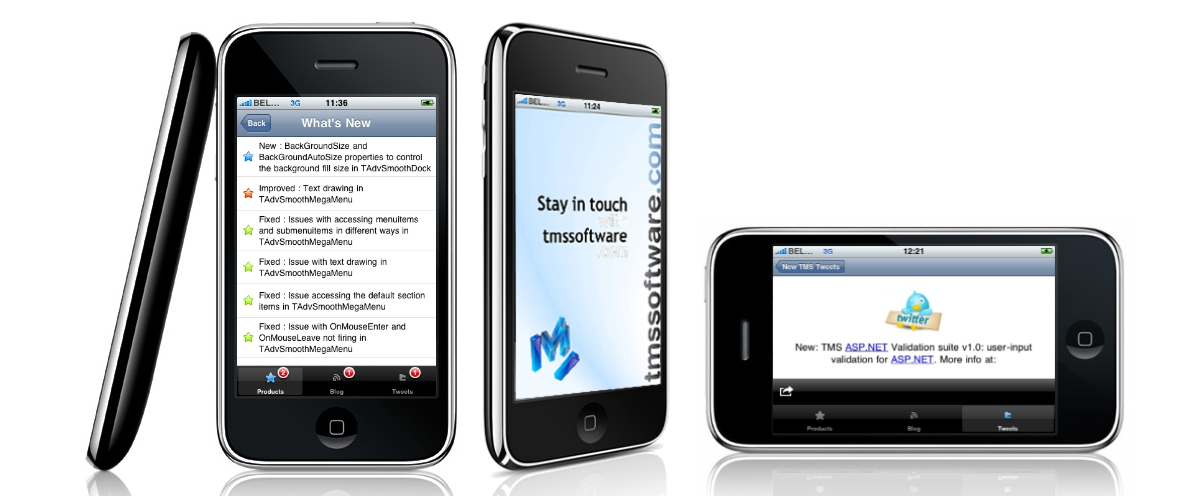
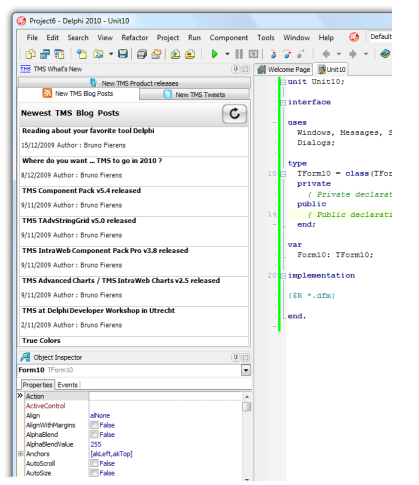
In December, we have released an iPhone application and a Delphi plugin that enables you to track our latest releases anytime and anywhere. From the Delphi IDE Plugin, you can get notifications of our latest components and see the release history details. The same is possible with the iPhone application.iPhone application:
Delphi plugin:
Behind the iPhone application and the Delphi plugin is a simple API that is freely accessible. As such, you can use the API to build your own applications to inform you about the latest releases of our components. Two links return the required information via XML:
To get our latest releases, the URL
https://www.tmssoftware.com/site/productquery.asp?count=10
<item> <title>TWebCopy : v2.2.0.0</title> <pubDate>Mon, 4 Jan 2010 00:00:00 +0100</pubDate> <productName>TWebCopy</productName> <version>2.2.0.0</version> <api>D5,D6,D7,D2005,D2006,D2007,D2009,D2010,C5,C6,C2006,C2007,C2009,C2010</api> <link>https://www.tmssoftware.com/site/webcopy.asp</link><![CDATA[Component for automatic downloading/uploading single or multiple files via http, https, ftp or network based]]></description> <image></image> <id>webcopy</id> </item>
https://www.tmssoftware.com/site/versionquery.asp?id=advgrid&version=5.0.0.0
<item>
  <title><![CDATA[New : Marquee style progressbar for HTTP servers unable to return file size]]></title>
  <updateType>1</updateType>
  <updateText><![CDATA[Marquee style progressbar for HTTP servers unable to return file size]]></updateText>
</item>
Silverlight client:
To focus on the use of the API, the Silverlight client was intentionally kept simple. It consists of a stackpanel, a button, some labels and two listboxes:
<StackPanel Background="Beige" HorizontalAlignment="Left" VerticalAlignment ="Top" Height="400" Width="600">
      <Button x:Name="btnClick" Click="Button_Click" Content="Get latest releases" Margin="5" Width="150" HorizontalAlignment="Left"></Button>
      <dataInput:Label x:Name="lbl" Margin="5" Content="Status:"></dataInput:Label>
      <dataInput:Label Margin="5" Content="Latest releases:"></dataInput:Label>
      <ListBox SelectionChanged="selchanged" x:Name="listb" Height="100" Margin="5"></ListBox>
      <dataInput:Label Margin="5" Content="Release details:"></dataInput:Label>
      <ListBox x:Name="versioninfolist" Height="100" Margin="5"></ListBox>
</StackPanel>
        private void Button_Click(object sender, RoutedEventArgs e)
        {
            WebClient wc = new WebClient();
            wc.DownloadStringCompleted += new DownloadStringCompletedEventHandler(wc_DownloadProductsCompleted);
            wc.DownloadStringAsync(new Uri("https://www.tmssoftware.com/site/productquery.asp?count=10", UriKind.Absolute));
        }

        void wc_DownloadProductsCompleted(object sender, DownloadStringCompletedEventArgs e)
        {
            lbl.Content = "Status: downloaded latest releases";
            if (e.Error == null)
            {
                StringReader stream = new StringReader(e.Result);
                XmlReader xmlReader = XmlReader.Create(stream);

                bool firstitem = false;

                while (xmlReader.Read())
                {
                    if (xmlReader.NodeType == XmlNodeType.Element)
                    {
                        if (xmlReader.Name == "item")
                            firstitem = true;
                        if ((xmlReader.Name == "title") && (firstitem))
                        {
                            ListBoxItem li = new ListBoxItem();

                            ComponentInfo ci = new ComponentInfo();

                            // skip full title
                            xmlReader.ReadElementContentAsString();

                            xmlReader.Read();

                            ci.ReleaseDate = System.DateTime.Parse(xmlReader.ReadElementContentAsString());

                            xmlReader.Read();
                            ci.Title = xmlReader.ReadElementContentAsString();
                            xmlReader.Read();
                            ci.Version = xmlReader.ReadElementContentAsString();
                            xmlReader.Read();
                            ci.IDEs = xmlReader.ReadElementContentAsString();
                            xmlReader.Read();
                            ci.URL = xmlReader.ReadElementContentAsString();
                            xmlReader.Read();
                            ci.Description = xmlReader.ReadElementContentAsString();
                            xmlReader.Read();
                            xmlReader.ReadElementContentAsString();
                            xmlReader.Read();
                            ci.ID = xmlReader.ReadElementContentAsString();
                            xmlReader.Read();

                            li.Content = ci.ReleaseDate.ToShortDateString()+":"+ci.Title+":"+ci.Version;
                            ToolTipService.SetToolTip(li, ci.Description);

                            listb.Items.Add(li);
                            li.Tag = ci;

                        }
                    }
                }
            }
            else
                lbl.Content = "Status:" + e.Error.ToString();
} private void selchanged(object sender, SelectionChangedEventArgs e)
{
ListBoxItem li = (ListBoxItem)listb.Items[listb.SelectedIndex];
ComponentInfo ci = (ComponentInfo)li.Tag;
WebClient wc = new WebClient();
wc.DownloadStringCompleted += new DownloadStringCompletedEventHandler(wc_DownloadVersionInfoCompleted);
string query = "id=" + ci.ID + "&version=" + ci.Version;
wc.DownloadStringAsync(new Uri("https://www.tmssoftware.com/site/versionquery.asp?" + query, UriKind.Absolute));
}
void wc_DownloadVersionInfoCompleted(object sender, DownloadStringCompletedEventArgs e)
{
lbl.Content = "Status: downloaded version info";
if (e.Error == null)
{
versioninfolist.Items.Clear();
StringReader stream = new StringReader(e.Result);
XmlReader xmlReader = XmlReader.Create(stream);
bool firstitem = false;
while (xmlReader.Read())
{
if (xmlReader.NodeType == XmlNodeType.Element)
{
if (xmlReader.Name == "item")
firstitem = true;
if ((xmlReader.Name == "title") && (firstitem))
{
ListBoxItem li = new ListBoxItem();
li.Content = xmlReader.ReadElementContentAsString();
versioninfolist.Items.Add(li);
}
}
}
}
else
lbl.Content = "Status:" + e.Error.ToString();
}
Bruno Fierens

This blog post has received 1 comment.
All Blog Posts | Next Post | Previous Post
Puett David