Blog
All Blog Posts | Next Post | Previous Post

 Transform PDFs with TMS FNC Core 4.5
Monday, October 5, 2026
TMS FNC Core 4.5
TMS FNC PDF Library 1.1
Intro
Business applications do not only create documents. They also receive invoices, contracts, reports and forms that need to be inspected, reorganized or stamped before they can move to the next step.
With TMS FNC Core 4.5, the TMS FNC PDF Library expands from PDF generation into a complete document-manipulation workflow. You can open an existing PDF, work with its pages, add content, extract text, update metadata and save the result.
The API stays inside the familiar FNC graphics ecosystem, with no additional PDF engine or deployment package.

From PDF Output to a Document Workflow
The new manipulation layer is designed around three practical jobs:
Inspect page count, dimensions, rotation, crop boxes, text and metadata.
Restructure documents by moving, duplicating, deleting, rotating, extracting or merging pages.
Enrich and save existing pages with overlays, underlays, links and the familiar FNC graphics API.
That makes scenarios such as document assembly, invoice stamping, report merging and archive classification part of the same component you already use to generate PDFs.
Open and Inspect Existing PDFs
Opening an existing document is deliberately straightforward. Once opened, its pages and document properties are available through the component:
PDFLib1.OpenDocument('incoming.pdf');
try
  Caption := Format('%d page(s)', [PDFLib1.GetPageCount]);
  PageInfo := PDFLib1.GetDocumentPageInfo(0);
finally
  PDFLib1.CloseDocument;
end;
You can also extract readable page text and access title, author, subject, keywords, creator, producer and document dates. This is useful when incoming files need to be indexed, classified or retitled without regenerating their pages.
Rearrange Pages with a Few Calls
Page operations work directly on the opened document. Move or duplicate a page, rotate it in 90-degree steps, remove unwanted pages, append another document or extract selected pages into a new PDF.
PDFLib1.OpenDocument('report.pdf');
try
  PDFLib1.RotatePage(0, 90);
  PDFLib1.DuplicatePage(1);
  PDFLib1.MovePage(PDFLib1.GetPageCount - 1, 1);
  PDFLib1.MergeDocument('appendix.pdf');
  PDFLib1.SaveDocument('assembled.pdf');
finally
  PDFLib1.CloseDocument;
end;
The original page content, including its fonts and images, is retained. Form widgets imported during a merge remain registered with the destination document, helping merged forms stay interactive.
Stamp, Watermark and Annotate Existing Pages
BeginPageEdit turns an existing page into a drawing target. Choose an overlay to draw above the original content or an underlay to place content behind it, then use the same FNC graphics calls you already know.
PDFLib1.BeginPageEdit(0, pelOverlay);
try
  PDFLib1.Graphics.Font.Size := 22;
  PDFLib1.Graphics.Font.Color := gcRed;
  PDFLib1.Graphics.DrawText('APPROVED', PointF(36, 48));
finally
  PDFLib1.EndPageEdit;
end;
This is ideal for approval stamps, watermarks, letterhead, page numbers, footers, shapes, images and external links. The edit surface respects crop box, rotation and page scaling, even in documents with mixed page sizes.
Extract Text and Update Metadata
Text extraction handles common PDF font encodings and positioning patterns, so applications can retrieve readable content even when the producing software wrote a page one word, or one glyph, at a time.
Document metadata is editable as well. A short workflow can classify a file, record its final state and save it under a new name:
ExtractedText := PDFLib1.GetDocumentPageText(0);
PDFLib1.Title := 'Approved customer document';
PDFLib1.Subject := 'Final version';
PDFLib1.SaveDocument('completed.pdf');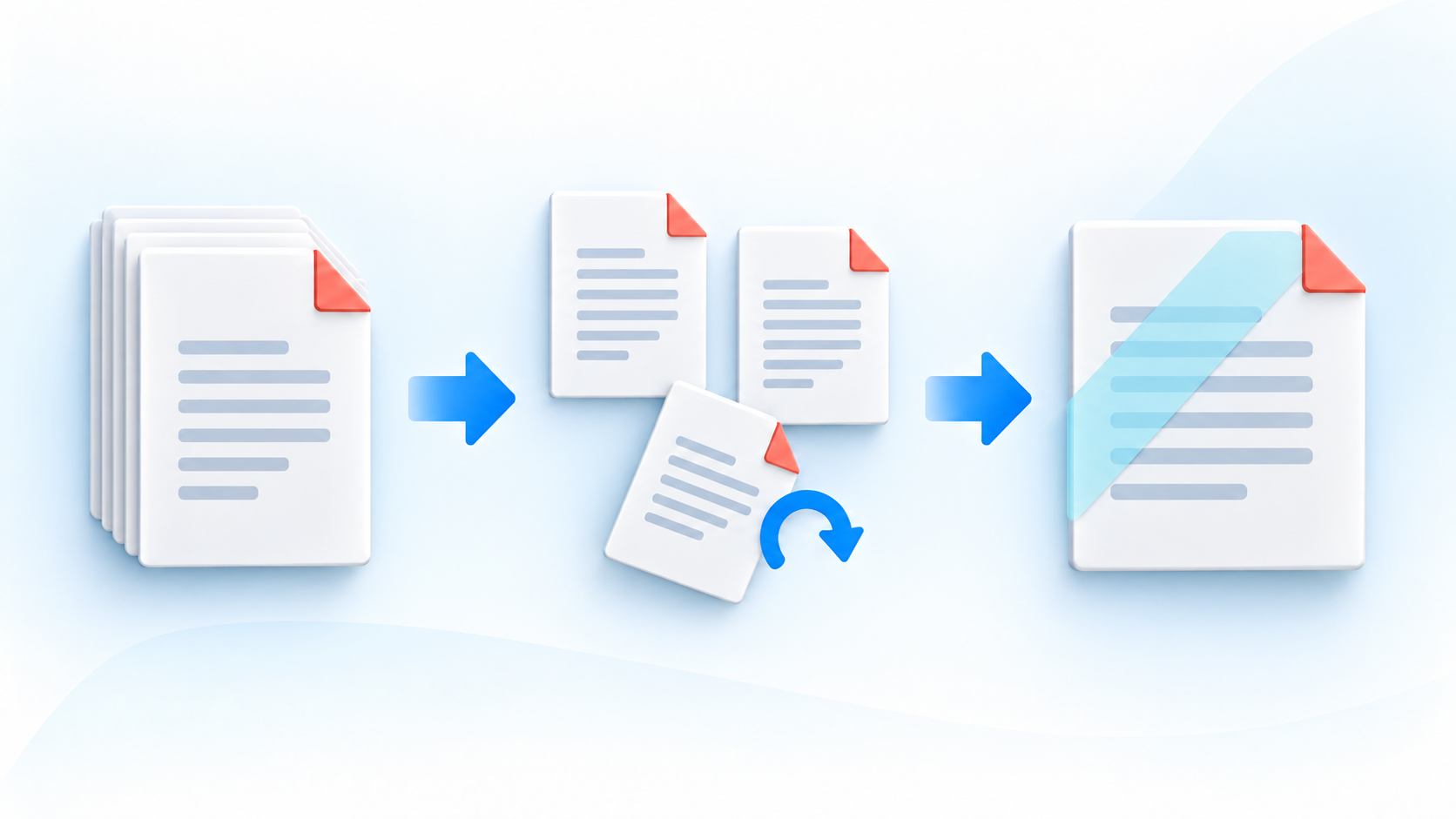
Cross-Framework by Design
The same document-manipulation model is available for VCL, FireMonkey and TMS WEB Core. Native applications can use files or streams; browser applications use the stream overloads appropriate to the web sandbox.
Delphi and C++Builder are supported for VCL and FireMonkey, while TMS WEB Core uses Delphi. This lets a shared document workflow reach Windows, macOS, iOS, Android and the browser without introducing a separate PDF dependency.
More Improvements in 4.5
TMS FNC Core 4.5 also brings a broad set of refinements across the shared graphics layer:
improved PDF font embedding, clipping, text measurement, wrapping, rotation, bitmap drawing, paths and transforms;
better
DrawHTMLTextpaging, clipping and alignment for mixed-format text;corrected SVG dash patterns, transformed strokes and anti-aliasing on VCL; and
WebView cache reliability, browser graphics and data-binding improvements.
These changes benefit both direct PDF generation and the FNC controls and products that export through the shared graphics layer.
Good to Know
The new API is intended for structural document work and for adding new content; it does not rewrite arbitrary text already present on a page. Encrypted PDFs are not currently supported, and structurally rewriting a document invalidates its existing digital signatures.
Installing TMS FNC Core 4.5
TMS FNC Core 4.5 is available through the modern Smart Setup based installation workflow:
tms self-update
tms install tms.fnc.*
Existing customers can also download the update from My Products. New users can explore TMS FNC Core with the fully functional trial version.
You can learn more about TMS FNC Core on the product page and explore the TMS FNC PDF Library documentation.
Conclusion
TMS FNC Core 4.5 takes the PDF Library beyond creating a finished file. The same component can now open that file again, or start with one from another system, and turn it into the document your workflow needs.
Whether you assemble reports, stamp invoices, merge appendices, classify an archive or extract selected pages, the new APIs keep the work cross-framework and inside the familiar FNC stack.
Pieter Scheldeman

This blog post has received 3 comments.
2. Monday, October 5, 2026 at 1:55:58 PM
Wow!! Fantastic!
Stefano Monterisi
 3. Tuesday, October 6, 2026 at 8:53:51 AM
Thanks Thomas & Stefano!
3. Tuesday, October 6, 2026 at 8:53:51 AM
Thanks Thomas & Stefano!
Pieter Scheldeman
All Blog Posts | Next Post | Previous Post
Feichtenschlager Thomas