TXPSViewer
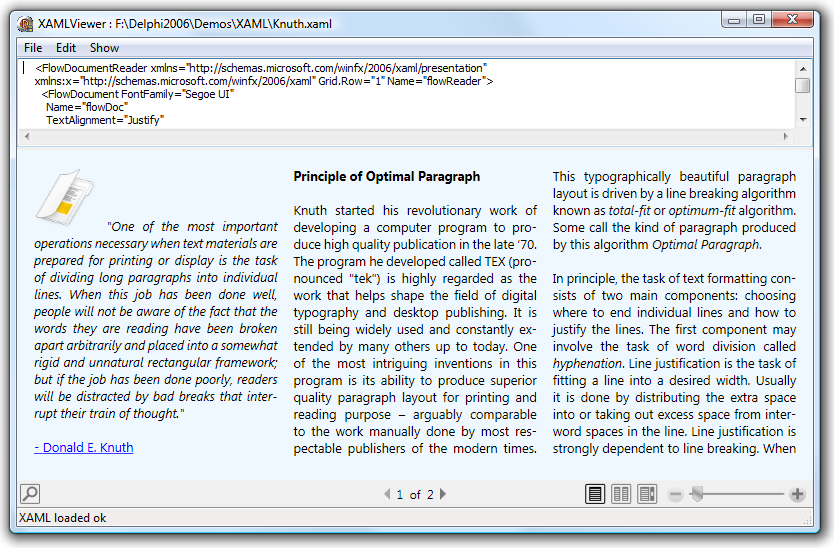
Extend Delphi Win32 Delphi applications with .NET XAML & XPS Viewer
Feature overview
- Component to make displaying XAML in Delphi Win32 applications running with .NET easy
- Allows Delphi Win32 applications to take advantage of the new exciting WPF features like FlowDocument or 3D capabilities
- Allows Delphi Win32 applications to view XPS files
Buy now
TXPSViewer

Compatibility
- XE3, XE2, XE, 2010, 2009, 2007, Delphi 2006 (Professional/Enterprise/Architect)
Licensing
- Licensing FAQ
- License for commercial use: Single developer license
- Includes full source code
- Ask questions to our engineers related to purchased product via Support Center
- Free 1 year updates and new releases
- After 1 year, a discount renewal is offered for a 1 year extension. *
* offer valid for 30 days after end of license. Discount price is subject to change.
Bookmarks
×
![]()