Blog
All Blog Posts | Next Post | Previous Post

 Converting a Delphi FireMonkey Project to VCL with AI Assistance
Today
One of the strengths of Delphi is the freedom to choose the framework that best fits your target platform and application requirements. FireMonkey (FMX) excels at cross-platform development, while VCL remains the go-to choice for native Windows applications where stability, performance, and access to the Windows API are key.
But what happens when you already have a FireMonkey project and want (or need) to convert it to VCL?
We had actually a customer today requesting a VCL version of the FireMonkey AI RAG demo we published recently. The published demo project was here:
https://www.tmssoftware.com/site/blog.asp?post=2423
and the request from the customer to have it as a VCL application was in our Support Center:
https://support.tmssoftware.com/t/ai-demo-using-vcl/26550/1
Traditionally, this has been a time-consuming and error-prone process:
Replacing FMX units with their VCL equivalents
Converting
.fmxforms to.dfmAdapting control properties that simply don’t exist in VCL
Tracking down subtle compilation issues one by one
In this article, we’ll show how AI tooling can already dramatically reduce this effort today, using Claude Code to assist with the conversion of a real-world Delphi project.
The project used in this example is described in detail here:
👉 https://www.tmssoftware.com/site/blog.asp?post=2423
The Starting Point: A FireMonkey AI RAG Project
The project we started from is a Delphi FireMonkey application implementing an AI RAG (Retrieval Augmented Generation) workflow using TMS AI Studio components.
The goal was simple and very realistic:
Take an existing FireMonkey project and turn it into a VCL project.
No redesign, no functional changes — just a framework conversion.
Step 1 – Letting AI Understand the Project
Using Claude Code, we pointed the AI at the project folder and gave it a clear, high-level instruction:
“This folder contains a Delphi FireMonkey project. Please turn this project into a VCL project.”
Instead of blindly modifying files, Claude Code first explored the project structure:
The
.dprojfileThe Pascal units
FMX-specific
usesclausesFMX form files (
.fmx)
This initial inspection step is crucial — and it’s exactly the kind of tedious groundwork that developers normally have to do manually.
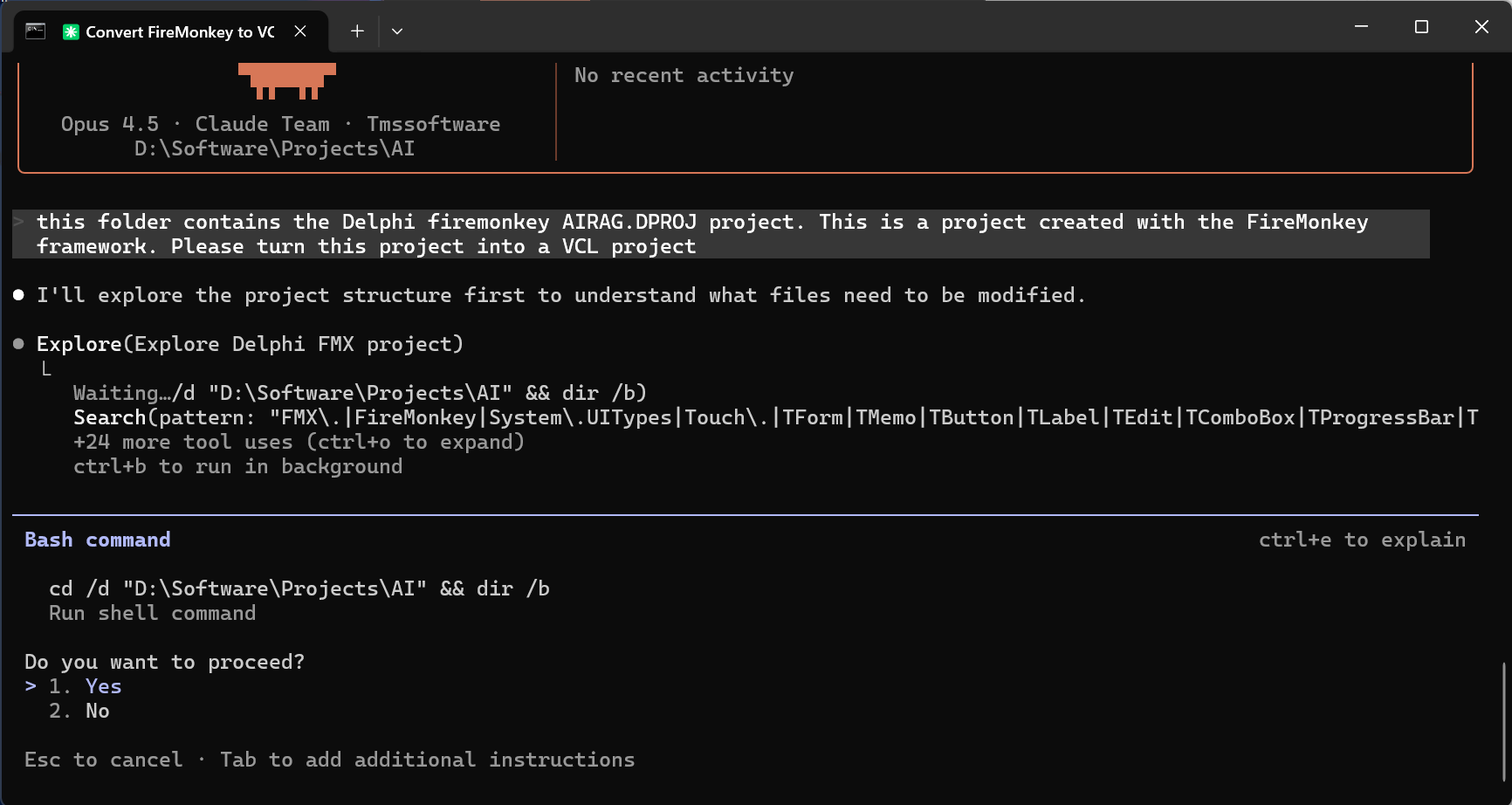
📸 Screenshot: Claude Code exploring the FireMonkey project structure
Step 2 – Converting FMX Units to VCL Units
One of the most repetitive tasks in such a migration is replacing FMX units:
with their VCL counterparts:
Claude Code automatically identified FMX-specific units and replaced them with the correct VCL units, while preserving:
TMS AI Studio component references
Application-specific logic
Non-visual units
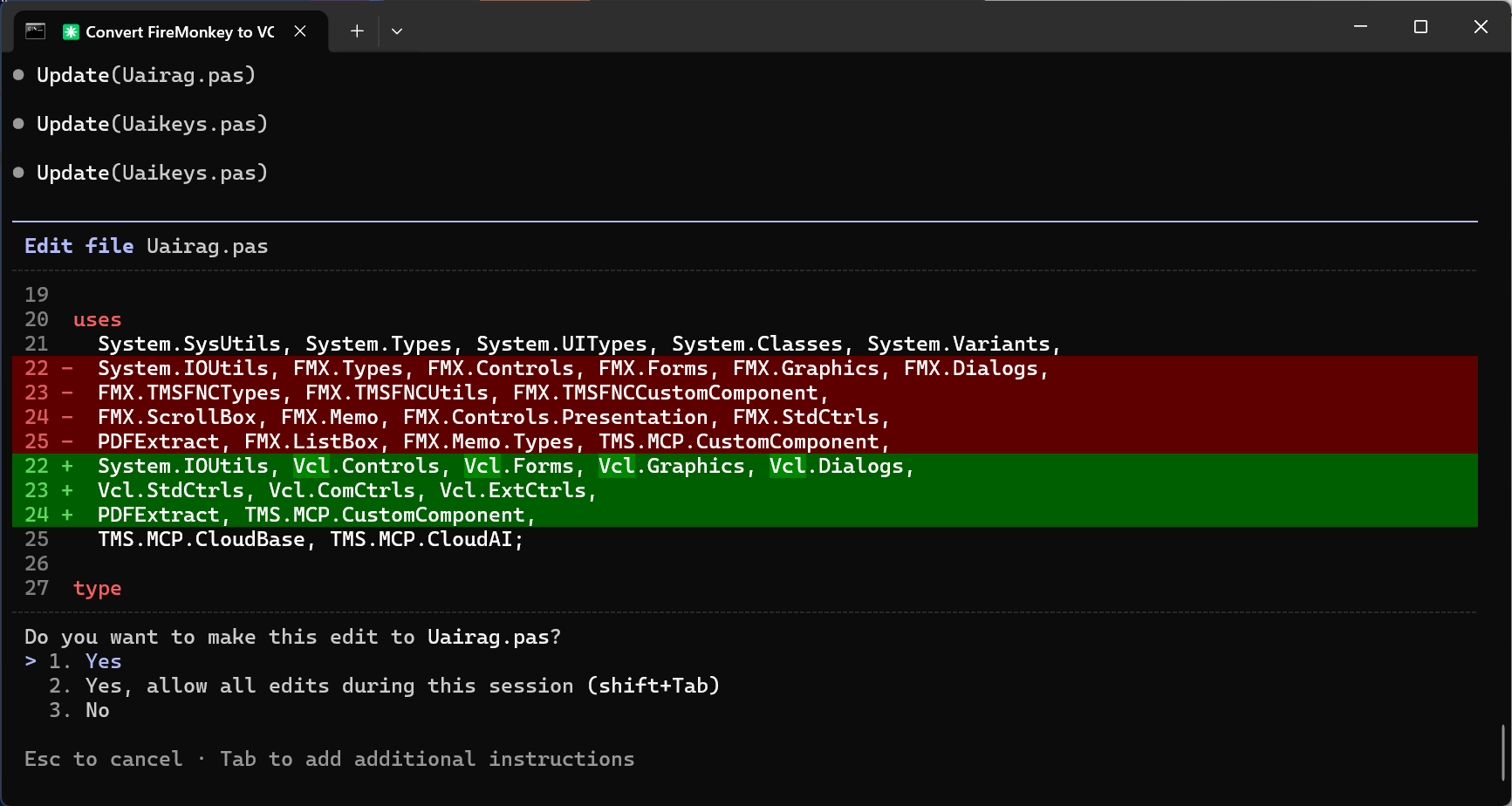
📸 Screenshot: AI-generated diff showing FMX → VCL unit replacement
What normally takes many careful manual edits was handled consistently and correctly in seconds.
Step 3 – Converting Forms from FMX to VCL
The next big step was converting FireMonkey forms (.fmx) into VCL forms (.dfm).
Claude Code handled:
Changing compiler directives from
{ $R *.fmx }to{ $R *.dfm }Converting floating-point coordinates to integer-based VCL coordinates
Removing FMX-only properties such as
Touch,Viewport,FormFactor, andTextSettingsMapping common properties like
Font,Color,Align, andScrollBarsto their VCL equivalents
The result: valid .dfm files ready to be opened directly in the VCL form designer.
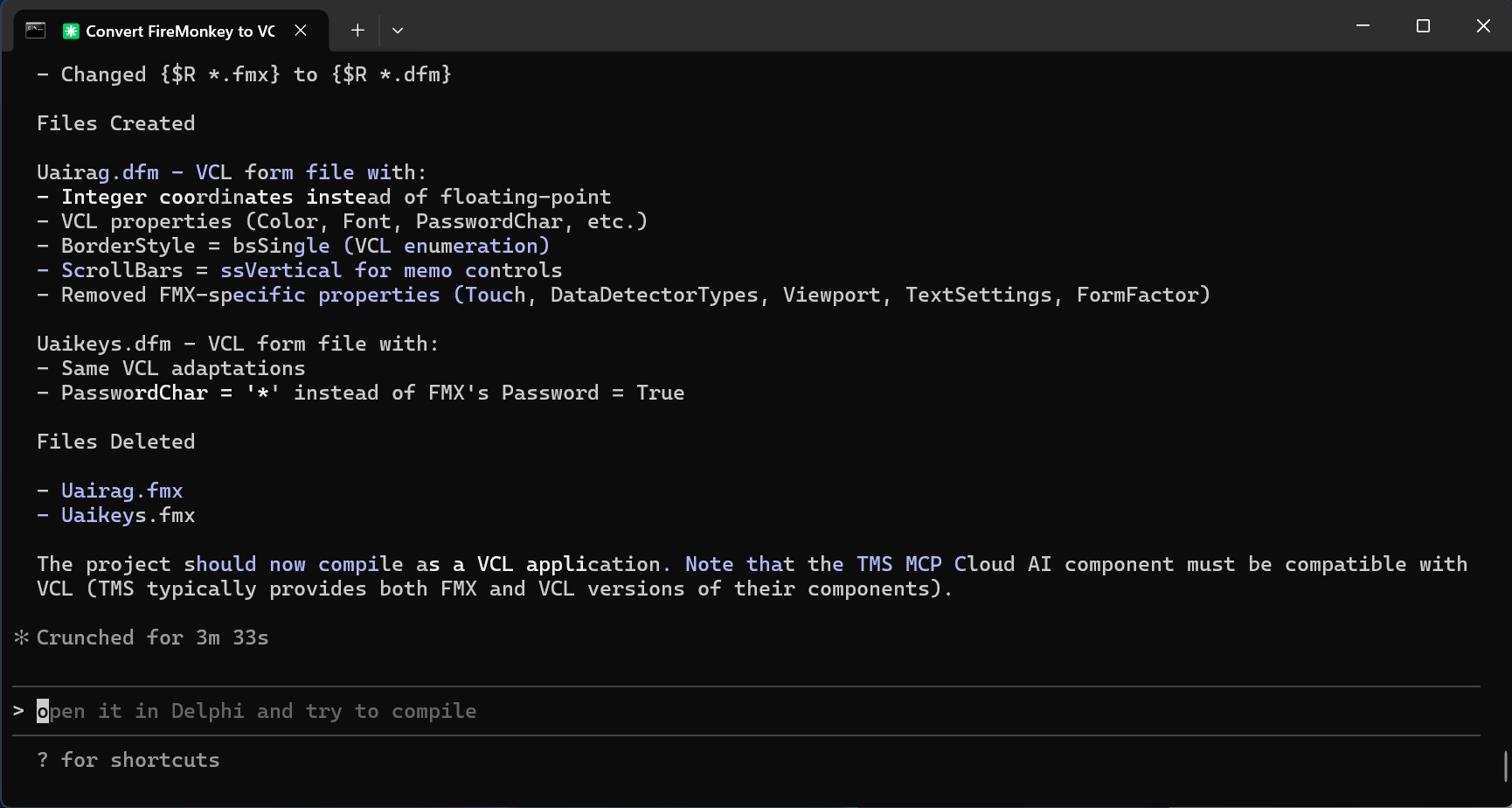
📸 Screenshot: AI converting FMX forms into VCL DFM files
Step 4 – First Compile… and Fixing the Real-World Issues
Of course, no real conversion is complete without a compile step.
When compiling the converted VCL project, a familiar issue appeared:
pngimage not found
This is a classic VCL issue: PNG support requires explicitly adding Vcl.Imaging.pngimage to the uses clause.
Instead of hunting this down manually, Claude Code:
Identified the exact compiler error
Explained why it happens
Applied the correct fix automatically
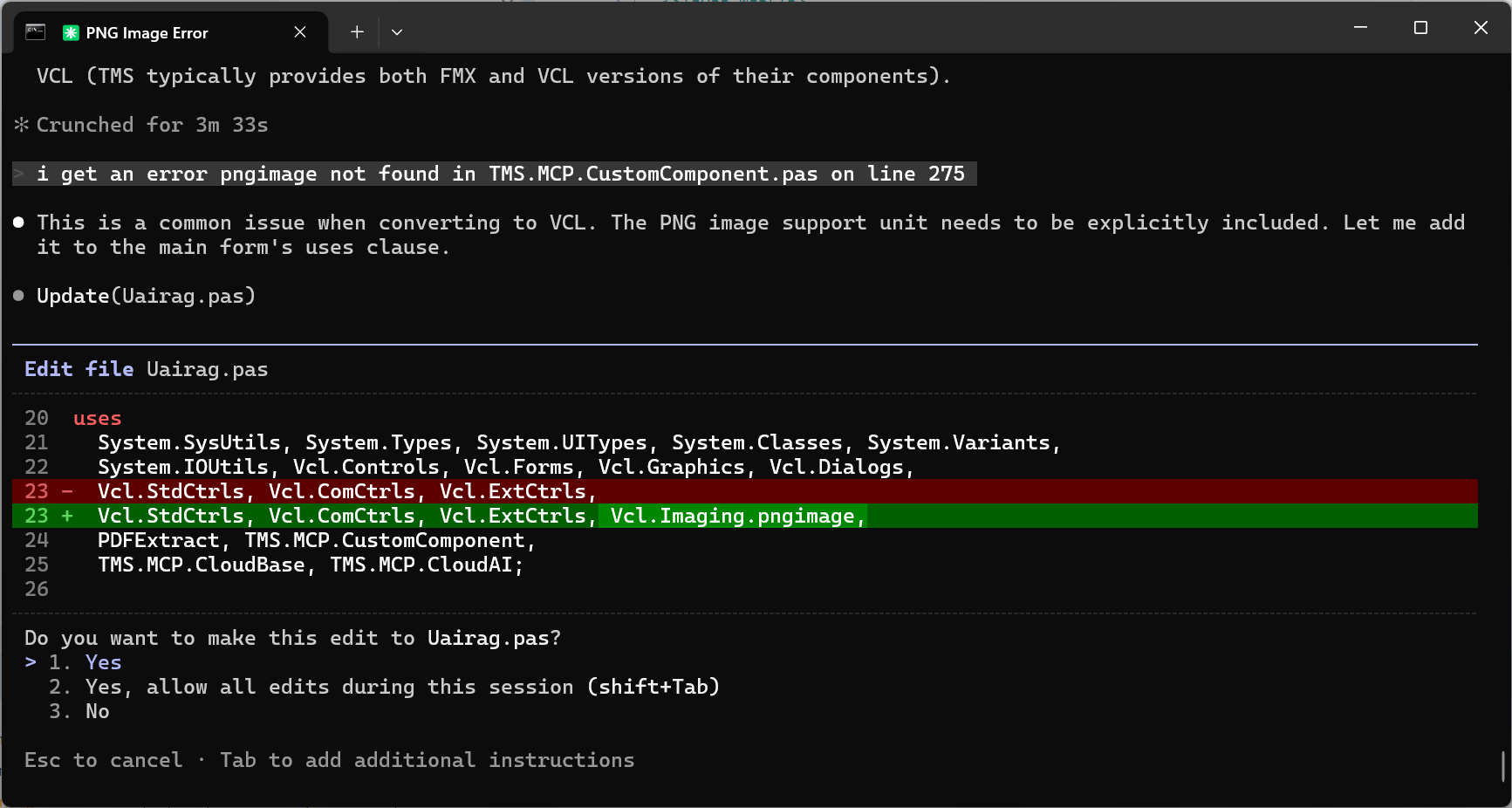
📸 Screenshot: AI fixing pngimage-related compilation error
This is where AI truly shines: not just converting code, but understanding Delphi’s ecosystem and its quirks.
Step 5 – A Working VCL Application
After these steps:
The FireMonkey forms were replaced with VCL forms
FMX units were removed
VCL equivalents were added
TMS AI Studio components remained intact
The result was a fully compiling VCL application that preserved the original functionality — now as a native Windows app.
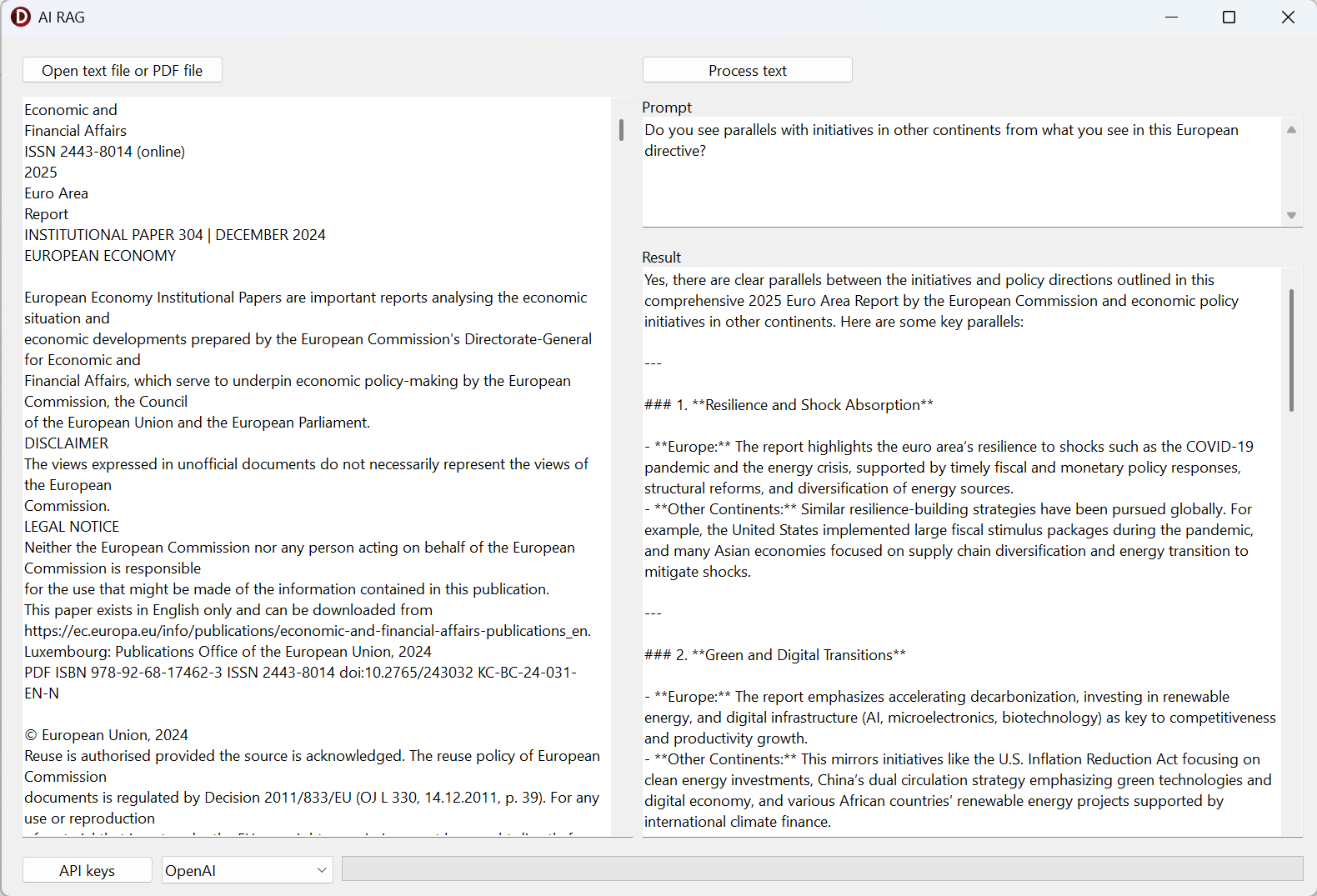
📸 Screenshot: Final VCL application running successfully
Why This Matters: AI as a Productivity Multiplier
Could an experienced Delphi developer do this conversion manually?
Absolutely.
But the real question is:
How long would it take?
What normally takes hours or even days of careful editing, compiling, fixing, and re-testing was reduced to minutes with AI assistance.
Claude Code didn’t replace the developer — it:
Took care of repetitive, mechanical work
Reduced the risk of human error
Allowed the developer to focus on validation and fine-tuning
AI for Delphi Developers — Not “Someday”, But Today
This example clearly shows that AI is no longer just about code suggestions or autocomplete.
For Delphi developers, AI can already:
Assist with framework migrations
Modernize legacy projects
Accelerate prototyping
Reduce maintenance overhead
And the best part?
You remain fully in control. AI works with you, not instead of you.
Conclusion
Converting a Delphi FireMonkey project to VCL has traditionally been a non-trivial task. With AI tools like Claude Code, this process becomes faster, safer, and far more approachable.
For the average Delphi developer, this is a game changer — not in some distant future, but right now.
AI is already saving time.
AI is already reducing friction.
And AI is already making Delphi development more productive than ever.
And of course, enjoy the result, download the VCL variant generated by AI of the TMS AI Studio RAG example app here.
Happy coding 🚀
Bruno Fierens

This blog post has not received any comments yet.
All Blog Posts | Next Post | Previous Post