VCL
TMS System Controls Pack
System level tasks made easy
Feature overview
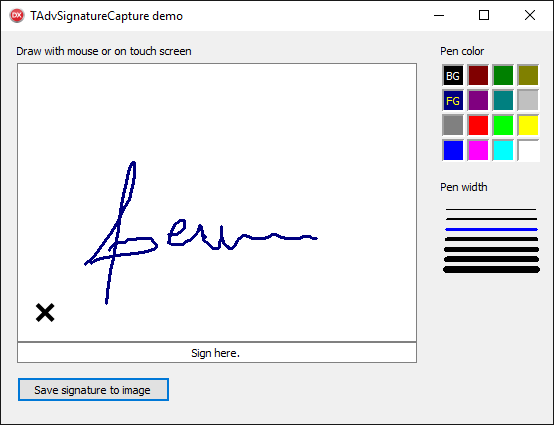
TAdvSignatureCapture- Component to capture signatures entered via pen or touch screen interfaces (or fallback to mouse)
- Can save captured signature to file or image (bitmap, GIF, JPEG, PNG)
- Optional clear button in signature area to re-enter a signature after mistakes
- Pen to make the signature is fully customizable (width/color/style)
TvCard
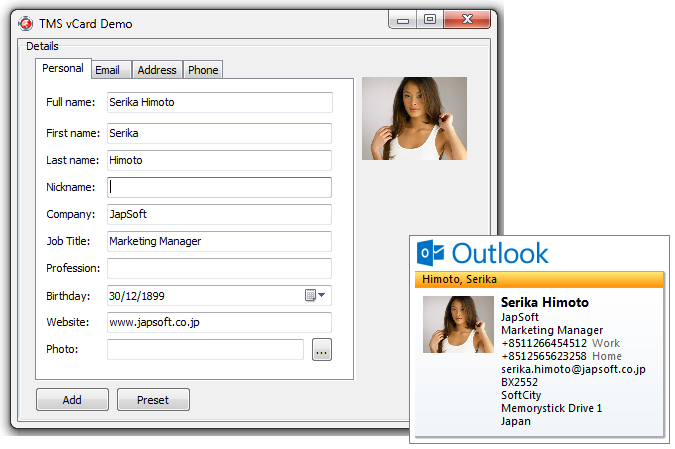
- Read / write vCard files
- Support for vCard formats v2, v3., v4
- Support for single & multiple contacts per vCard
- Support for multiple addresses, phone numbers, email addresses
- Support for getting & setting picture in vCard
TvCalendar
Component to read and write events from vCalendar files
TAdvLockApp
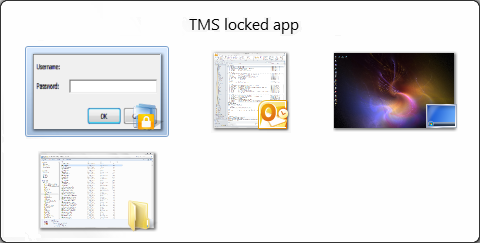
- Automatically minimizes applications with sensitive data when idle for a defined amount of time
- Customizable/translatable unlock dialog
- Unlock with password or via a custom way
- Application wide lock with just a single instance of the component in the application
- Overrides the default Windows 7 application thumbnail in taskbar to hide application information
- Customizable application icon for the locked state
Aero Controls
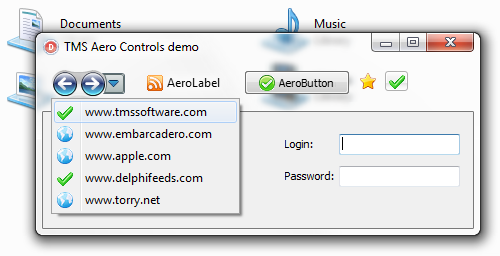
- AeroWizardButton: Forward, backward or combined forward/backward button and optional dropdown button for Aero glass based wizard forms
- AeroButton: Aero glass compatible button with optional imagelist image
- AeroBitButton: Aero glass compatible TBitButton equivalent
- AeroSpeedButton: Aero glass compatible speed button
- AeroLabel: Label with blurred Aero text drawing and support for imagelist image left or right from text.
- Works as regular controls on operating systems older than Windows Vista or Windows 7.
- Direct replacements for regular VCL label, button, speedbutton with Aero glass compatibility
Shell Dialogs
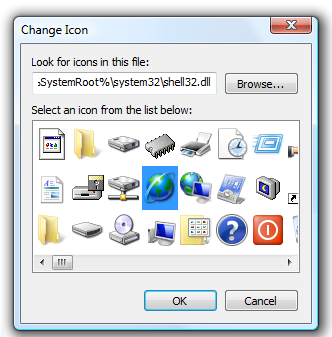
The ShellDlg package gives you access to four undocumented Shell dialogs:
- The run dialog to start programs quickly
- The change icon dialog to select icons
- The shutdown dialog
- The disk format dialog
TAdvTouchKeyboard & TAdvPopupTouchKeyboard
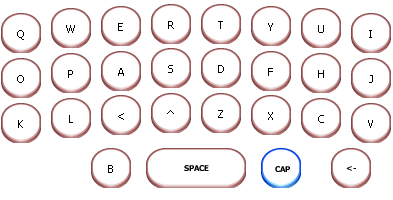
Configurable on-screen keyboard for touchscreen applications with support for QWERTY, AZERTY, DVORAK, NUMERIC, CELLPHONE keyboard layouts as well as fully customizable keyboard layouts. Includes a keyboard that can be dropped on a form as well as a popup touchscreen keyboard that can optionally automatically follow focus.
- configurable keys
- automatic highlighting of Shift / Alt-Gr key values
- automatic display of shift state
- customizable background color or image for normal & down state
- popup version that can automatically follow focus control
- method to load & save keyboard layouts
- keys can have text or images
- different keys can have different colors
TAdvSysKeyboardHook
Allows to capture all keys typed also when other applicatons are active
TCABFile
Wrapper around the Windows CABINET.DLL functions to create CAB files, extract files from CAB files or create self extracting EXE files (not supported on Win9x).
TAdvTaskDialog
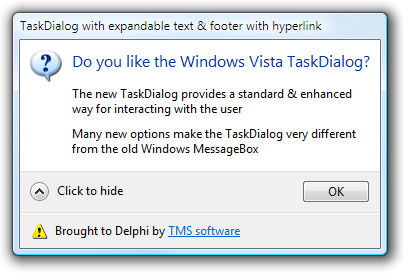
Component to use the new Windows Vista TaskDialog on Windows Vista and seamless emulated version for older operating systems. Includes TAdvInputTaskDialog to query input from user via edit, combobox, datepicker, memo or custom control and parameter compatible replacement functions for standard VCL ShowMessage(), MessageDlg(), InputQuery(). Call AdvShowMessage(), AdvMessageDlg(), AdvInputQueryDlg().
TExeInfo
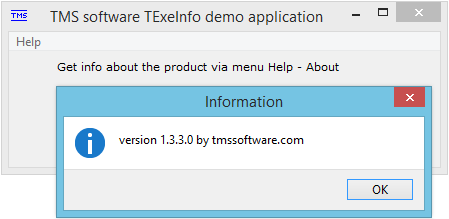
Easy automatic version information extraction from running application
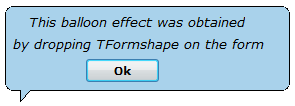
TFormShape
Adding this component to a form turns a form into a balloon shaped form, like the Microsoft Office assistent. Recommended usage with the A. Meeder office button controls.
TFormSize
- Can automatically save last form size & position with or without taking user of the application into account
- Can give a form magnet style moving (like WinAMP)
- Can make a form fully drag'able
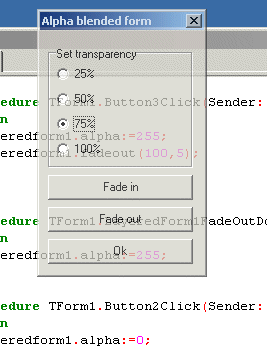
TLayeredForm turns a Delphi form into the a new Windows 2000 layered window, with translucency or colorkey effects. Additional methods FadeIn and FadeOut are added to give these effects to Delphi forms as well. Color keying makes it extremely easy to create irregular shaped forms in Delphi.
TMS Wheel
Component to provide forms with mousewheel messages. With this component added to a form, Microsoft Intellimouse mousewheel messages can be processed. Win95 + Windows NT. Automatically scrolls grid, listbox, memo, edit control.
TMacroRecorder
- Records all user mouse & keyboard actions
- Save recorded actions to human readable/editable file
- Load from human readable/editable file
- Playback at normal or fast playback speed
- Option to include or exclude mouse move actions
- Option to record with application relative coordinates or absolute coordinates
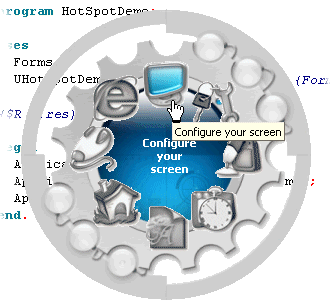
- Easy to use component that turns any form into the shape of a complex shaped bitmap with very fast algorithm
- As simple as loading the bitmap and setting the mask color to turn a form into a complex bitmap shape
TAniIcon
Component for displaying .ANI files on a form and using animated cursors in applications.
Accepts Windows 95, 98, ME and Windows NT,2000,XP animated cursor files. Saves ANI files in .EXE file.

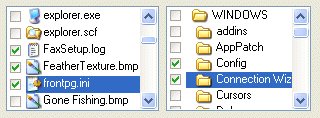
TFileCtrlEx
The standard VCL filecontrols extended with shell icons
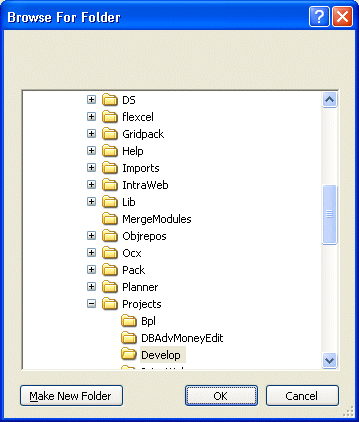
TFolderDialog
A component to browse for a folder. A wrapper around the SHBrowseForFolder shell function.
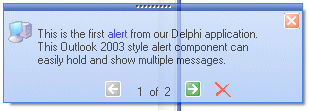
TAdvAlertWindow
- Outlook 2003, 2007 style alert window
- Supports the TMS mini HTML formatting capabilities
- Extensive control over appearance
- Can show multiple messages with easy navigation between messages
- Programmable fade-in, fade-out
- Customizable glyphs for close, previous message, next message
- Automatic hide or stay on screen till close
- Automatic XP theme color adaption (optional)
- Compatible with TMS TAdvFormStyler / TAdvAppStyler
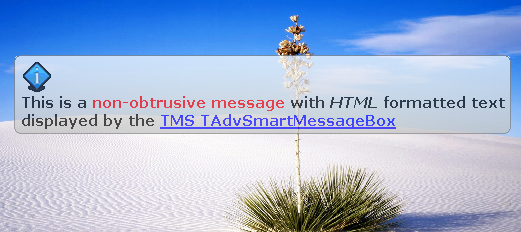
TAdvSmartMessageBox
- Show informative messages without interrupting users
- Messages can appear for minimum duration after which messages automatically disappear by keyboard & mouse events
- Messages can show HTML formatted text and include images. Full information about supported HTML can be found here
- Messages can appear in various ways and at various positions, relative to screen, relative to form
- Highly configurable appearance of messages
- Includes standard Office 2003 / Office 2007 message styles
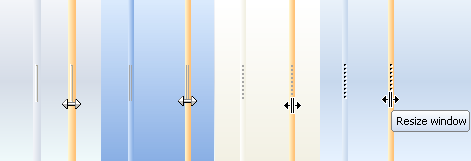
TAdvSplitter
- Different built-in grip styles
- Glyph property to set grip
- Office 2003 / 2007 color settings
- Hover color
- Compatible with TMS AdvFormStyler / AdvAppStyler
TPropScrollBar
Scrollbar with added property to control size of the trackbar . Dynamic hinting while scroll tracking.
Help
Trial Downloads
Site license
unlimited developers in the company
€ 665 yearly renewal *
€ 1425

Compatibility
- CXE16, CXE15, 11 Alexandria, 10.4 Sydney, 10.3 Rio, 10.2 Tokyo, 10.1 Berlin, 10 Seattle, XE8, XE7, XE6, XE5, XE4, XE3, XE2, XE, 2010, 2009, C++Builder 2007, DXE16, DXE15, 11 Alexandria, 10.4 Sydney, 10.3 Rio, 10.2 Tokyo, 10.1 Berlin, 10 Seattle, XE8, XE7, XE6, XE5, XE4, XE3, XE2, XE, 2010, 2007, Delphi 7 (Professional/Enterprise/Architect)
Licensing
- Licensing FAQ
- License for commercial use: Single developer license, Small team license, Site license
- Includes full source code
- Ask questions to our engineers related to purchased product via Support Center
- Free 1 year updates and new releases
- After 1 year, a discount renewal is offered for a 1 year extension. *
* offer valid for 30 days after end of license. Discount price is subject to change.
Bookmarks
×
![]()