PRODUCTS

FEATURED PRODUCT

Time & money saving bundle of over 500 components for Windows & IntraWeb application development!

License only 395 EUR See More

SEARCH

LOGIN

Customer login to access products, support information & special benefits.

NEWS ALERTS

Add your e-mail address here to receive the monthly TMS Software alerts.


LINKS

PRODUCTS » VCL COMPONENTS » TPLANNER
v2.5.5.1 (Sep 9, 2008)

Purchase a license


TPlanner

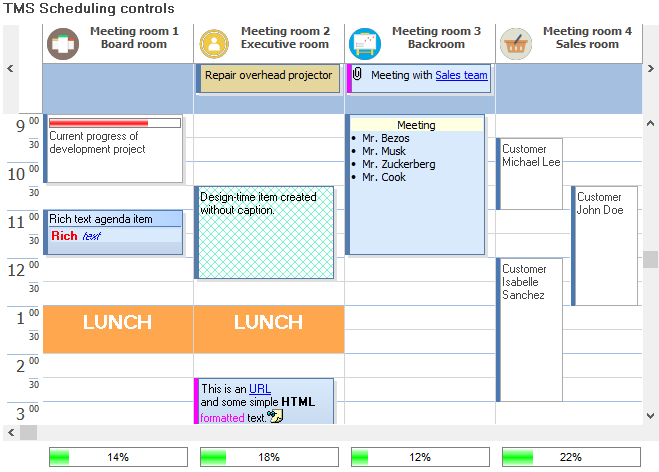
A flexible & powerful day/month/week/timeline/multi-day/multi-resource & custom scheduling user interface component

Feature overview

Component for interactive scheduling.

  • Items that can be resized / repositioned.
  • Inplace multiline editable items
  • Items with multiple imagelist images
  • Items with caption time indication
  • Readonly items
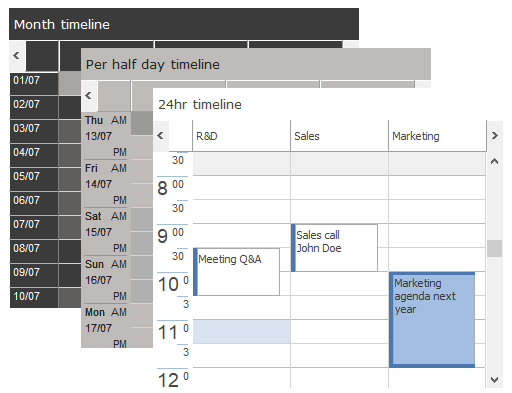
  • Various display modes : day (5,6,10,15,30,60 min), week, month, day period, half day period & custom grid displays.
  • Controllable active day start, active day end, day start, day end
  • Events for insert, delete, left click, right click of items.
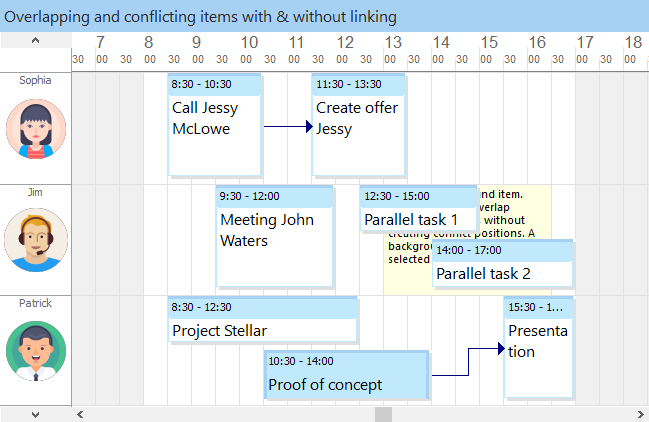
  • Overlapped / non overlapped items
  • HTML export.
  • Save to streams
  • Item hints
  • Rich text items
  • Printing
  • 12/24 hrs display
  • Internationalization capabilities
  • Header with alignment, images, events
  • Printing
  • Layer support
  • Linked items
  • Alarms through various add-on alarm handler components
  • Interfacing to spell checkers, including direct support for Addict Spell Check
  • mini HTML formatted text in items
  • Import & export of items to through various add-on item exchange components

What's new

v2.5.5

  • New : Support for C++Builder 2007 added
  • New Office 2007 styles added
  • New : exposed OnTimer as public event
  • Improved : support for printing custom groups added
  • Improved : printing of timeline mode
  • Improved : printing with use of OnPlannerBottomLine event
  • Fixed : issue with printing multiple pages
  • Lots of smaller fixes & improvements

v2.5

Document with details about new features & improvements can be downloaded here

  • New: XLS export interface to Flexcel
  • New: Capability to link more than two items
  • New: Capability to store link information automatically in database
  • New: Capability to autosize positions based on nr of conflicts in position
  • New: Different lines for full hours
  • New: Programmatic scroll to time
  • New: Planner actions for cut/copy/paste/insert/delete
  • New: PlannerItem link indication in caption and via trackbar
  • New: Sticky select method for selecting multiple Planner Items
  • New: Custom header grouping, with configurable number of positions per group
  • New: UserMode for easy control of ready-only, edit-only Planner setup
  • New: Single/Multiple timeslot selection capability
  • New: Header & SideBar active timeslot display capability
  • New: Events for header position sizing & height sizing
  • New: PlannerItem unselect event
  • New: Ctrl-drag to copy items in Planner capability
  • New: TPlannerItem.ControlValue[] property for easier access in HTML form inplace editors
  • New: Unicode support for TPlannerItem Caption & Text
  • New: Current TimeIndicator in the SideBar
  • New: Dual timezone indication in sidebar time axis.
  • New: Hour/minute font size ratio control
  • New: Rotated header text & wordwrapped text in vertical mode
  • New: Design time helper for most common settings
  • New: Automatic select / edit control for inserted Planner Items
  • New: Completion display formatting control
  • New: day & caption alignment control in PlannerMonthView
  • New: FindFirst/FindNext/HasItem functions in PlannerMonthView
  • New: Selection as full day or caption only in PlannerMonthView
  • New: Gradient Today indication in PlannerMonthView
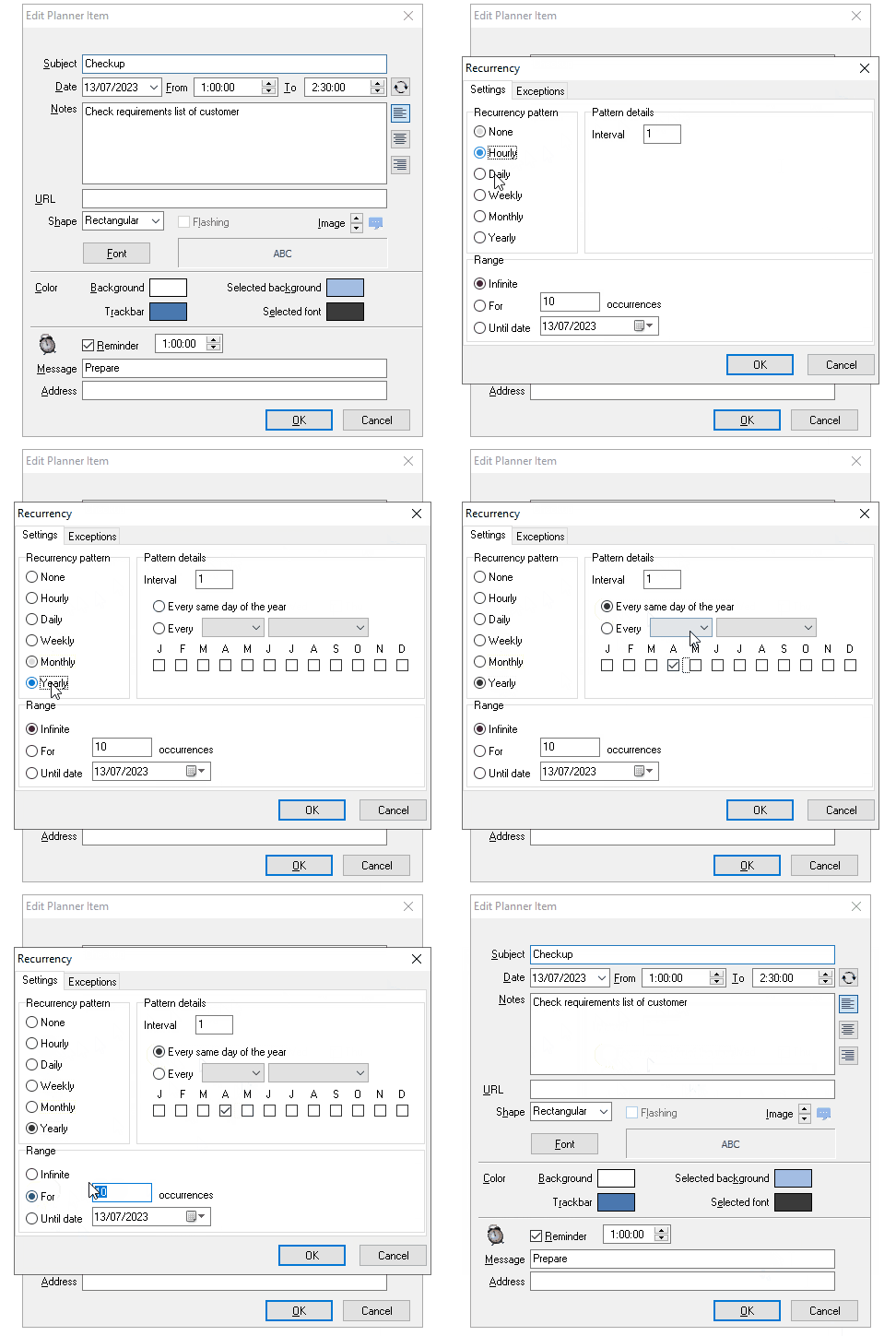
  • New: Recurrency editor easy translation capabilities added
  • New: Automatic ResourceMap update on position drag & drop
  • New: Automatic ResourceMap to ResourceDataSource binding
  • New: Demo with full SQL implementation of DB update/insert/delete
+ various smaller code improvements, fixes and enhancements

Developers guide

An over 80 page PDF developers guide is available for registered users.
The developers guide can be obtained after login on our website with the registration email & registration code.

Additional tools and information:

TMS planning components take you to any platform: Windows & web applications


Day mode view

Month mode view

Horizontal view with custom draw handler

Some sample screenshots of users applications ...

Course planner

Business appointment planner

Resource planner

Planner shapes and sidebar view

Timesheet application by EntrySoft

Sample applications

Demo folder

Description

Demo1 Overview demo : non DB aware Planner with horizontal & vertical day mode + month mode
Demo2 Overview demo : DB aware master Planner in daymode with slave Planner reflecting automatic changes in database in planner view (BDE)
Demo3 Demo showing HTML forms usage in non DB-aware Planner
Demo4 Demo showing popup event editors and event shapes in Planner
Demo5 Demo showing HTML forms usage in DB-aware Planner
Demo6 Demo showing various user interface events in Planner
Demo7 Demo showing custom time axis usage in Planner
Demo8 Demo showing inter Planner drag & drop
Demo9 Demo showing a simple Planner alarm handler
Demo10 Demo showing disjunct selection in Planner and multiple event creation on disjunct selected timeslots
Demo11 Demo showing drag & drop between Planner and PlannerWaitList
Demo12 Demo showing drag & drop between normal Planner items and all-day Planner events in header
Demo13 Demo showing custom draw tools for custom Planner event drawing and popup event editors
Demo14 Demo showing multimonth mode with PositionProps based selection control
Demo15 Demo showing Planner - Outlook import / export
Demo16 Overview demo DB-aware Planner for Access (ADO)
Demo17 Overview demo DB-aware Planner for Apollo
Demo18 Overview demo DB-aware Planner for DBIsam
Demo19 Overview demo DB-aware Planner for Interbase
Demo20 Demo showing how to setup 2 full linked items in the Planner
Demo21 Demo showing how to prevent creating overlapped events with a DB-aware planner
Demo22 Demo showing a planner with a custom TPlannerItem class
Demo23 Demo showing a TDBPlannerMonthView
Demo24 Demo showing drag & drop between TPlannerWaitList and TPlannerMonthView
Demo25 Demo showing a custom TMyMonthPlannerView with a custom TMyMonthPlannerItem
Demo26 Demo showing a multiresource Planner with resource database table
Demo27 Demo showing TDBPlanner's built-in recurrency support
Demo28 Demo showing a full SQL command based DB-aware DBPlanner implementation
Demo29 Demo showing custom printing from the Planner
Demo30 Demo showing performance of the Planner creating 1200 events
Demo31 Demo showing performance of the DBPlanner with 1200 events / 200 resources

...

You have an interesting suggestion for a new demo to show a Planner, PlannerWaitList, PlannerMonthView feature,
let us know, we'll add it here !

Download All sample applications for Delphi 5,6,7,2005,2006,2007

Create and share your skin

Send your skin files to
Users of published skins will receive a discount for the TMS Component Pack Pro (that includes TPlanner/TDBPlanner)  

Code snippets

This code snippet automatically creates a new planner item at the first available timeslot in planner position 0:

procedure
TForm1.Button1Click(Sender: TObject);
var
 i: Integer;
begin
for i := Planner1.Display.DisplayStart to Planner1.Display.DisplayEnd do
 begin
   if not Assigned(Planner1.Items.FindFirst(i,i + 1,0)) then
   begin
     with Planner1.CreateItem do
     begin
       ItemBegin := i;
       ItemEnd := i + 1;
       ItemPos := 0;
       Text.Text := 'first empty';
       CaptionType := ctNone;
     end;
     break;
   end;
 end;
end;
 

This code snippet selects an item in the planner on mouse right click:

procedure TForm1.Planner1ItemRightClick(Sender: TObject; Item: TPlannerItem);
begin
 Planner1.Items.Select(Item);
end;

Buy online

CreditCards Accepted

TPlanner Single developer license for commercial use with full source code

free updates for a full version cycle (from current version to v3.4) and free priority support: 95 EUR
for Delphi 5, 6, 7, 2005, 2006, 2007, 2009, C++Builder 5, 6, 2006, 2007, 2009

Please choose your language     and order immediately or add to cart
TPlanner Site license for commercial use with full source code

free updates for a full version cycle (from current version to v3.4) and free priority support: 395 EUR
for Delphi 5, 6, 7, 2005, 2006, 2007, 2009, C++Builder 5, 6, 2006, 2007, 2009

Please choose your language     and order immediately or add to cart

This product is also available in TMS Component Pack.

Copyright © 1995 - 2008 TMS Software