PRODUCTS » Quick Links

FEATURED PRODUCT

With one subscription at over 50% discount price, you receive all current and future TMS VCL products + updates + support for 2 years

License only 695 EUR See More

LOGIN

Customer login to access products, support information & special benefits.

SEARCH

NEWS ALERTS

Add your e-mail address here to receive the monthly TMS Software alerts.


LINKS

PRODUCTS » .NET COMPONENTS » TMS FLEXCEL STUDIO FOR .NET
v4.9.6.0 (Nov 28, 2008)

Purchase a license


TMS Flexcel Studio for .NET

100% managed code Excel file manipulation engine & Excel & PDF report generation for .NET & .NET Compact Framework

Feature overview

  • Generates Excel files from WinForms, WebForms ASP.NET, PocketPC applications, webservices on the fly and fast with FlexCel Studio for .NET
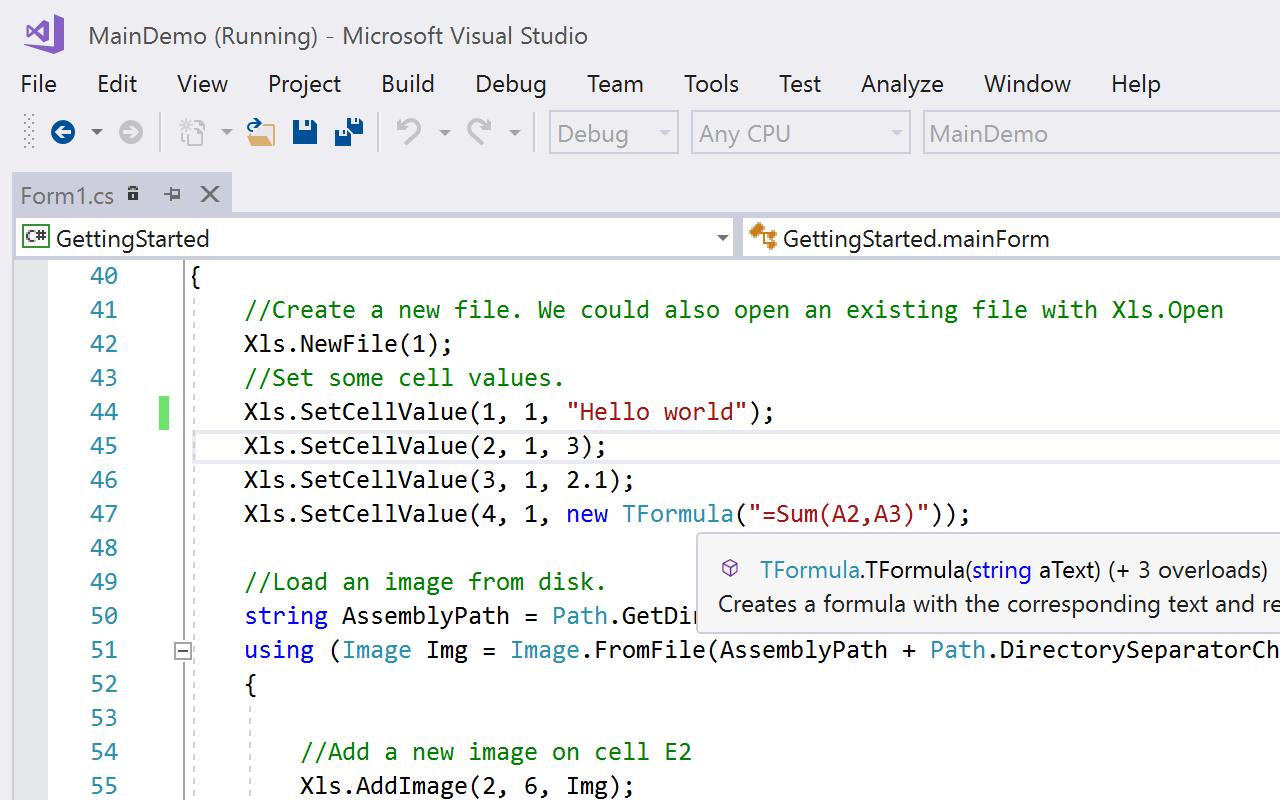
  • Native .NET components (no additional OLE/dlls required) allowing to read, create and modify native Excel (XLS) files without needing to have Excel installed.
  • Supported Excel 97 file formats and up.
  • Native PDF file export
  • Exceptionally fast and solid hand tuned XLS engine capable of generating thousands files per minute.
  • Able to modify xls files and keep almost everything existing on the original file, from macros to activex objects.
  • Recalculation of more than 200 Excel functions.
  • Ability to read and write encrypted xls files.
  • Completely written in C# 100% managed code, with no interop and no p/invokes.
  • Runs on .NET 1.1, .NET 2.0, Mono and the .NET Compact Framework.
  • Templates can be stored inside your executable file, in a database or in any place from where you can access it as a stream.
  • Extensive API is available with which you can programmatically write and read files, with formatting info, images comments, etc.
  • Export to HTML in HTML 4.01 strict or XTHML 1.1 and fully standards compliant
  • Report Engine that allows to create complex reports using Excel as your report designer, so your final users can modify them. You can use images/comments/conditional formats/merged cells/pivot tables/charts and almost anything you can think of on those reports.
  • Full feature overview
  • Whitepaper

What's new :

v 4.9.6.0

  • New : Delphi Prism support. All demos have been converted to Delphi Prism, installation now installs into Delphi prism, and APIMate can generate Delphi Prism code.
  • New : Ability to modify chart series from the API
  • New : Full support for working with named styles from the API
  • New : TTC font support when exporting to PDF
  • New : SetExpression method in Flexcel Report
  • Improved : HTML Rendering
  • Improved : Speed of rendering conditional formats
  • Improved : Speed in formula recalculation
  • Various smaller fixes & improvements

v 4.9.5.0

  • New: Font substitution support in PDF
  • New: DBVALUE tag for reports
  • New: TRYTOCONVERTSTRINGS property in FlexcelReport
  • Improved: NAMED RANGE support

v 4.9.2.0

  • New: List tag for reports <#List()>
  • New: SemiAbsoluteReferences properties in API & Reports
  • New: Sheet tab color support
  • New: Sheet tab color exported to HTML
  • Fixed: Error when subsetting complex true type fonts when exporting to pdf.
  • Fixed: Error when entering bmp image in compact framework.

v 4.9.1.0

  • New: Support for embedding font subsets in PDF.
  • New: Global error handler for non-fatal errors with new FlexCelTrace global class
  • New: Top(n) filter for reports.
  • Improved: HTML rendering.
  • Improved: PDF export.
  • Fixed: bug with some functions when recalculating linked files & overflow exception when creating charts with very large values.

v 4.9.0.0

  • New: Recalculation of linked files. Now FlexCel can recalculate across linked files, even files with circular links. See the new section about Workspaces in the PDF API Guide.
  • New: Aggregate support in reports. The new tag "Aggregate" allows to sum, average or find the minimum or maximum value in a dataset from the template. You can use it when you can't modify the data layer. See the new "Aggregates" demo.
  • New: Support for HTML tags when replacing text in autoshapes. Now you can use html inside autoshapes as you could use inside normal cells.
  • Improved: Rendering. Fixed small issues when rendering Excel spreadsheets.

v 4.8.0.1

  • PDF SIGNING: Now you can digitally sign the generated pdfs, with both a visible or non visible signature.
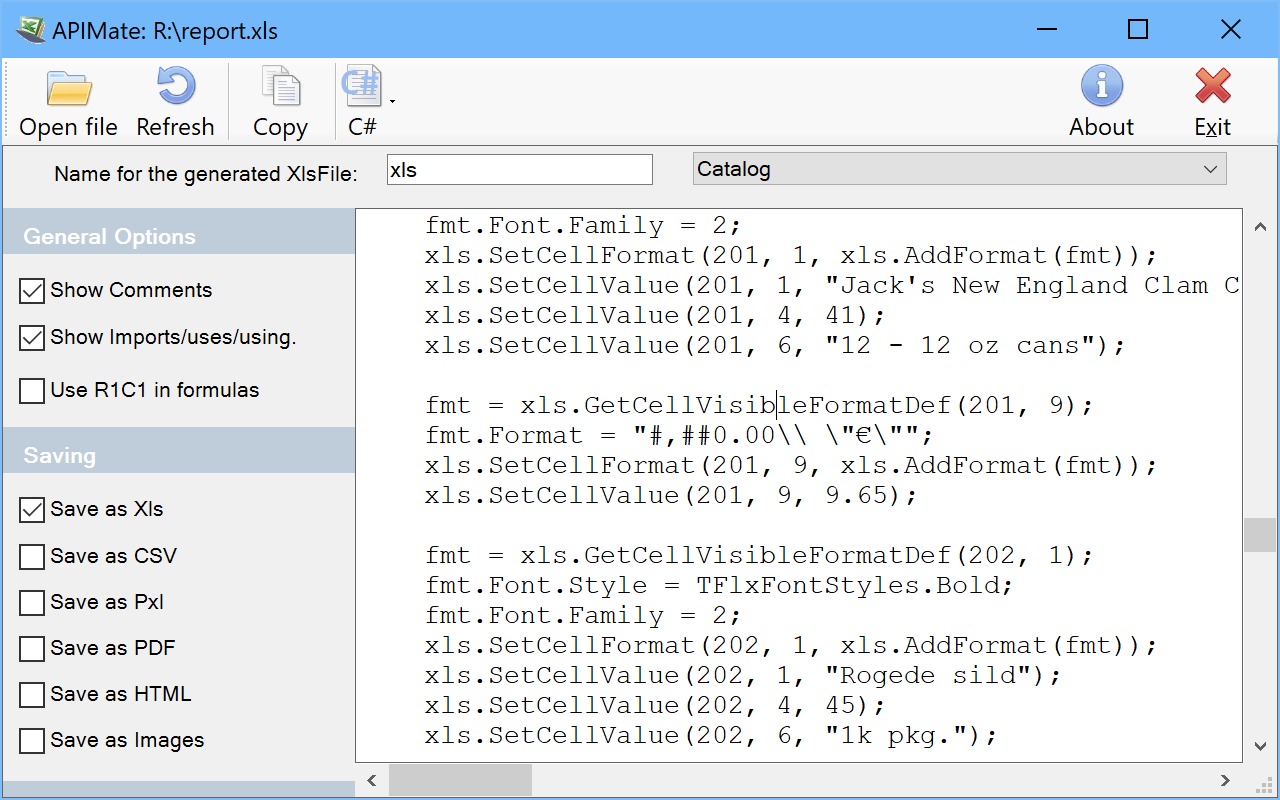
  • NEW APIMATE TOOL: This new tool can convert an Excel file to code, so you can see how to call the FlexCel APIs. Code can be generated in C#, VB.NET or Delphi.NET.
  • A flash demo showing how to use it is available at http://www.tmssoftware.com/go.asp?flexcel/tutorial
  • IMPROVED HTML GENERATION: Includes the ability to export headers and footers as blocks above and below the spreadsheet, and fixes to workaround internet explorer bugs. Exporting headers and footers to HTML is off by default, but you can turn it on. (Look at the Export to HTML demo)
  • BUG FIXES: Small fix with formulas in Data Validation, and support for [>n] tags in numeric formatting expressions.

v4.7.0.1

  • New: INTELLIGENT PAGE BREAKS: Even when there is no direct support for widow/orphan lines in Excel, FlexCel now provides a way to keep rows and columns together avoiding page breaks in the middle of important data.
    You tell FlexCel which rows you want to keep together, and it will automatiaclly add page breaks at the needed points in the file so it prints as you want to.
    This new feature can be used both from the API or from the reports. For more information, look at the "Intelligent Page Breaks" demos in the Report and API sections.
  • New: <#DEFINED FORMAT> TAG FOR REPORTS: Allows to know if a user defined format is defined or not. Look at the Intelligent Page Breaks demo in the report section.
  • New: IMAGEBACKGROUND PROPERTY WHEN EXPORTING TO HTML: Allows you to define a background color like white for images in html files, so they are not transparent and they show fine in Internet Explorer 6 without needing to use the FixIE6TransparentPngSupport to true or using gif images instead of png.
  • Improved: BETTER ERROR HANDLING OF PAGE BREAK ERRORS: In previous FlexCel versions you could choose whether to raise an Exception or silently ignore errors when trying to insert more than the maximum allowed number of manual page breaks (1026). In this version you can insert as many Page Breaks as you want, and the error or silent ignore will be done at save time. This allows to have more than 1026 manual page breaks when exporting to PDF without saving as xls.
  • New: <#IMGPOS> AND <#IMGFIT> <#IMGDELETE> TAGS FOR REPORTS: You can use ImgPos to center or align an image dynamically inside a cell. ImgFit will resize the rows and columns below the image so the image is fit in one cell, and ImgDelete will delete an image. Take a look at the modified Images demo or at the new Features Page demo.
  • Improved: AUTOFIT IN API AND <#AUTOFIT> TAG FOR REPORTS: Now you can Autofit rows and columns setting a maximum and a minimum height/width for the autofit.
  • Improved: <#IMGSIZE> TAG FOR REPORTS: Now the ImageSize tag can do a "Best Fit" resize. You define the maximum size of the image in the template, and ImageSize will resize the image so it is as big as possible keeping the aspect ratio and inside the bounds you select. Look at the modified Images demo.
  • Improved: <#FORMAT RANGE>, <#DELETE RANGE> AND <#MERGE RANGE> TAGS FOR REPORTS: Now you can use named ranges instead of strings like "a1:a2" to define the ranges to format, merge or delete. It is recommended that you use this new way, so the ranges will adapt when you insert rows in your template. (A tag <#FORMAT RANGE(a1:a3;blue)> will not change to A2:A4 if you insert a new row at A1. A tag using a named range will.)
  • New: SUPPORT FOR VISUAL STUDIO 2008 AND .NET 3.5 FRAMEWORK: Also updated Setup with the option for installing into VS2008.
  • Improved: NATIVE DEMOS FOR VISUAL BASIC.NET: All more than 50 demos have been converted to Visual Basic .NET, allowing for easier study for vb users.
  • New: SUPPORT FOR CUSTOM EXCEL FORMULA FUNCTIONS: Now you can define your own classes that implement Excel custom formula functions (like for example the ones in the Analisis Toolpack Addin, or any function you define using a macro). You can read formulas using those functions from Excel, write them or calculate them. See the "Custom Excel Formula Functions" demo for more information.
  • New: SUPPORT FOR AUTOFILTERS IN API: Now you can read or write autofilters in a sheet using the API.
  • Improved: COPYING FROM ONE FILE TO ANOTHER: Now when copying between files Charts will be copied too, and all external references will be converted to the new file. Also Autofilters will be copied when there are no autofilters in the destination sheet.
  • Improved: GENERIC REPORTS: Now you can write expressions in a cell with a <#DataSet.*> tag, leading to much more powerful generic reports.
    Also now if the cell with the <#DataSet.**> tag has an autofilter, the autofilter will be propagated to the following columns. See the improved Generic Reports demo for more information.
  • Improved: MORE CUSTOMIZATION IN THE <#INCLUDE> TAG: Now you can include files in your reports without running a report on the include, and also specify if you want to copy the column widths and row heights from the included report into the parent.
    See the documentation in the Include tag.
  • Fixed: Small bug fix for border cases when inserting columns. AND function now can AND over a range of cells. Report Expressions now can use named ranges.

Screenshots

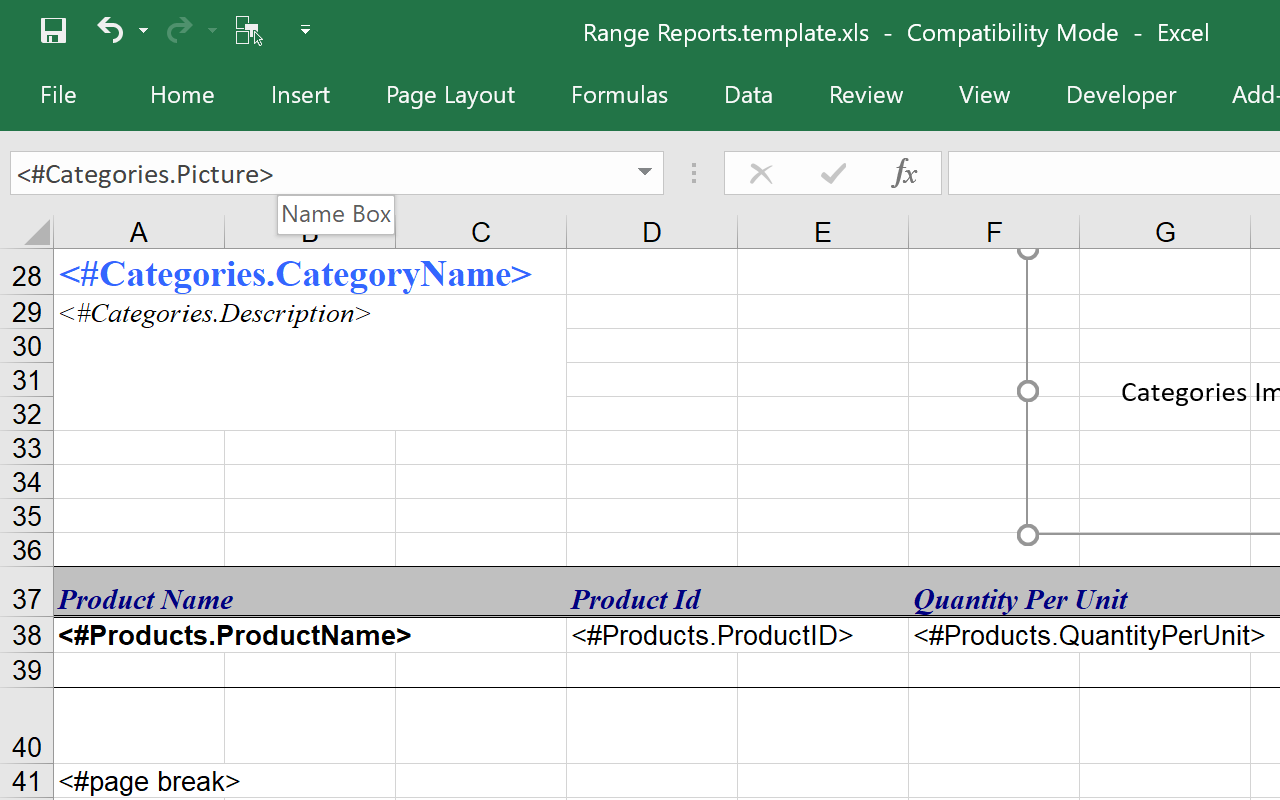
Excel template

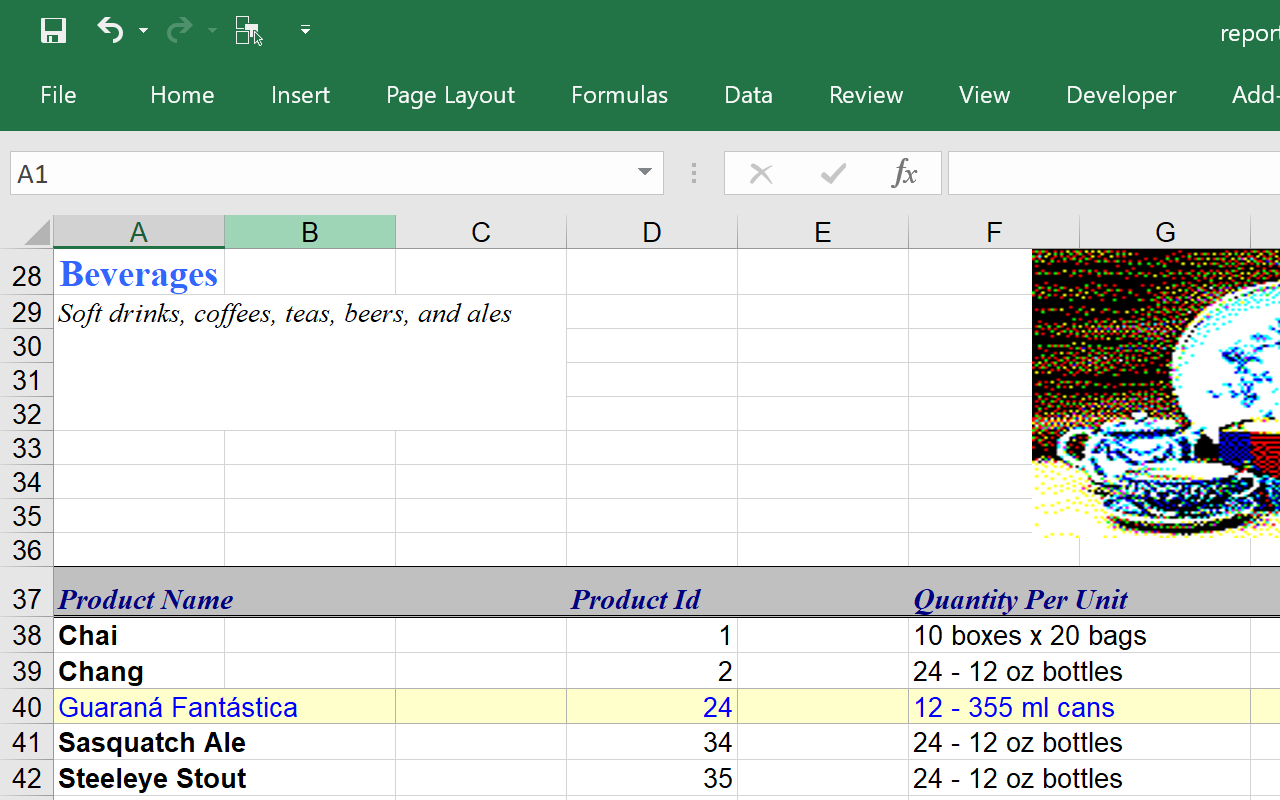
XLS file report generated from Excel template through Flexcel

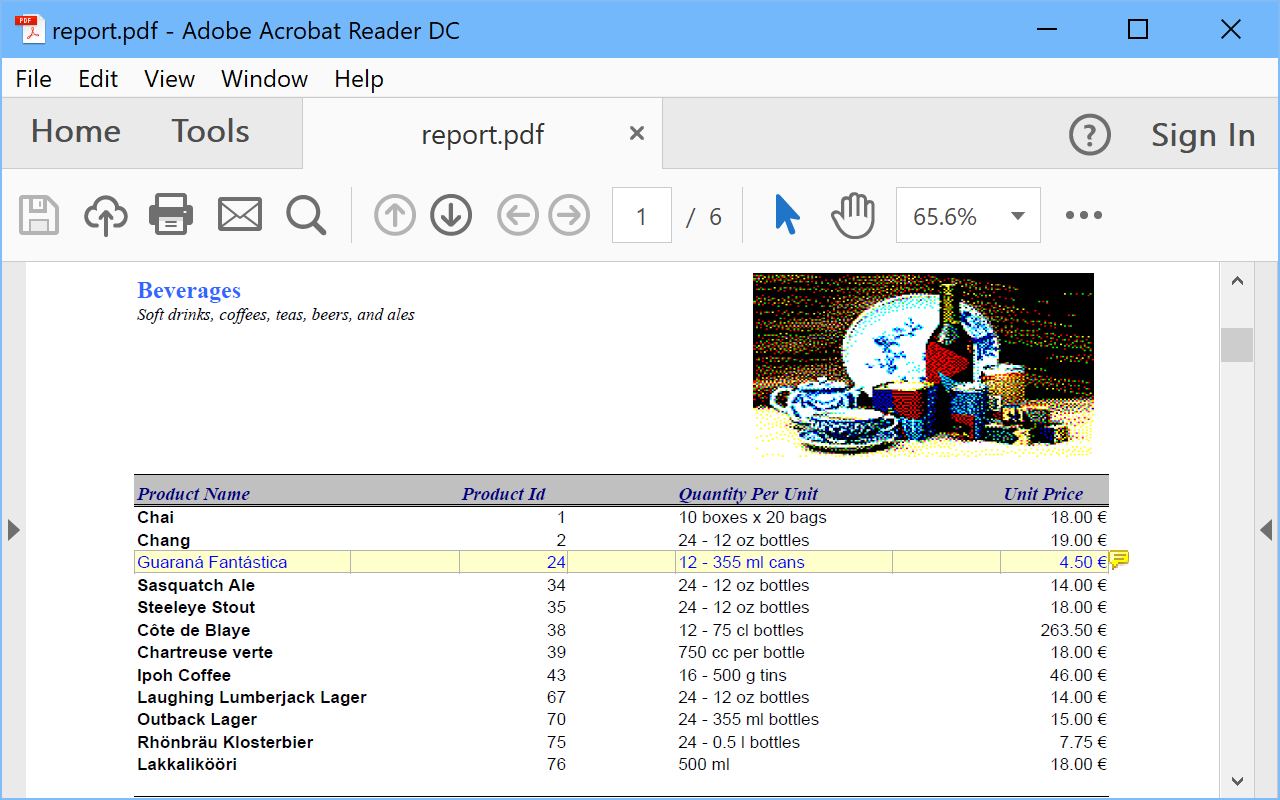
PDF file report generated from Excel template through Flexcel

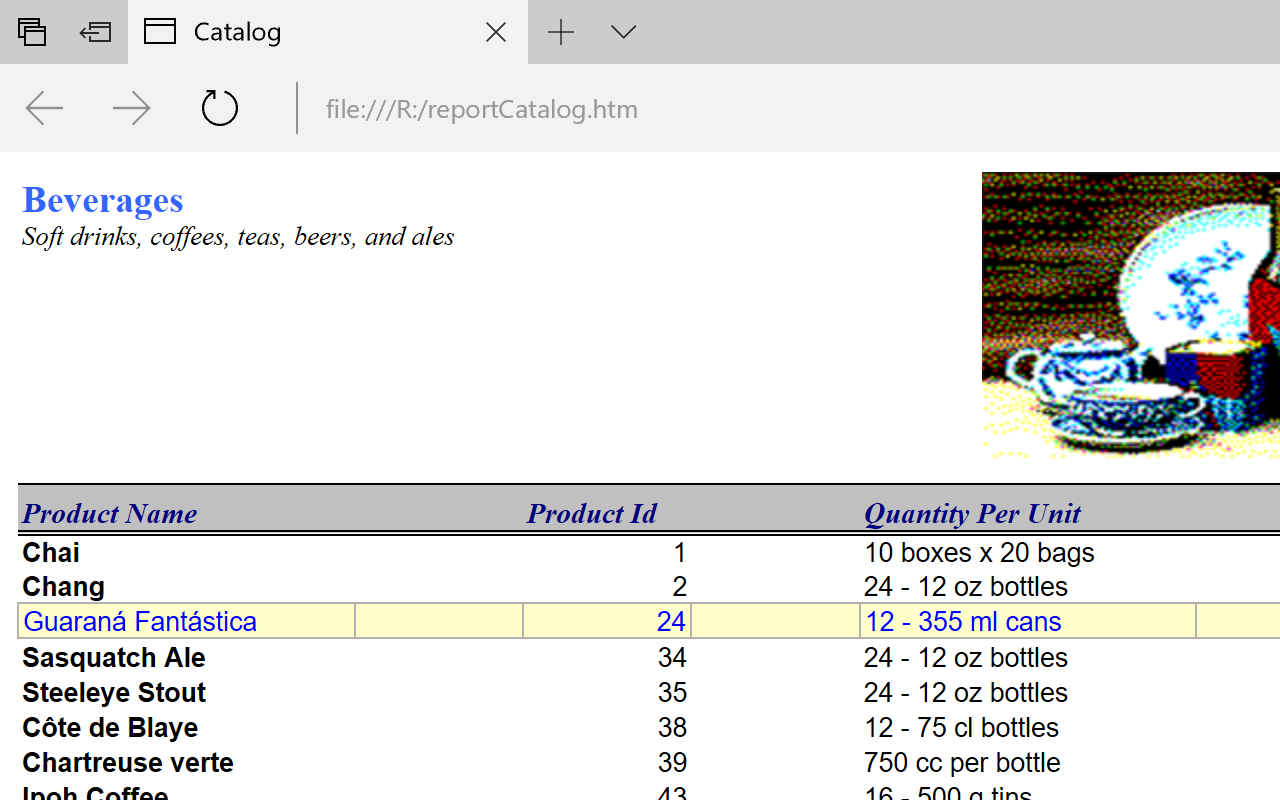
HTML file report generated from Excel template through Flexcel

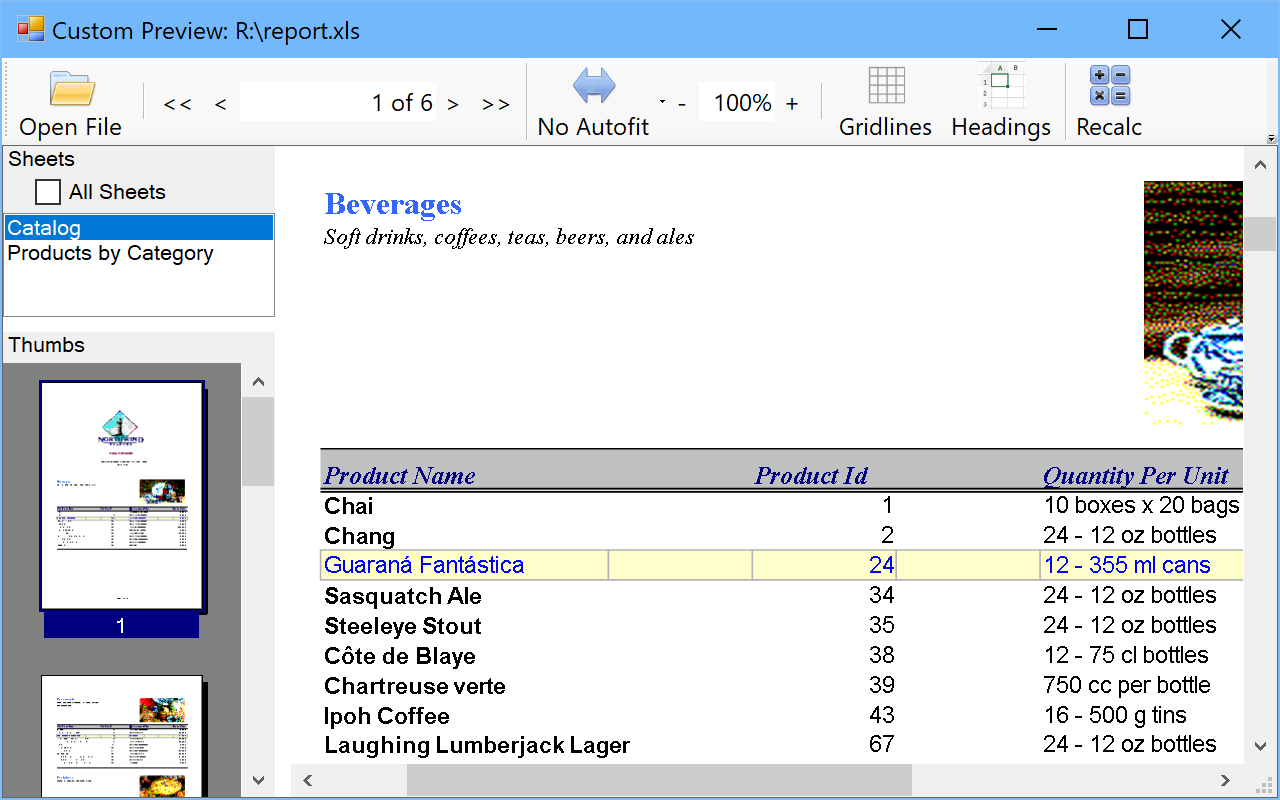
Flexcel report generated from Excel template viewed with Flexcel previewer

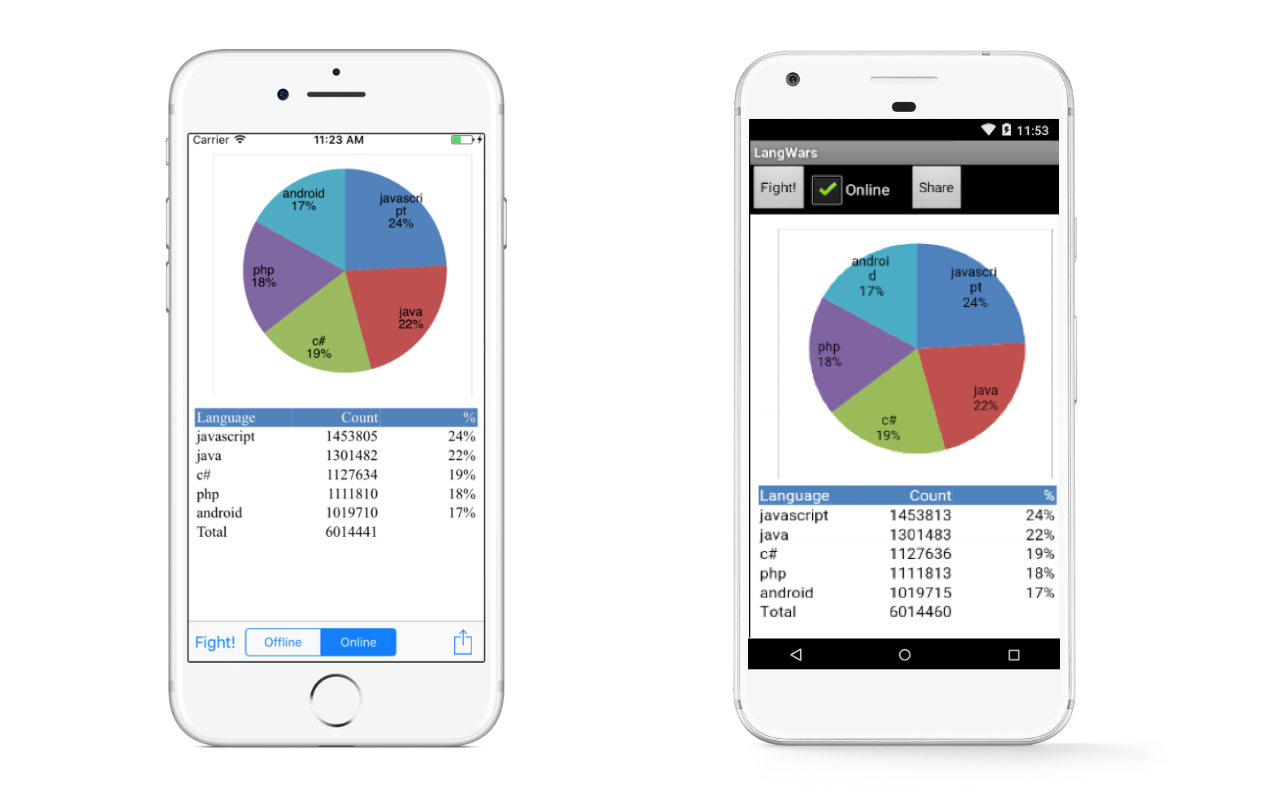
Flexcel running on Pocket PC

FlexCel designer allows you to visually design your report in Excel

Flexcel ApiMate tool that converts any Excel file to code, in C#, VB.NET and Delphi.NET

Flexcel XLS viewer in browser

Flexcel XLS previewer running on Mono

Testimonials

After looking carefully at all the Competitor products in detail and having worked with one competitor product extensively we decided to move to FlexCel - this was no small decision but we have been rewarded with the most powerful and complete implementation. .Net managed code and a huge set of features. With FlexCel we really push the boundaries and have found it is really up to the task. Most importantly when we needed new business critical functionality the guys on support have really responded and given us and the product features when they were needed. I would strongly recommend FlexCel from both a technical and service response point of view.

Richard White MBus C.E.O.
CargoWise edi
www.cargowise.com

We have built several windows (both .NET and Delphi) solutions using FlexCel and we have experienced the good evolution of the product. We like it mainly for the three following reasons: Value for the money: There is no need for any other component to have a full reporting solution. Performance: From the real experience we have performed, FlexCel is very well engineered and the performance you can obtain with it is impressive! The source code is available, and it's very important if you are involved in the development of competitive solutions and products.

Luis del Ser
CEO Movilok
http://www.movilok.com

I literally stumbled across FlexCel Studio for .NET on the internet. Whenever I searched for similar software, I ran across others that sucked, and the costs for them are outrageous. You guys have one hell of a product. I have been using it for the last two days, and I am very impressed not only by what I can accomplish but also your excellent documentation and examples.

Frank Gennaro
FTD
http://www.ftdi.com

I am really impressed about your know-how around Excel’s under the hood workings. I’ve been kicking the FlexCel API around a bit over the weekend and must say it is the best investment I made in a long time in both time and money! And the speed at which you guys respond is incredible !

Tim Young
by email

Buy online

CreditCards Accepted

TMS FlexCel Studio for .NET Single developer license for commercial use with full source code

free updates for a full version cycle (from current version to v5.8) and free priority support: 125 EUR
for Visual Studio .NET 2003, 2005, 2008, Developer Studio 2005, 2006, 2007, 2009

Please choose your language     and order immediately or add to cart
TMS FlexCel Studio for .NET Site license for commercial use with full source code

free updates for a full version cycle (from current version to v5.8) and free priority support: 495 EUR
for Visual Studio .NET 2003, 2005, 2008, Developer Studio 2005, 2006, 2007, 2009

Please choose your language     and order immediately or add to cart

Copyright © 1995 - 2009 TMS Software v3.1