| PRODUCTS » VCL COMPONENTS » TMS DIAGRAM STUDIO |
v2.4 (Oct 12, 2007)
|
TRIAL DOWNLOADS
- Delphi 5 (7.81 MB)
- Delphi 6 (7.81 MB)
- Delphi 7 (7.81 MB)
- Delphi 2005 (7.81 MB)
- Delphi 2006 (5.08 MB)
- Delphi 2007 (5.08 MB)
- C++Builder 5 (7.81 MB)
- C++Builder 6 (7.81 MB)
- C++Builder 2006 (5.08 MB)
- C++Builder 2007 (5.08 MB)
TMS Diagram Studio
Add diagram and flowchart capabilities to your application.
Feature overview
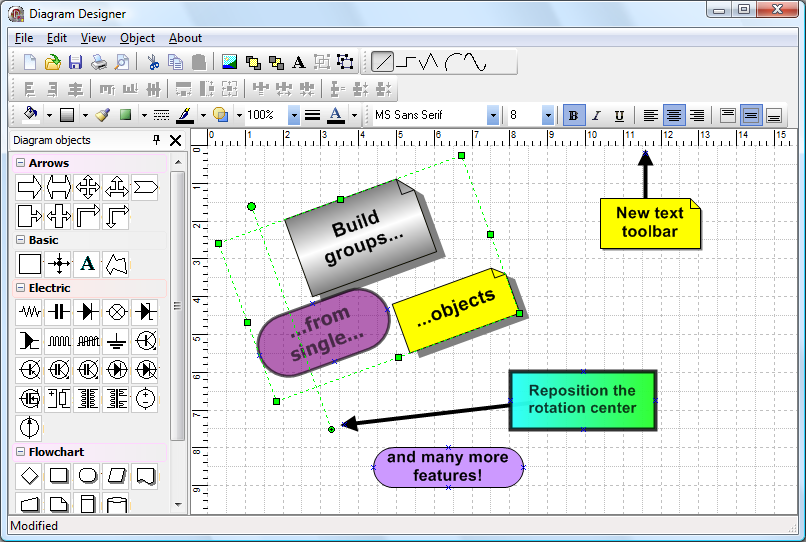
- Diagram editing behaviour similar to standard diagramming applications
- Support clipboard operations
- Block gradient, shadow and bitmap
- Full block customization: pen, brush, color, selection color, minimum width and height
- Block text customization: horizontal and vertical alignment, font, word wrap, clipping
- Customizable link points in blocks
- Inplace block text editing
- Full line (link) customization: pen, source arrow shape, target arrow shape
- Arc & bezier lines, polygon objects
- Block rotation supported (including text, bitmap, metafiles and gradient)
- TDiagramToolBar component for easy diagram editing with no line of code
- Diagram snap grid
- Diagram background image (stretched or tiled)
- Diagram rulers
- Diagram printing and previewing
- Saving/Loading diagram to/from file and stream
- Diagram zoom in/out
- Panning
- Support for different layers
- Support for node support in connected blocks and block hiding with node collaps / expand
- Open architecture for building custom blocks and lines inherited from base classes
- Helper class TBlockDrawer for easy custom drawing on custom blocks
- Lots of ready-to-use TAction descendants available for specific diagram operations:
clipboard operations, object deletion and inserting, zooming, and more. - Live diagram execution, live flowcharts
What's new
version 2.4
- New: TDiagramButtons control: a new diagram toolbar with a more Visio-like appearance. Only for Delphi version 2005 and higher.
- New: TDiagramAlign action, for making easy alignment and spacing of blocks
- New: TDiagramEditor component. A ready-to-use and full-featured diagram editor including the new Visio-like toolbar (Delphi 2005 or higher) and new alignment palette
- New: TatDiagram.KeyActions property
- New: TTextCell.Visible property
- New: TatDiagram.OnAfterDrawBlock event
- New: TDiagramControl.IsBackgroundControl property
- New: TDiagramControl.CalcSize virtual method
- New: TSnapGrid.Force property
- New: TLineArrow.DiagramLine property made public
- New: AIgnoreZoom parameter in TatDiagram.HandleAtPos method
- Improved: Now the demo just uses the TDiagramEditor component
- Improved: Warnings removed
- Fixed: Shadow of blocks were sometimes being drawn with wrong pen width.
version 2.3
- New: Support for C++Builder 2007 added
- New: TatDiagram.ConnectionLineId method allows automatic linkpoint linking without need to choose a line object from the toolbar (see DiagramDemo)
- New: TatDiagram.PageLines property allows to make page lines visible to indicate the printed page size.
- New: TatDiagram.AutoPage property allows automatic redimension of diagram area according to the printed page size.
- New: TLiveDiagram save/load state mechanism. The state of the chart being executed can be saved and retrieved later by using LoadState methods and OnSaveState event. Any live block can signal the chart to be saved (by setting ExecInfo.WaitState property in OnExecuteEx event).
- New: TLiveDiagram execution paths concept. A live diagram can have multiple execution paths, by the use of TLiveForkBlock (to split a single execution path in multiple execution paths) and TLiveJoinBlock (to join multiple execution paths in a single execution path)
- New: TDiagramControl.MakeVisible method
- New: TatDiagram.MakeControlVisible method
- New: PageUp/PageDown key support for scrolling the diagram area.
- New: TDiagramToolbar.ButtonSize property
- New: dbLines in TDiagramToolbarButtons allows to make the diagram toolbar to show only lines (to be used in conjunction with TDiagramToolbar.Mode property
- New: TDiagramToolbar.Mode property (tmObjects, tmConnections). It makes it possible to use the diagram toolbar to choose the line object for automatic connections (to be used in conjunction with TatDiagram.ConnectionLineId)
- New: kmLinesOnly item in TKeepInsertingMode for the diagram toolbar.
- New: TDiagramConnectionID action
- New: AsText parameter in TatDiagram.LoadFromStream and TatDiagram.SaveToStream methods allows text format saving of diagram content
- New: public methods TDiagramControl.HasDefaultTextCell and TDiagramControl.DefaultTextCell.
- New: TLiveDiagram.OnExecuteEx event. This event passes a TExecuteNodeInfo object which gives more flexibility over the execution flow and state saving.
- New: TLiveDiagram: TDiagramState type dsView shows the current state of live diagram chart
- New: TLiveDiagram.MakeActiveNodeVisible shows the current node being executed in diagram
- New: TLiveDiagram.ViewStateMode property specifies if the start, end or current executed node (block) will be highlighted
- New: live diagram fork block demo
- Improved: simple (main) demo has a connection toolbar for choosing automatic connections
- Improved: clipboard operations in live diagram now supported with default diagram actions
- Fixed: OnDControlMouseUp not being called when right-button was clicked.
version 2.2
- New: Support for Delphi 2007 added
- New: TTextCell.CellFrame property with Pen, Brush, Color, Transparent, AutoFrame, AutoFrameMargin, Visible subproperties.
- New: TatDiagram.ShowCrossIndicators property
- valid only for side lines
- New: added control restrictions: crKeepRatio, crNoClipboard, crNoSelect
- New: TLinkPoint.LinkConstraint property
- New: TatDiagram events: OnBeforeResize, OnAfterResize, OnDControlResizing
- New: TDiagramArc.InvertOrientation method
- New: unPixel option in TDiagramRuler.Units property
- New: TatDiagram.IgnoreScreenDPI property
- New: diagram toolbar now works vertically
- Fixed: transparency not being saved or undoed
- Fixed: RequiredConnections was not working properly
- Fixed: some images were not being displayed in print preview
- Fixed: minimum width and height of blocks are now being respected
Gallery
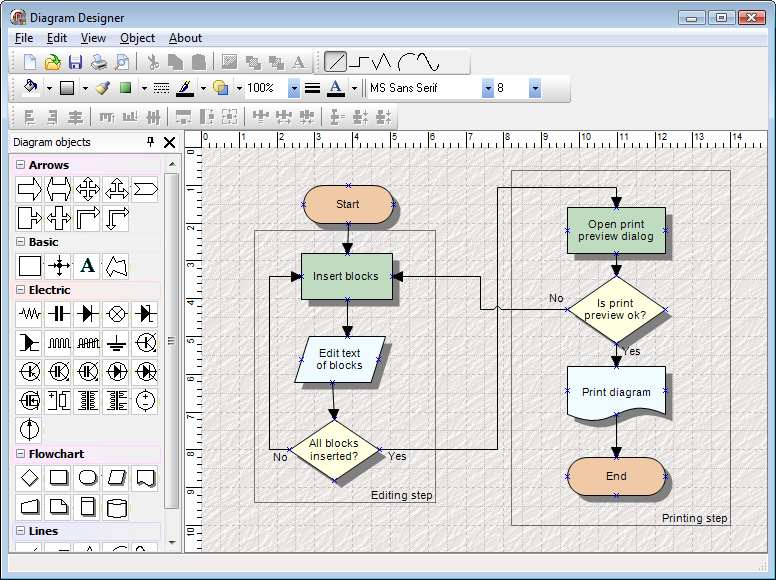
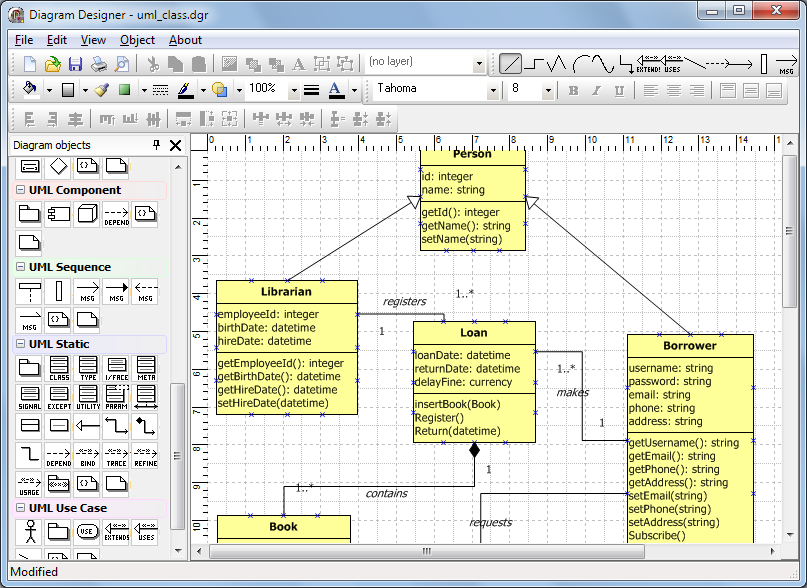
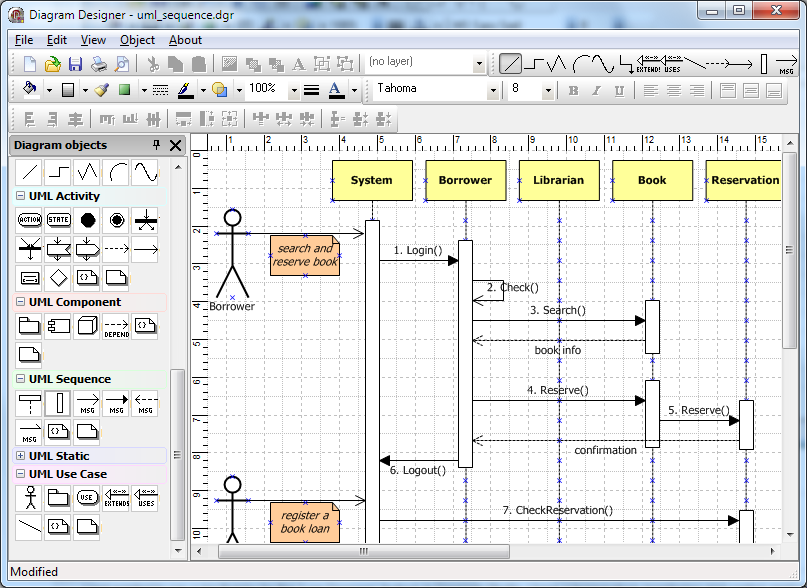
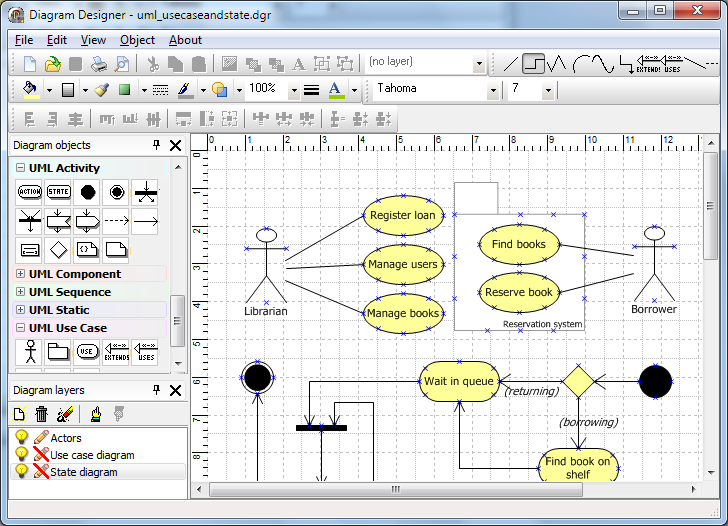
Simple flowchart example
Use of shadows, colors, background image and text blocks for building a flowchart
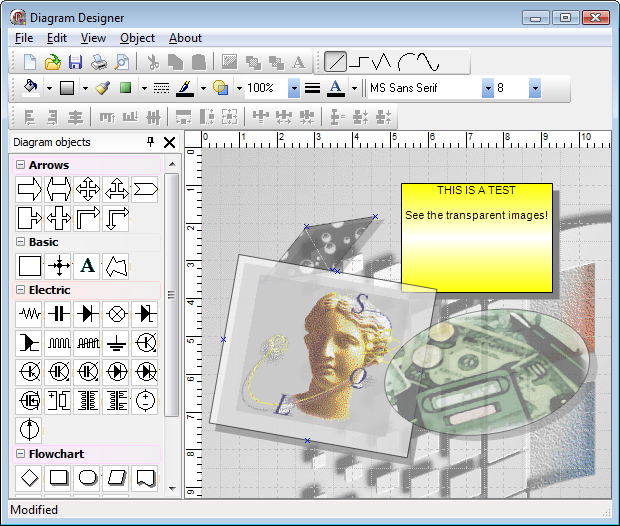
Example of block image and rotation
Demo overview
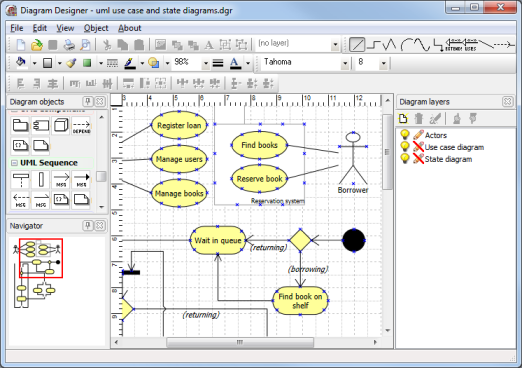
- Sample application showing the Diagram Studio in action included in distribution
- Application showing to extract the full block hierarchy in code from a diagram
Frequently asked questions
Code snippets for frequently asked questions:Adding restrictions to diagram blocks
ADControl.Restrictions := ADControl.Restrictions + [crNoMove];
Programmatically adding a line between 2 diagram block links
MyLine := TDiagramLine.Create(Self);
with MyLine do
begin
Name := 'MyLineName';
Diagram := atDiagram1;
SourceLinkPoint.AnchorLink := SomeBlock.LinkPoints[0]; //link start point to someblock
TargetLinkPoint.AnchorLink := AnotherBlock.LinkPoints[1]; // link end point to anotherblock
end;
Creating and inserting a diagram block programmatically
MyBlock := TDiagramBlock.Create(Self);
with MyBlock do
begin
Name := 'MyblockName';
Left := 10;
Top := 10;
Width := 150;
Height := 50;
Diagram := atDiagram1;
end;
Using a metafile as block
with atDiagram1.Blocks[0] do
begin
Shape := bsNoShape;
Metafile.LoadFromFile('mymetafile.wmf');
end;
Adding metafiles as block on the toolbar
procedure TForm1.atDiagram1InsertDControl(Sender: TObject; ADControl: TDiagramControl);
begin
if UpperCase(ADControl.DControlID) = 'MYBLOCK' then
begin
With ADControl As TDiagramBlock do
begin
Shape := bsNoShape;
Metafile.LoadFromFile('C:\MyMetafile.wmf');
end;
end else
if UpperCase(ADControl.DControlID) = 'MYOTHERBLOCK' then
begin
With ADControl As TDiagramBlock do
begin
Color := clYellow;
end;
end;
end;
initialization
RegisterDControl(TDiagramBlock, 'MyBlock', 'This is a caption for my block', 'My category');
RegisterDControl(TDiagramBlock, 'MyOtherBlock', 'This is a caption for my other block', 'My category');
User comments
I enjoy diagram studio a lot. It is simple to use and very effective. In short, an excellent component.Harry Martin, via email
I have installed the Diagram Studio trial version and am impressed, really a great component.Holger, via email
I want to congratulate you for the component development of the very good Diagram Studio.Gabriel Castillo Hernandez, via email
Thanks for a very nice and easy diagram editing environment Diagram studio is a quite straightforward way of designing things.John Karlaftis, via email
This is a wonderfull component !!!!Pablo Bizzotto, via email
Buy online

free updates for a full version cycle (from current version to v3.3) and free priority support:
95 EUR
for Delphi 5, 6, 7, 2005, 2006, 2007, C++Builder 5, 6, 2006, 2007

free updates for a full version cycle (from current version to v3.3) and free priority support:
150 EUR
for Delphi 5, 6, 7, 2005, 2006, 2007, C++Builder 5, 6, 2006, 2007

free updates for a full version cycle (from current version to v3.3) and free priority support:
395 EUR
for Delphi 5, 6, 7, 2005, 2006, 2007, C++Builder 5, 6, 2006, 2007
This product is also available in TMS VCL Subscription.
Copyright © 1995 - 2008 TMS Software

ONLINE ORDERS
Subscribe to RSS Feed