| PRODUCTS » SILVERLIGHT COMPONENTS » SILVERLIGHT PLANNER |
v1.5.1.3 (Dec 3, 2009)
|
TMS Silverlight Planner
Feature-rich Silverlight component for single/multi-resource scheduling Silverlight applications
Feature overview
The Silverlight Planner is a Silverlight control for implementing a broad range of planning and scheduling solutions. Whether a project requires the creation of a single-user Personal Information Management (PIM) application or time planning for multiple resources such as hotel rooms, rental cars and university courses, the Silverlight Planner provides an open, highly-configurable interface that will suit the project's needs. Because Silverlight Planner is browser-based, it is perfect for applications supporting users connected via an intranet or the Internet.
- Multi-resource / multi-day or combined multi-resource/multi-day modes
- Monthview mode
- Full drag & drop support
- Time-axis orientation can be horizontal or vertical
- Recurrency support & built-in recurrency editor
- WCF based data binding to server-side database
- Configurable editing of events, via inplace editing, popup editing,...
- Highly customizable appearance via Expression Blend or XAML code.
- Optional completion display per resource
- Optional linked events support with link indication and various link types
- Compatible with Silverlight 2 and Silverlight 3
Multiple resources and multiple modes
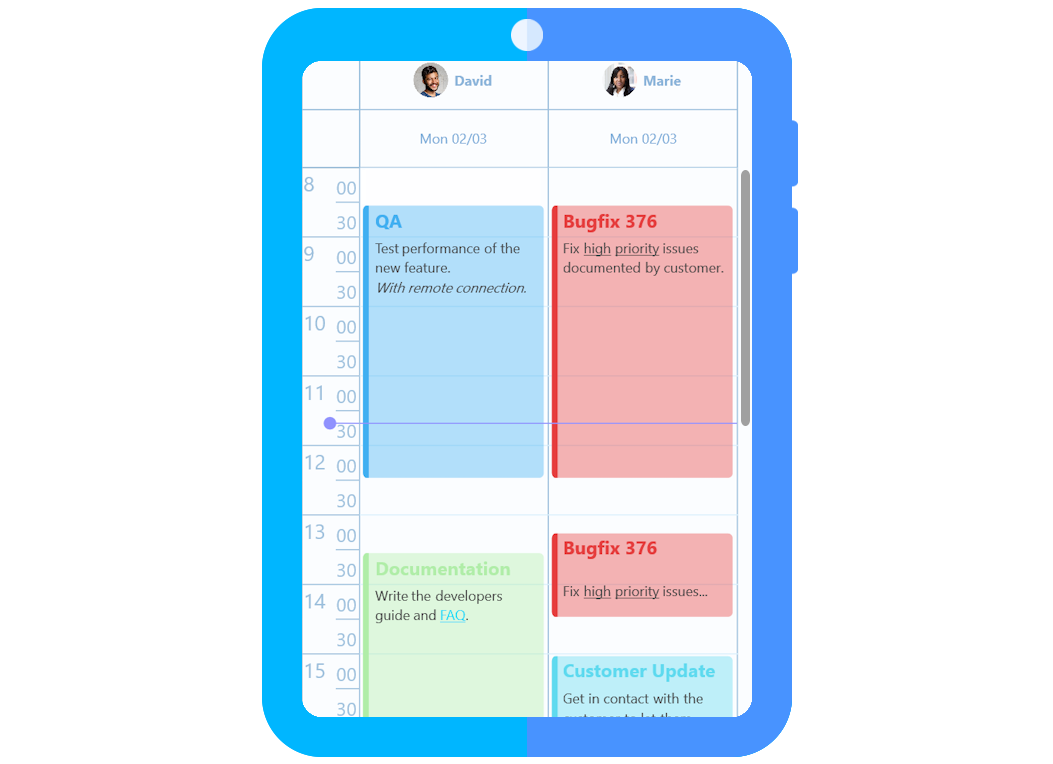
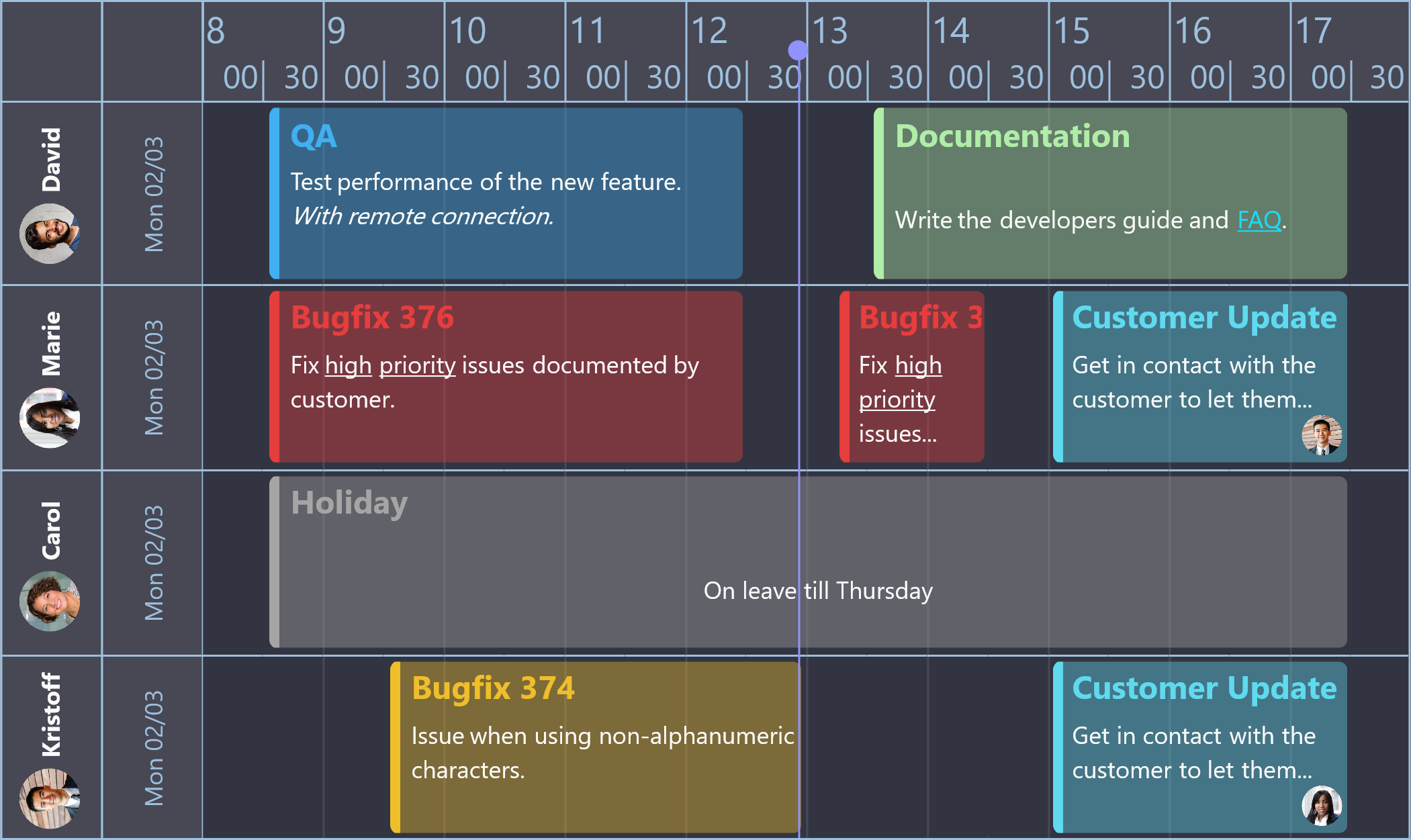
Silverlight Planner supports dynamic viewing of multiple resources and scheduled items in a variety of modes. Items can be scheduled at any granularity of time within a day view. Broader pictures of allocated resources and appointments can be had via the day period, month, multi-month, timeline, and week views. All of these modes are available through a single Silverlight Planner control placed on a Silverlight form.Silverlight Planner also includes a MonthPlanner control that displays events for an entire month in a fashion similar to a wall calendar.
Drag and Drop support
Users find it easy to interact with Silverlight Planner. If a person needs to move a scheduled appointment from one time slot to another, or even from one day to another, they can do so by clicking on the appointment and dragging it to the desired time slot. If the duration of an appointment needs to be changed, the user can resize the appointment use one of the two track bars located at the top and bottom of the event.Flexible database support
Silverlight Planner is loosely coupled with its data and supports the retrieval and update of scheduling information located in existing databases via WCF.Customization friendly
We've tried to make the appearance and behavior of the Silverlight Planner control as customizable as possible. For example, you can have the Planner invoke your own Silverlight forms when the user creates or edits an event (e.g., meeting, appointment).You can also control the appearance of each and every event, decide on a per event basis whether or not they can overlap or be double-booked, whether they can be resized, moved, or deleted. You can decide whether the time axis is displayed on the left, right, top, bottom or repeated for every day/resource and specify the colors, interval, and format of the times. There are even more options available. Please try the demo version to see for yourself.
Possible applications
Appointmentscheduling for medical and dental offices
Hotel reservations
Car rentals
Course scheduling
Resource allocation
Meeting room reservations
Process scheduling
Loading dock availability
What's new:
v1.5.1.3
- Fixed: Display issue when difference between StartTime and EndTime was longer than 24 days
v1.5.1.2
- Fixed: Issue with grouping when the Planner Mode is set to Horizontal
- Fixed: Issue with scrolling when the Planner Mode is set to Horizontal
v1.5.1.1
- Fixed: Issue with programmatically changing a PlannerItem's text after it has been edited
v1.5.1.0
- New: HeaderDisplayFormat property: holds the format string for DateTime values that are displayed in the Header
v1.5.0.2
- Fixed: Issue with changing the CaptionBackgroundBrush property in MonthPlanner
- Fixed: Issue in the Recurrency dialog conversion
v1.5.0.1
- Improved: Display of items spanning multiple days in Multiday mode
- Improved: Selection on top of existing items in MonthPlanner
- Fixed: Issue with the scrollbar in MultiDayResource and MultiResourceDay mode
- Fixed: Issue with incorrect SelectedIndex value in MonthPlanner
v1.5.0.0
- New: Month view mode via the Silverlight MonthPlanner
v1.0.1.2
- Improved: Prevented setting the EndTime earlier than the StartTime
- Fixed: Issue with using AutoEditOnCreate in DetailEdit mode
v1.0.1.1
- Improved: DateTime properties handling in xaml
- Fixed: Issue with using Completion in combination with MultiDayResource mode
v1.0.1.0
- New: Method IllegallyOverlaps() exposed
- Improved: Live updating on setting properties at runtime or in Blend
- Fixed: Issue MultiDayRes mode
v1.0.0.1
- Fixed: Issue with using Planner with Silverlight 3 Navigation application template
v1.0.0.0
- First release
v0.9.0.3
- Improved: Item inserting.
v0.9.0.2
- Improved: Updating an item after moving, sizing or editing is faster.
v0.9.0.1
- Fixed: Issue when using the client Silverlight application in a different timezone then the server ASP.NET application.
v0.9.0.0
- BETA Release
Buy online

free updates for a full version cycle (from current version to v2.4) and free priority support:
125 EUR
for Visual Studio .NET 2008

free updates for a full version cycle (from current version to v2.4) and free priority support:
495 EUR
for Visual Studio .NET 2008
Copyright © 1995 - 2010 TMS Software v3.2


SUPPORT
TRIAL DOWNLOADS
BOOKMARKS