BIZ
TMS Scripter
Add the ultimate flexibility and power into your applications with native Pascal or Basic scripting and full IDE (Integrated Development Environment) with visual form designer, object inspector, and more.
Feature overview





Make your applications end-user customizable!
By building scripting support into your applications, you can provide a high degree of configurability, flexibility and automation control in your applications.- It allows modification of the application behaviour without needing to update the full application. Just sending a new small script file is sufficient.
- It allows you to create and debug scripts and forms at runtime in an Delphi-like Integrated Development Environment.
- End users can add totally new functionality to an application by binding application logic with COM servers through scripting.
- Different end user specific rules can be put in scripts allowing to maintain a single application for different uses
- And much more ...
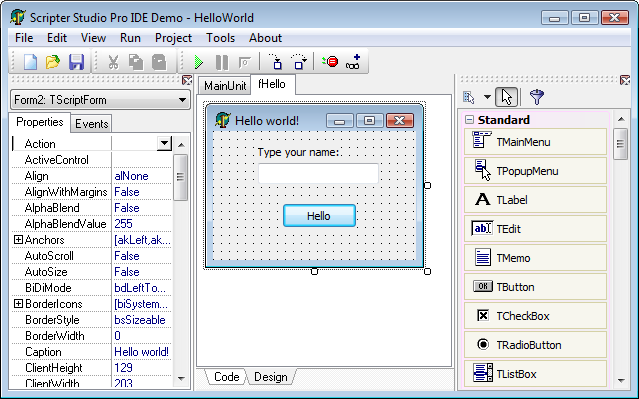
Feature details
- Integrated Development Environment (IDE) allow creating script projects at runtime with multiple cross-language scripts (Basic and Pascal) and forms
- Support for cross platform use: Win32, Win64, macOS, iOS and Android
- Visual form designer and Object inspector at runtime
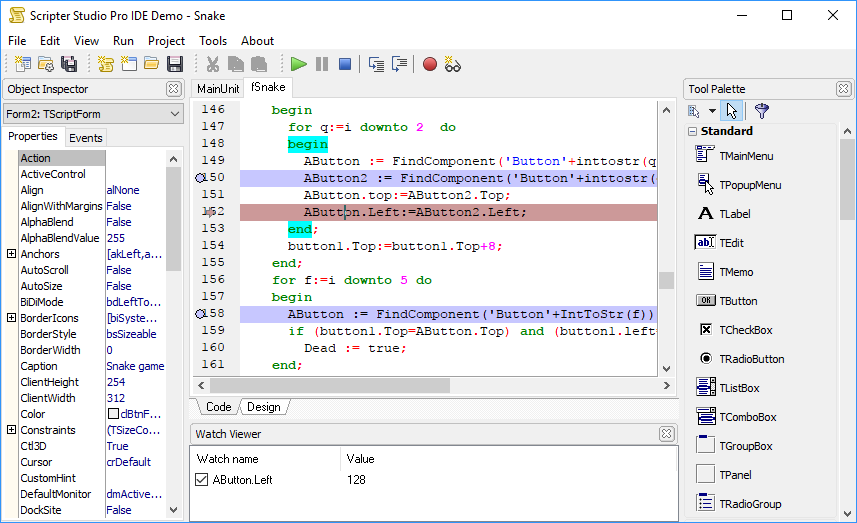
- Integrated and automatic debugging system in the IDE, including breakpoints, watch viewer, trace into libraries, etc.
- Component palette in both Delphi 7 and Delphi 2007 styles
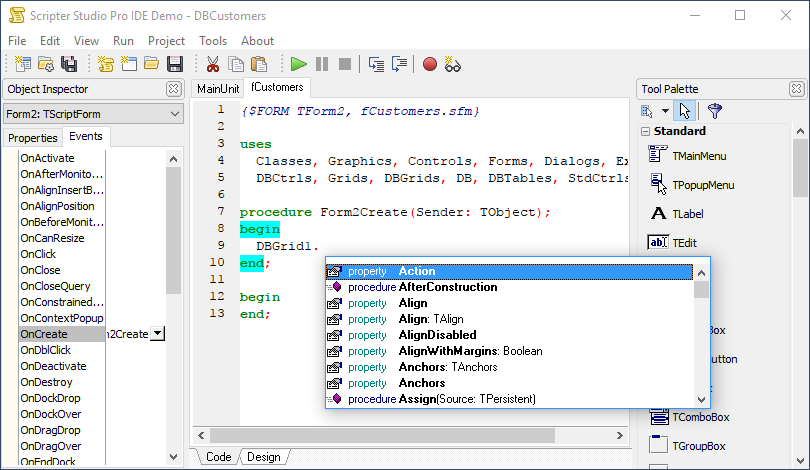
- Integrated syntax highlight memo with automatic code completion
- Separated components to build your own custom IDE
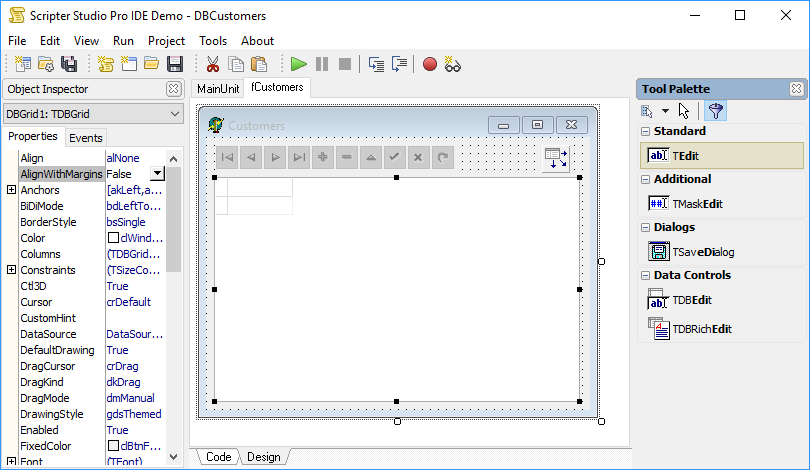
- Delphi 2007-like filtering system in Tool Palette
- Helper dialogs in IDE like Alignment, Size, Designer options, among others
- Events in IDE components allow saving/loading scripts and forms to/from database
- Run-time Pascal or Basic language interpreter
- Cross-language scripter component allows calls to Basic scripts from Pascal scripts and vice-versa
- Ability to load Delphi dfm forms and run them
- Access any Delphi object in scripts, including properties and methods!
- Supports try..except and try..finally blocks in script
- Allows reading/writing of Delphi variables and constants in script
- Allows access (reading/writing) script variables from Delphi code
- You can build (from Delphi code) your own classes, with properties and methods, to be used in script
- Most of Delphi system procedures (conversion, date, formatting, string-manipulation) are already included (IntToStr, FormatDateTime, Copy, Delete, etc.)
- You can add your own custom functions, using AddFunction method
- You can save/load compiled code, so you don't need to recompile source code every time you want to execute it
- Script libraries
- Thread-safe scripter engine
- COM support
- Support for calling DLL functions
- Debugging capabilities (breakpoint, step into, run to cursor, pause, halt ...)
Screenshots
Debugging a form script in the IDE
Using the filter in the Tool Palette
Code completion shows properties and components of the form
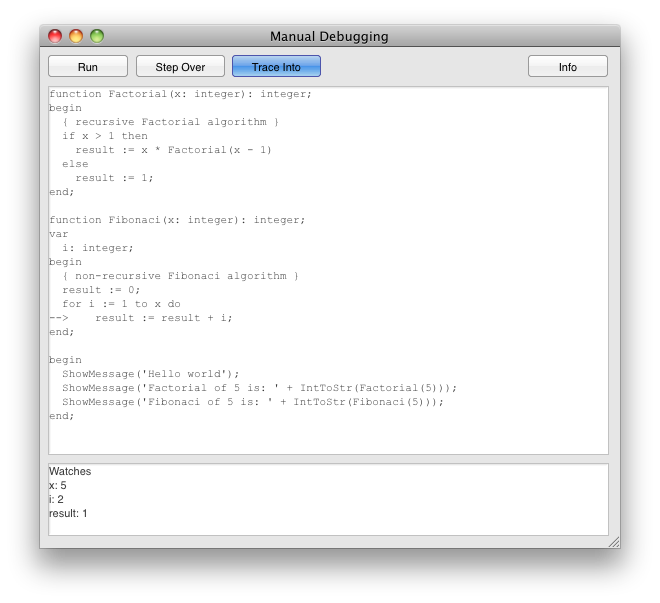
 Debugging scripts from a FireMonkey application on macOS
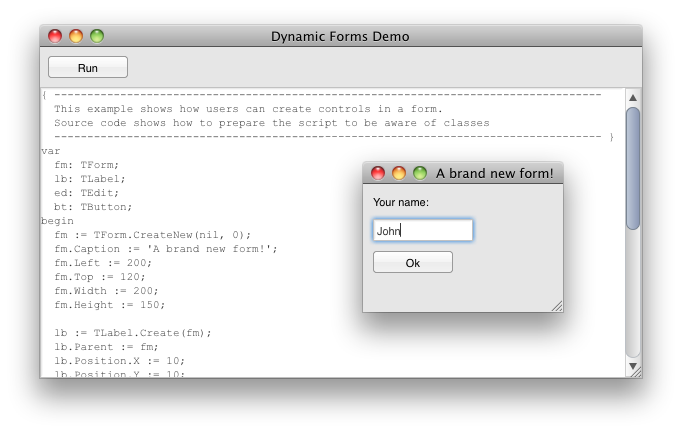
 Dynamic script generated form in a FireMonkey application
Demo overview
Following demos are provided for both the Pascal and Basic scripter:
| IDEPro | Main demo which shows the full IDE Environment |
| Adding methods and properties | Shows how Delphi object methods and properties are made available in scripter through a library |
| ADO | Shows COM based access to ADO from scripter |
| Case | Shows a case structure |
| Case with expressions | Shows a complex case structure with expressions |
| Class methods | Shows object creation and class method invoking |
| DB Import library | Shows use of imported Delphi DB library |
| Debugger | Shows the script debugger |
| DynaForms | Shows dynamic form creation from script |
| Excel | Shows COM based access to Excel from scripter |
| MSWord | Shows COM based access to Word from scripter |
| Outlook | Shows COM based access to Outlook from scripter |
| Var parameters | Shows use of parameters by reference in scripter |
| XMLDOM | Shows COM based access to XMLDOM from scripter |
| Setting events from Delphi | Shows setting scripter based event handlers from Delphi code & event sequencing |
| Custom events | Shows straightforward scripter based component event handling |
| Event handling | Shows form event handling and initializing |
| Event pushing | Shows event handling sequence manipulation |
| Script-based libraries | Shows how to use libraries of script functions |
| Threads | Shows threadsafe use of scripter engine |
| WebScripter | Shows use of scripter to generate scripted generated web contents |
All demos are included in the TMS Scripter trial distribution.
Import Tool for TMS Scripter
Free import tool that can be used to import your Delphi sources for TMS Scripter. Comes with imported classes for Delphi 7, 2007, 2009, 2010, XE, XE2, XE3, XE4, XE5, XE6, XE7, XE8, 10 Seattle, 10.1 Berlin and imported TMS Components for Delphi 7, 2007, 2009, 2010, XE, XE2, XE3, XE4, XE5, XE6, XE7, XE8, 10 Seattle, 10.1 Berlin. Use of the Import Tool is explained in the documentation included.Important notice: Import Tool for TMS Scripter is a free add-on for TMS Scripter. While lots of efforts have been done to cover as much as possible of the Delphi syntax for automatic importing, there is no guarantee that ALL Delphi code can be imported without problems. In case of problems, manual tuning on the code might be required. As the Import Tool was able to import the full Delphi class library, it should cover a high degree of Delphi code.
Download the Import Tool for TMS Scripter.
Pricing
Single Developer License
Small Team License
Site License
TMS Scripter
€ 210
€
65
yearly renewal
license for 1 developer
Includes
check
Full source code
check
Access to the TMS Support Center
check
Free updates and new releases
MOST POPULAR
TMS BIZ Premium
€ 655
€
205
yearly renewal
license for 1 developer
Includes
check
Full source code
check
Access to the TMS Support Center
check
Free updates and new releases
check
TMS Scripter
check
All TMS BIZ products
more_horiz
Discover more
BEST VALUE
TMS ALL-ACCESS
€ 1,995
€
695
yearly renewal
license for 1 developer
Includes
check
Full source code
check
Access to the TMS Support Center
check
Free updates and new releases
check
TMS Scripter
check
All TMS BIZ products
check
All TMS products
more_horiz
Discover more
All prices excl. VAT. Renewal price is subject to change and only valid up to 30 days after license has expired. After renewal period a discount price is offered to renew the license.
Free Trial
Start a free TMS Scripter evaluation today! RAD Studio
Supported Development Environments
 RAD Studio 13 Florence
RAD Studio 12 Athens
RAD Studio 11 Alexandria
RAD Studio 10.4 Sydney
RAD Studio 10.3 Rio
RAD Studio 10.2 Tokyo
RAD Studio 10.1 Berlin
RAD Studio 10 Seattle
RAD Studio XE8
RAD Studio XE7
RAD Studio XE6
RAD Studio XE5
RAD Studio XE4
RAD Studio XE3
RAD Studio XE2
RAD Studio XE
RAD Studio 2010
RAD Studio 2009
RAD Studio 2007
Delphi 7
RAD Studio 13 Florence
RAD Studio 12 Athens
RAD Studio 11 Alexandria
RAD Studio 10.4 Sydney
RAD Studio 10.3 Rio
RAD Studio 10.2 Tokyo
RAD Studio 10.1 Berlin
RAD Studio 10 Seattle
RAD Studio XE8
RAD Studio XE7
RAD Studio XE6
RAD Studio XE5
RAD Studio XE4
RAD Studio XE3
RAD Studio XE2
RAD Studio XE
RAD Studio 2010
RAD Studio 2009
RAD Studio 2007
Delphi 7