TMS Pack for FireMonkey
Set of highly configurable and styleable components for cross-platform FireMonkey software development
TMS Pack for FireMonkey v2.0.2.1 works with Delphi XE2, XE3 and C++Builder XE2, XE3.
TMS Pack for FireMonkey v2.1.0.0 requires Delphi XE4 or C++Builder XE4.
Feature overview
Highly styleable cross-platform FireMonkey controls
Support for Windows 32 bit, 64 bit, Mac OS X and iOS
Support for HTML formatted text, including hyperlinks in various parts of the components
Built-in support for LiveBindings in TTMSFMXTableView and TTMSFMXTileList, allows to bind any item element to data
Includes various demos and an extensive PDF developers guide
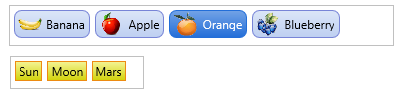
Includes various helper controls (badge, button and html enabled text controls) that can be used separately as well
Includes several Sample applications for the TTMSFMXGrid component
Includes
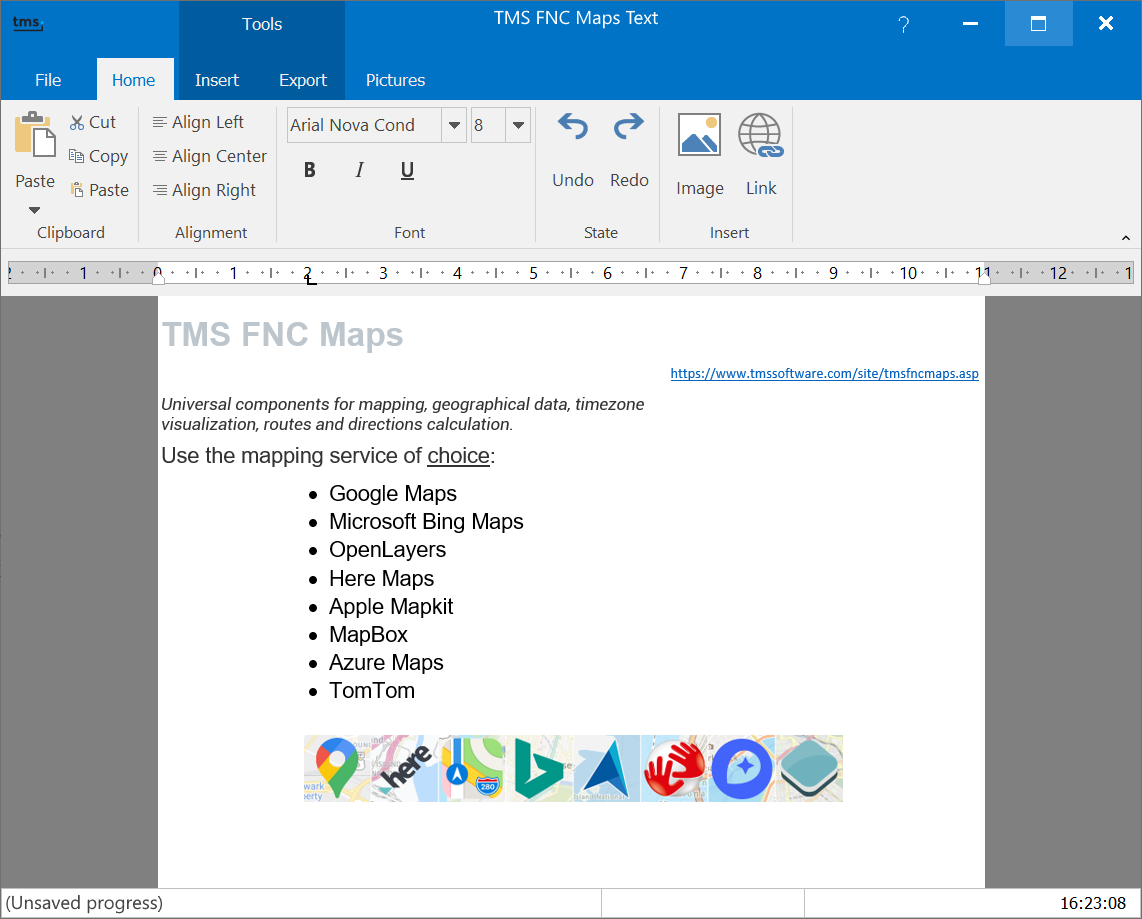
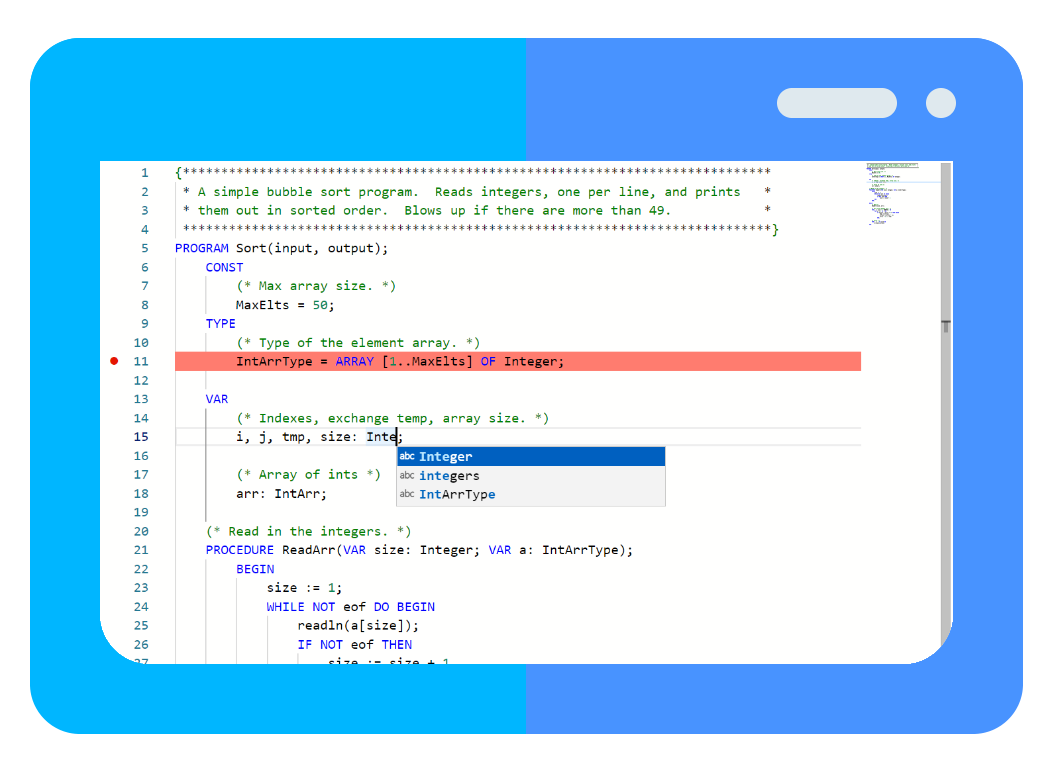
TTMSFMXMemo
Lightweight memo control with configurable syntax highlighting
Highlighting for Basic, C#, CSS, HTML, JavaScript, PascalSQL, Web and XML files
Undo and redo functions
Optional gutter with configurable line number display
Clipboard operations
Find and replace dialogs
Save to formatted HTML support
Configurable auto-completion
URL aware
Styler available for emoticons
Search highlight, search with expressions
TMSFMXGridPDFIO
PDF Export Component for the TMS Grid for FireMonkey for Windows (QuickPDF), Mac and iOS.
Multiple grid export.
Ability to show title, description and pagenumber per grid with separate font and text color.
Glyphs for Checkbox and RadioButton controls.
Supports vertical gradients, text color and font styles.
High quality rendering of bitmaps used inside the grid.
High quality output with text selection ability (if supported by PDF viewer).
Ability to extend the PDF Export Rendering Library in combination with other PDF Export Engines (Windows Only).
TMSFMXCalendar / TMSFMXCalendarPicker
Extensive calendar and calendarpicker component.
Ability to display events per date.
Events with separate styleable event indicator and information popup / hint when hovering.
Multi and disjunct date selection.
Month and Year selection in popup.
Separate appearance for current, weekend, weekday, weeknumber elements.
Separate header and footer
Navigational arrows
Set of events for customization / interaction
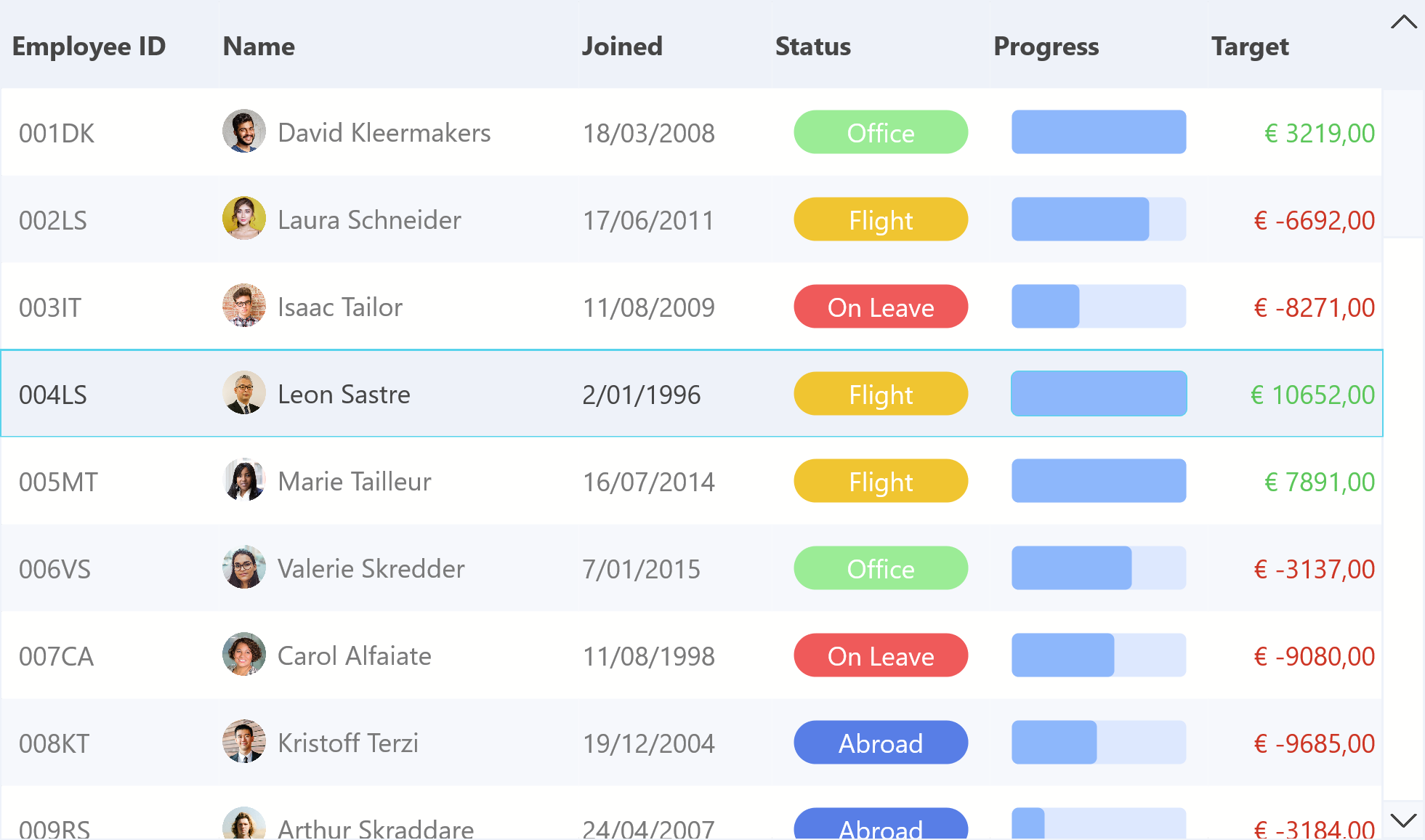
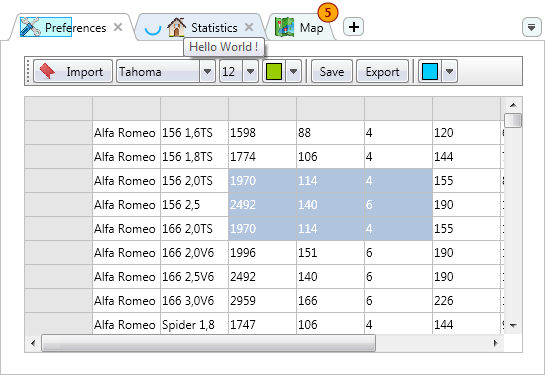
TTMSFMXGrid
Column Persistence
Fixed cell single and range selection
Autosizing columns / rows on double-click
Highly configurable, styleable and flexible grid
Various cell types available and built-in as well as support for custom cell types
Fixed columns left and/or right, fixed rows at top and/or bottom.
Column & row freezing
Several selection modes: single & multi cell, column, row, distinct cell, row, column
Cells with support for HTML formatted text, hyperlinks
Editing with range of built-in editor types and capability of using custom cell inplace editors
Cell merging and splitting
Grouping support with summary rows, and group calculations such as average, sum, min, max, custom calculation...
Filtering with optional auto filtering via dropdown
Different cell layouts for different cell states
Read-only and/or fixed state per cell configurable
Single column sorting, indexed column sorting, grouped column & indexed column sorting
Pixel and cell scrolling modes
Keyboard and Mouse handling customization: tab, enter, insert, delete key handling
Column and row dragging and sizing
Cell controls such as checkbox, radiobutton, button, bitmap, progressbar etc...
Configurable touch scrolling optimized for iOS
Styleable banding
Clipboard support
HTML & RTF Export
XLS import & export(without need to have Excel installed on all platforms)
Find and replace functionality with dialogs
Printing support with various print events and custom print drawing
Printing supports displaying a title, description and pagenumber
Print to printer or image file
Support for Windows, Mac OS X and iOS.
TMSFMXNavBar
Bitmapcontainer support
Extensive control over appearance
Flexible structure for hosting controls inside the panels
Capability to define logical sections in panels
Capability to collapse/expand control
TTMSFMXEdit, TTMSFMXEditBtn
Extends TEdit and adds Lookup and autocompletion capabilities
Various editing type such as alphanumeric, float, money, upper and lower case
Uses in the TTMSFMXGrid component but separately available as well
Comes with a button variant that supports displaying a popup
TTMSFMXHotSpotImage
HotSpots can be rectangle, ellipsis, polygon or rotated rectangles, rotated ellipsis
HotSpot events for hovering, hints, click, double clicks
Includes design time HotSpot editor with magic wand tool for automatic polygon selections
Clipped or non-clipped HotSpot hover-image or clicked-image
Each HotSpot has a Down, Selected, Blink property for displaying clipped or non clipped clicked image after click on HotSpot
Supports image zoom
Support for single or multiselect
HotSpots can show in selectable color or overlay image when selected, down, or blinking
Design-time and runtime usable hotspot editor
Compatible with VCL HotSpot files
TTMSFMXSpeedButton
Support for HTML formatted text, including hyperlinks in header, footer, items
Adds support for grouping with checked state
Inherits from TSpeedButton
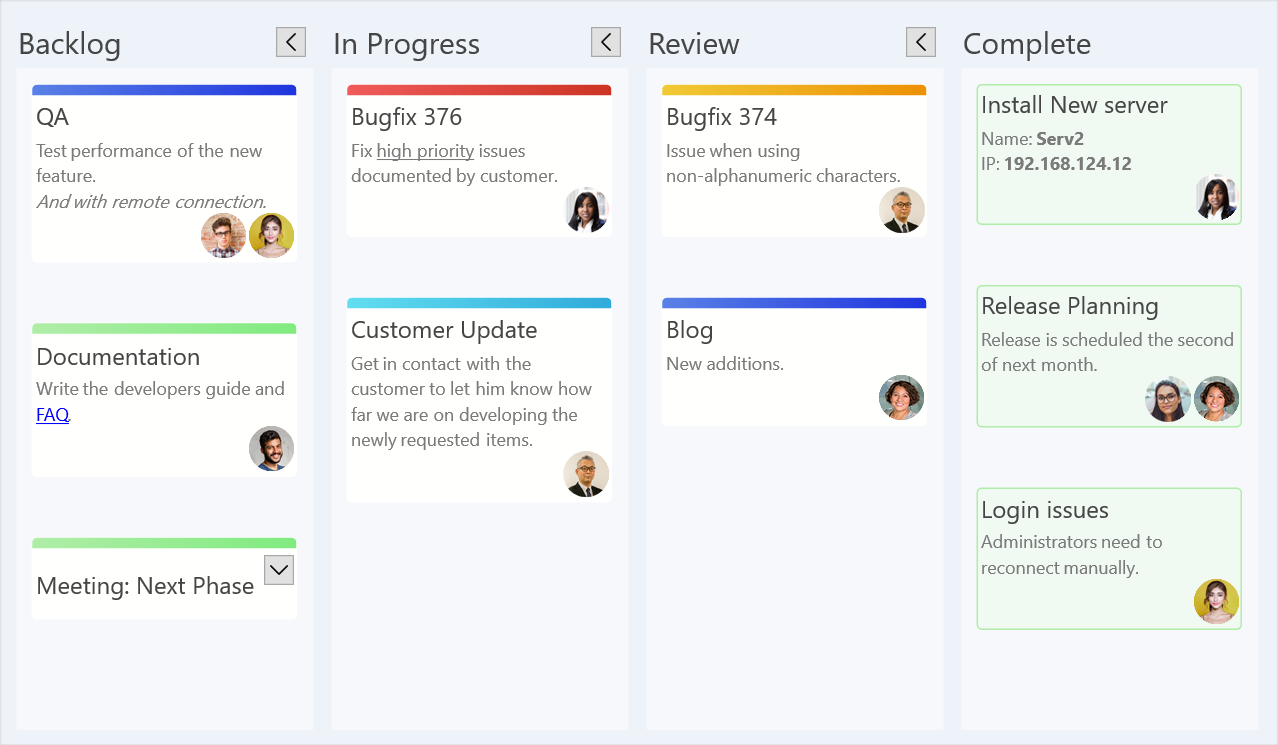
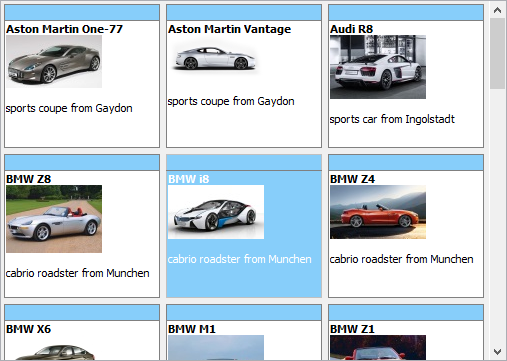
TTMSFMXTileList
Highly styleable cross platform FireMonkey control
Collection of fully customizable tiles
TileList control with smooth scrolling with inertia, direct navigation, single & multi select
Built-in support for searching & filtering
Built-in support for reordering tiles
Can be displayed in a page mode or scroll mode
Support for HTML formatted text, including hyperlinks in header, footer, items
Support for navigation through styleable header and footer arrows and bullets
Optional detailview per tile
Built-in support for use with LiveBindings, allows to bind any tile element to data
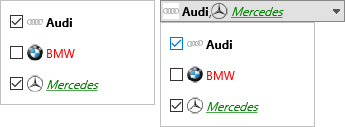
TTMSFMXTableView
Highly styleable cross platform FireMonkey control
List item is fully customizable
TableView control with smooth scrolling with inertia, direct navigation, single & multi select
Built-in support for searching & filtering
Built-in support for editing items and/or delete items
TableView can display data in list mode and in group mode like in iOS
Buffered display for improved performance
Automatic generation of categories alphabetic, alphanumeric or custom category support
Support for HTML formatted text, including hyperlinks in header, footer, items
Optional detailview per item, any FireMonkey component that descends from TControl can be used to show the item detail
Built-in support for use with LiveBindings, allows to bind any item element to data
TTMSFMX7SegLed
Combination of multiple TTMSFMX7SegLedShape
Digits and Decimals properties for maximum flexibility
Completely styleable
TTMSFMXBadge
Default iOS style and completely styleable badge
TTMSFMXBarButton
Inherits from and extends TButton
Support for TTMSFMXBitmap and TTMSFMXBitmapContainer
Different predefined style and color kinds
Support for iOS backbutton style
Used in TTMSFMXTableView
TTMSFMXBitmap
Control that displays an image with optional stretching and aspect ratio
Can display the image proportional with cropping
Supports loading an image directly, with a linkedimage (reference to TImage) or through the TTMSFMXBitmapContainer
Used in various components
TTMSFMXBitmapContainer
Container with a TBitmap collection
Designtime support to add / remove multiple images
Used in various components
TTMSFMXCircularGauge
Completely styleable
Configurable Divisions and Subdivisions
Needle with predefined shape layouts
Division and Subdivision formattings
SetPoints, Sections and Extra Needles
Clickable values
TTMSFMXClock
Inherits from TTMSFMXCircularGauge
Predefined layout of a styleable compass
Automatic time setting
Smooth animated seconds indicator with separate interval
TTMSFMXCompass
Predefined layout of a styleable compass
Needles for all wind directions
Inherits from TTMSFMXCircularGauge
TTMSFMXHTMLText
Inherits from and extends TText
Support for HTML formatting capabilities
Used in various components
TTMSFMXJogMeter
Inherits all features from TTMSFMXLinearGauge
Continuous scrolling with Aperture
TTMSFMXKnobSwitch
Inherits from TTMSFMXCircularGauge
Depends on a collection of positions
Predefined styleable layout
TTMSFMXLed
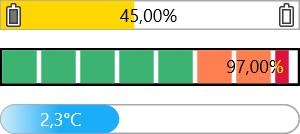
Glossy led with Base color to automatically calculate on and off colors
On and off color can be set separately.
TTMSFMXLedBar
Collection of TTMSFMXLed components
indicator with Value property and relative to the amount of led’s inside the component
Amount of led’s can be set with the Count property
TTMSFMXLedMeter
Configurable Steps
Start and Stop color with Active start and Active stop colors
Peak value and peak color to mark the highest value reached
TTMSFMXLedScope
Collection of TTMSFMXLedMeter components
TTMSFMXLinearGauge
Completely styleable
Configurable Divisions and Subdivisions
Needle with predefined shape layouts
Division and Subdivision formatting
SetPoints, Sections and Extra Needles
Clickable values
TTMSFMXMatrixLabel
Label with styleable LED text shape
Support for auto scrolling and scroll direction left or right
LED size can be set with sized: 9x13, 14x20, 19x27
Text can contain colored sections if configured with special characters
TTMSFMXPageSlider
Multiple animation and shadow effect enabled pages
Pages with the ability to contain multiple FireMonkey controls
Pages are separately styleable
Optional header and footer
TTMSFMXPopup
Display a FireMonkey control inside a fully customizable transparent popup window
Positioning relative to a control, with optional popup direction
Optional Header and footer text
Optional Header and footer buttons
TTMSFMXRating
Rating control with a separately styleable on and off state
Count and value properties
TTMSFMXRotarySwitch
Inherits from TTMSFMXCircularGauge
Depends on a collection of positions
values are drawn outside of the gauge
TTMSFMXScope
Display multiple channels with an interval and frequency
Channels have a separate color
Styleable Y-Axis, grid with a minimum and maximum value
Auto scrolling, auto update support
TTMSFMXSearchEdit
Inherits from and extends Tedit
Adds an optional search and clickable clear image
Default styleable rounded appearance
TTMSFMXSlider
Styleable on / off slider
TTMSFMXSpinner
iPhone style spinner control
Spinner with selectable number of columns with numeric data, date/time data and custom data
Optional infinite scrolling
Smooth mouse scroll effects
Completely styleable container and columns
Sample applications
Included in the distribution is a set of ready to use applications that demonstrate the most important features of the grid:
Manuals
Training, info & books
Links to these resources are provided as useful information and are not part of TMS product offerings.
Videos
TMS Instrumentation WorkShop for FireMonkey part of the TMS Pack for FireMonkey
In this video, you can see the TMS Instrumentation Workshop for FireMonkey components in action that are also all part of the full TMS Pack for FireMonkey. We show you the components in use in a FireMonkey HD application running on Windows 7 and the same application also deployed and running on Mac OS-X Lion. Finally, in the video we also turn the same application into a FireMonkey for iOS app and deploy it with xCode to the iPad.
I'm really enjoying this grid and the component pack for Firemonkey. Outstanding work. There is nothing close to comparable to it.
Josh Lapp, via email
Buy online
TMS Pack for FireMonkey
for Delphi XE2, Delphi XE3, Delphi XE4, C++Builder XE2, C++Builder XE3, C++Builder XE4 (Prof/Enterprise/Architect)
View licensing FAQ
License for commercial use: Single developer license , Site license
Includes full source code
Free updates for a full version cycle (from v2.1 to v3.0) Free priority support through email, newsgroup and forum
This product is also available in the following bundle(s):
TMS Component Studio
for Delphi 7, 2006, 2007, 2009, 2010, XE, XE2, XE3, C++Builder 2006, 2007, 2009, 2010, XE, XE2, XE3 (Prof/Enterprise/Architect)
View licensing FAQ
License for commercial use: Single developer license , Small team license , Site license
Includes full source code
Free 2 year updates and new releases Free priority support through email, newsgroup and forum